




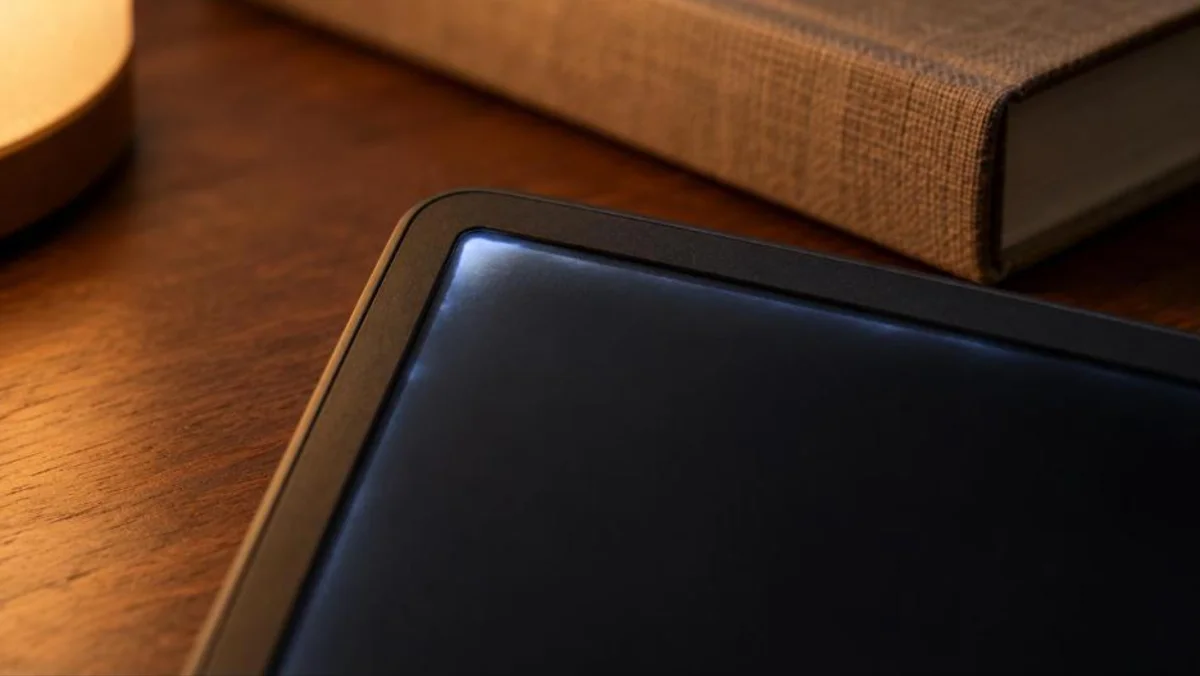
You settle in to read on your new Kindle, but the bright border keeps pulling your eyes off the page. Kindle light bleed affects some batches of the 2026 base model, and lowering brightness in dark mode can help. Amazon initially advised exchanges for severe cases, then described some edge glow as an expected result of the colored bezel design.
Here’s what you need to know before deciding whether yours needs replacing.
| Detail | What we know |
|---|---|
| Affected model | Some 2026 base Kindles, including plastic and aluminum versions |
| Launch date | October 1, 2026 |
| Price | $149.99 for 16GB or $189.99 for 32GB aluminum |
| Where it shows | Around screen edges, particularly in dark mode with brightness turned up |
| Amazon’s stance | Initially treated pronounced bleed as a possible defect, later called some glow expected |
| Quick fix | Reduce brightness while using dark mode |
| Exchange route | Amazon chat or 866-321-8851 |
| Return window | Typically 30 days after delivery. Check Your Orders for your deadline |
What Owners Are Seeing on the New Kindle
If your screen has a bright outline, you’re not the only owner asking questions. Android Central covered a Reddit report roughly eight days after launch, when a buyer asked whether the illuminated edges on their new base Kindle were normal. Other coverage described thin dark borders and uneven light near the bezel, so here’s how those reports compare with what you might see.
- Light lines and edge shadows. You may notice narrow bright strips beside the screen border or darker areas running along it. Reports covered by Good e-Reader and Android Authority describe both, rather than one identical pattern on every affected device.
- A glow around your page. With dark mode enabled, the edge lighting can form a noticeable outline around the book. This is the effect that drew questions from owners who expected a more evenly lit reading surface.
- A stronger effect in darkness. You’re most likely to notice the glow with the front light at full brightness in a dark room. Amazon says those conditions can make the effect appear.
- Different results between units. Some 2026 owners report seeing it, while others haven’t noticed anything. Your Kindle won’t necessarily show the same behavior as another buyer’s, even if you bought the same version.
Which Kindle Models Are Affected
The reports concern the entry-level 2026 Kindle, including both the plastic and aluminum editions. You don’t avoid the reported issue simply by paying for the aluminum version or choosing another color. Before comparing yours with a Paperwhite or Colorsoft, check which model the reports actually cover.
| Model | Price | Reported bleed? |
|---|---|---|
| Base Kindle 16GB, plastic | $149.99 | Yes, affecting some batches |
| Base Kindle 32GB, aluminum | $189.99 | Yes, included in reports |
| Paperwhite 2026 | $199.99 or $249.99 for Signature Edition | No reports so far, available for preorder |
| Colorsoft 2026 | $289.99 or $319.99 for Signature Edition | No reports so far, available for preorder |
For the base Kindle, reports span Ube and Graphite in plastic, plus Alpine Sky and Seaglass Green in aluminum. That doesn’t mean every device in those colors has a problem. The reporting points to particular batches, and the number of affected units hasn’t been disclosed.
There’s a small but useful distinction in the coverage. Android Headlines says Amazon confirmed the problem was limited to the base model, while Android Authority describes that limit more cautiously. Since the new Paperwhite and Colorsoft had not shipped widely, you shouldn’t treat the lack of complaints as proof that either has passed widespread testing.
Why the 2026 Kindle Leaks Light at the Edges
Your new Kindle has a different screen construction from its predecessor. The redesign brings a flat front, protective glass and a revised arrangement of the touch and lighting layers, which Good e-Reader reports Amazon linked to the issue. To understand why the edges can glow, it helps to separate the visible design changes from the reported explanation underneath.
The Flush Glass and Color Edge Design
You no longer have a raised rim surrounding the reading surface. In its October 1 announcement, Amazon described a display sitting level with the front and exterior color continuing around the device from front to rear.
That colored front border matters here. Amazon later told Android Authority that achieving it meant accepting some glow under certain reading conditions, particularly dark mode with strong illumination. So, while you may find the effect distracting, Amazon’s later explanation treats some of it as a consequence of the design.
How Side-Mounted LEDs Can Spill Light
Android Headlines offers a more specific explanation for uneven illumination. Its reporting says the revised glass and display assembly can leave gaps on some units, allowing light from LEDs at the sides to escape unevenly around the border. That is the publication’s explanation, rather than a detailed engineering account published by Amazon.
You see, uneven front lighting predates this Kindle. Coverage of the Kobo Clara HD in 2018 described shadows caused by LEDs beneath its bezel.
That history doesn’t settle whether your unit needs replacing. Amazon’s two responses make the distinction between a faint glow and severe bleed especially important.
Amazon’s Two Different Answers Explained
If you’re unsure whether your Kindle is faulty, Amazon’s responses don’t make the decision easier. Its first comments treated severe light leakage as grounds for an exchange, while a later response described some glow as part of the design. Here’s what each statement means for you.
| Statement | Given to | Date | What it means |
|---|---|---|---|
| Small lighting differences can occur, but pronounced leakage may indicate a fault. Owners with severe cases are generally directed toward an exchange. | Good e-Reader | Report published October 8, updated October 9, 2026 | You have reason to request a replacement if the bleed is substantial. |
| Some glow is an anticipated consequence of the colored bezel, appearing under conditions such as dark mode with strong front lighting. | Android Authority | October 9, 2026 | A faint border under those conditions doesn’t automatically mean your device is defective. |
You see, those responses describe different degrees of the problem, but Amazon hasn’t supplied a measurable cutoff between acceptable glow and a faulty screen. That leaves you judging how it affects your reading, with two useful distinctions.
- Faint glow under demanding conditions. If you only notice it in dark mode with brightness at maximum, your experience fits Amazon’s description of expected behavior. Lowering the light is its recommended first step.
- Obvious lines or patches during ordinary reading. If the uneven lighting remains distracting at the brightness you normally use, ask Amazon to assess it for an exchange. Its earlier advice supports replacing units with severe bleed.
How to Test Your Kindle for Light Bleed
Before you contact support, check when the glow appears and whether it fades as you lower the light. A bright border at maximum illumination tells you less than how the screen looks while you actually read. Use this sequence to compare both.
- Move into a dark room. This makes uneven lighting easier to spot, as The eBook Reader explained in its earlier coverage of e-reader light bleed.
- Enable dark mode. Start with the display mode most often associated with the reported glow.
- Raise the front light to maximum. You’re checking the conditions Amazon says can reveal the effect.
- Open a book page. Compare it with a dark screen and look for bright strips, dark borders or uneven patches.
- Inspect all four edges. Hold your Kindle at your usual reading angle while checking the screen perimeter.
- Lower brightness gradually. Note when the glow becomes less noticeable or disappears, and whether that level is comfortable for reading.
- Repeat in light mode. Return to your usual brightness and check whether the same areas still distract you.
- Photograph what you see. Keep examples of the issue at maximum and normal reading brightness so you can show support how it behaves.
Ways to Reduce the Glow Right Now
You may be able to make the border less distracting without waiting for a replacement. Amazon’s own recommendation starts with the front light, particularly when you read in dark mode. Try these changes and judge the result at your usual reading distance.
- Lower brightness in dark mode. Bring the front light down until the edge glow becomes less noticeable while the text stays comfortable to read. This is the specific adjustment Amazon recommends.
- Try light mode. The reports describe the effect as most noticeable against a dark page. Switching to a light background may make the uneven edges less distracting.
- Read with some room light. A lamp lets you rely less on the Kindle’s front light. You can then reduce its brightness instead of reading with it turned all the way up in darkness.
- Keep the front light lower when practical. Beyond reducing the reported glow, using less illumination can help preserve battery life, according to BGR’s Kindle care advice. Our tips on why devices get hot and drain faster follow the same idea.
These changes can reduce what you notice, but they don’t repair gaps in a display assembly. If severe leakage still interrupts your reading, an exchange remains worth pursuing.
How to Get a Replacement or Refund From Amazon
You have two routes if the screen bothers you. A warranty claim asks Amazon to replace a faulty device, while a return lets you seek a refund within the applicable window. Start with the option that matches what you want.
Exchange Through Amazon Support
- Contact Amazon through live chat or call Kindle Warranty Support at 866-321-8851.
- Describe the edge lighting. Explain when it appears, whether lowering brightness helps and how it affects reading. Share your photos.
- Request a replacement for a suspected manufacturing fault. Severe light leakage is the type of case Amazon’s earlier response directed toward an exchange.
- Follow the return instructions you receive. Reports say replacements often ship before the original is sent back. Canaltech reports that some customers weren’t required to return theirs, but don’t assume that applies to you.
- Sign in on the replacement. Use your existing Amazon account to access your purchased books again.
Return It for a Refund
- Check your order’s return deadline. Amazon device returns are typically allowed within 30 days of delivery.
- Deregister your Kindle. Open the Devices tab in your account, select the reader and choose Deregister.
- Get your return label. Use Amazon’s Online Return Center or ask customer support for help.
- Pack the device with its accessories in the original packaging. An opened box is acceptable, and the manual isn’t required.
- Send it through the designated carrier. Late returns can incur a restocking fee or become ineligible for a refund. Purchases from another retailer follow that seller’s policy.
Warranty Coverage
Your Kindle generally carries a one-year limited warranty. Check Amazon’s device support terms for your country, since damage caused by you or another party isn’t covered.
Should You Buy the Base Kindle Now or Hold Off
You don’t need to rule out the base Kindle because some owners have reported uneven lighting. The complaints concern particular batches, and other buyers haven’t noticed the problem. Your reading habits and willingness to arrange a return should guide the decision.
- Buying now can still make sense. If you’re comfortable checking the screen after delivery, you can assess your own unit during the return period. Reports don’t suggest that every base Kindle has severe bleed.
- Nighttime readers may prefer to wait. If you mainly read in dark mode with little room light, the reported glow could be especially distracting. Waiting for more owner feedback or considering another model is reasonable.
- Check your return deadline before settling in. Amazon device returns are typically allowed within 30 days of receipt. Confirm the date on your order so you have time to decide.
- Don’t count on a holiday extension. As of October 11, Amazon hadn’t announced its 2026 holiday return policy. Last year’s longer window doesn’t guarantee extra time for your purchase.
There’s no disclosed count of affected devices or confirmation that manufacturing has changed. Waiting buys you more information, rather than a promised fix. Amazon’s sales events can also change the math, as our Prime Big Deal Days 2026 guide showed.
Paperwhite and Colorsoft as Alternatives
If you want adjustable warm lighting or water resistance, the Paperwhite and Colorsoft give you features the base Kindle lacks. Both cost more, though, and their limited availability means you shouldn’t assume they’ve already passed widespread owner testing. Here’s how the main differences compare.
| Model | Price | Screen | Battery | Warm light | Waterproof |
|---|---|---|---|---|---|
| Kindle 2026 | $149.99 for 16GB or $189.99 for 32GB aluminum | 6-inch, 300 ppi | Up to 6 weeks | No | No water-resistance rating |
| Paperwhite 2026 | $199.99 for 16GB or $249.99 for Signature Edition | 7-inch | Up to 12 weeks | Adjustable | IPX8 |
| Colorsoft 2026 | $289.99 for 16GB or $319.99 for Signature Edition | 7-inch color | Up to 8 weeks | Adjustable | IPX8 |
The Paperwhite gives you the longest stated battery life of the three, while the Colorsoft adds a color display. If warm light and water resistance are your priorities, the standard Paperwhite provides both at a lower price than the Colorsoft.
Both ranges are available for preorder on a rolling basis. No comparable edge-glow problem has been reported for them so far, but they hadn’t reached enough readers to treat that silence as a guarantee. Choose for the features you need, with that limitation in mind. If you want a bigger screen for more than reading, the new Amazon Alexa tablet is another option.
Your Next Steps as a Kindle 2026 Owner
Your next reading session can help you decide whether the glow needs attention. You don’t have to make that call from someone else’s photo or live with a screen that keeps distracting you. Give yourself a few minutes to check yours.
- Test it tonight. Compare dark mode at high brightness with the light level you actually enjoy using.
- Keep a few photos. Show the edges clearly so support can understand what you’re seeing.
- Decide before your deadline. Request an exchange for severe bleed or arrange a return if you’d prefer a refund.
- Lower the light meanwhile. Amazon’s suggested adjustment may make reading more comfortable while you sort things out.
Once you’ve checked the screen and your options, you can get back to the reason you bought it – your next book.
FAQs
Your Kindle may keep working for more than five years, based on owner reports. Some readers report a decade or longer, though Amazon doesn’t promise a fixed lifespan.
An older Paperwhite can still be worth considering if the model receives security updates. Support extends to models including the 2018 Paperwhite, while the new 2026 version starts at $199.99.
You may improve a dim-looking display by adjusting brightness or trying light mode. If neither helps, contact Amazon to check whether your device needs warranty service.
Rapid battery drain and persistent screen trouble can suggest your Kindle needs attention. Lost software support also matters, with Amazon ending support for devices sold before 2013.
No similar issue has been reported for the 2026 Paperwhite so far. However, you shouldn’t read that as a guarantee because it hadn’t shipped widely when the base-model complaints appeared.
You may receive your replacement first, as several reports describe that arrangement. Follow the instructions for your claim because the timing and return requirements can vary.
A faint glow alone doesn’t establish that your Kindle is faulty, according to Amazon’s later explanation. Try reducing brightness, and ask about an exchange if the leakage is severe.
