




Key Takeaways
- Trace the Puddle: If your robot vacuum base station leaks, unplug it, dry the floor and see where the water collects. A wet ramp can point to a clogged drain or stuck float, while water beneath the tanks suggests a loose lid or seal.
- Fix the Overflow: If your robot vacuum dock leaks or shows Narwal’s #2003 Base Station Overflow, reseat the dirty tank and seals, clear the drain, free the float and wipe the sensors. Check the plugs, level the dock, use plain water, lower mop output and inspect any hose gaskets.
- Get the Dock Serviced: If your robot vacuum dock leaks from inside, leave it unplugged and send support a video for your warranty claim. Damage from unapproved cleaner can be excluded. Use vacuum-only mode if the dock is dry and your robot can run without using its water system.
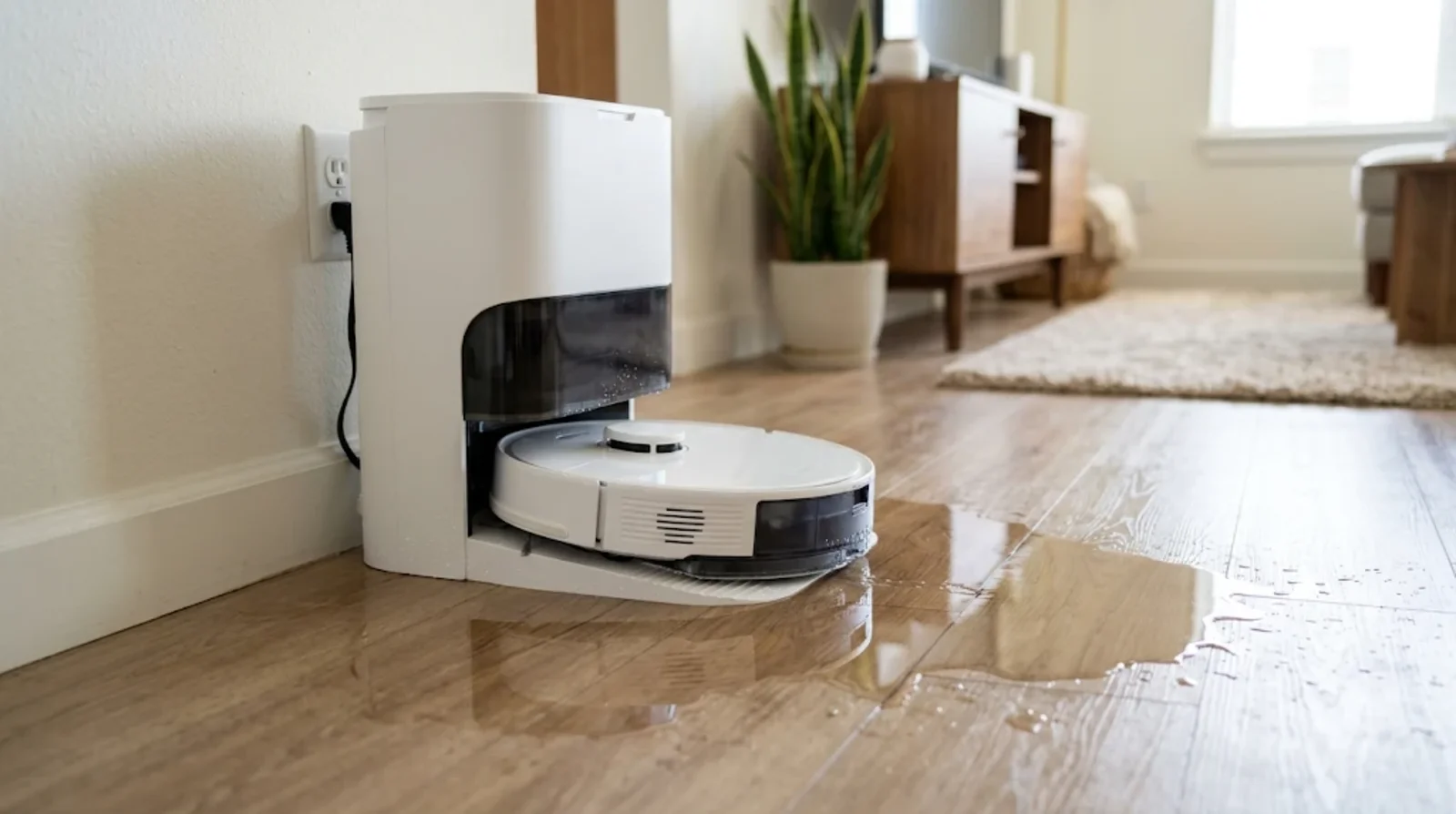
You come back after a mop run and find a puddle in front of the dock. If your robot vacuum base station is leaking water, start with the dirty water tank, the wash tray drain and the float. You can check all three by hand.
Where the water collects tells you which part to look at first. Water running down the ramp points to a different problem than a wet patch that appears as the robot drives away. Here’s how to tell them apart, work through nine fixes and decide when to ask for a warranty repair.
What to Do When You Find Water Around the Dock
Water can travel along the ramp or beneath the station before you spot it. Dry the area, then use the location of the puddle to narrow down the cause.
Unplug the station and mop up
Take the robot off the dock, unplug the station and wipe up the puddle. Dry the floor beneath the dock too, especially if it’s wood.
Lift out the clean and dirty water tanks, then slide out the wash tray. Keep the tray level as you carry it. eufy points out that leftover water can spill from a tilted tray and look like a leak.
Find where the water is coming from
Think back to when you first saw the puddle. A wet ramp after a pad wash suggests the tray filled too high, while a patch that appears as the robot pulls away can come from the mop itself.
If you find a few droplets inside a brand-new dock, Narwal and Roborock say water can remain after factory testing. For water that collects around the dock, match the location to the checks below.
| Where the water is | Likely cause | Which fix to try |
|---|---|---|
| On the slope or ramp in front of the tray | Wash tray overflow from a blocked drain, a float or sensor problem, or foaming cleaner | Fixes 3, 4 and 7 |
| Under the tray while the tray itself is empty | Missing filling-port plug or leftover water from removing the tray | Fix 5 |
| Behind or beneath the water tanks | Loose lid, poor tank seating or damaged seal | Fixes 1 and 2 |
| Where the robot drives off the dock | Dripping pads or high mop water output | Fix 8 |
| Spreading from beneath the station | Possible leak from a pipe or valve | See When the Water Is Coming From Inside the Station |
| Around the hose connections on a plumbed dock | Loose or missing hookup kit gasket | Fix 9 |
Why Robot Vacuum Base Stations Leak
The dock sends clean water to the tray and draws dirty water back into a tank. A leak can start on either side, so look at what happens during and after a wash.
The dirty water tank is not sealing
The pump needs a sealed dirty water tank to draw water out of the tray. A lid left ajar, an open clip or a twisted dirty water tank seal can break that seal.
The dock can keep sending water into the tray while very little makes it back to the tank. If the tray fills up after you empty the dirty water tank, check how the lid and tank went back in.
The wash tray cannot drain
Hair, mop lint and sludge can collect around the tray’s center filter, dirty water outlet or suction nozzle. As the opening clogs, dirty water builds up and can spill down the ramp.
Look at the small openings even if the tray itself seems clean. On Tapo docks, debris can also block the suction port or the black flexible hose.
A float or level sensor gives a false reading
Your dock may use a float and magnet to track the water level, or it may use electrical contacts. Debris can jam a float, while stray fibers across the contacts can cause a short.
On a Tapo dock, the dirty tank float can stick in the raised position and block the vent. If that happens, the dock can leave dirty water sitting in the tray.
The mop pads leave the dock dripping
ECOVACS says DEEBOT mop pads can carry extra water out of the station and drip onto the base. Look for a wet patch along the path the robot takes as it leaves.
A high water output can make the problem worse. On the eufy E28, a worn roller mop can also leave dirty water behind.
Foam from the wrong cleaning liquid
Some docks, including models in the Roborock Saros 20 series, dispense detergent automatically. A third-party cleaner can foam in the lines, leave residue on sensors or clog the filter.
The cleaner you use can affect a repair claim too. Inside digital reports that Roborock excludes damage from unapproved solutions and that Dreame excludes damage from use that goes against its instructions.
Worn seals, valves and internal pipes
Rubber seals can crack or lose their shape with use. On the eufy X10 Pro Omni, a leaking one-way valve on the clean water tank or a loose pipe inside the station can also let water out.
Narwal says worn, damaged or dirty sealing rings can cause leaks and trigger errors including #2003 and #3005. If your dock shows #2003, it’s reporting a base station overflow.
9 Fixes for a Leaking Base Station
Work through the fixes in order and skip the ones that don’t apply to your dock. Start with the dirty water tank, since you can check it as soon as you’ve wiped up the spill.
Fix 1. Reseat the dirty water tank and close the lid
Empty the tank, close the lid fully and fasten its clips. Put it back in the dock and press down gently until it sits flush or clicks into place, depending on your model.
If your ECOVACS dock leaves dirty water in the cleaning sink, lift out the tank and open the cover to check the plugs. ECOVACS suggests waiting about 10 seconds before closing the cover and refitting the tank.
Fix 2. Clean and reseat every sealing ring
Check the rubber seals on both tanks and around the dirty tank cover. Wipe them with a cloth and press any loose ring back into place by hand. MOVA also tells you to check two rings inside the base, while Narwal says its stations have three sealing rings.
Look for cracks, tears or gaps where the seal meets the tank. If you find damage on an eufy tank, send support a photo that shows the seal and where it fits.
Fix 3. Clear the wash tray drain and filter
Lift the tray out level. Your manual may call it a washboard, cleaning tray, cleaning sink or mop washing tray. Rinse the center filter and clear any debris from the dirty water outlet or suction nozzle.
If you have a Dreame roller mop, switch the robot off before removing the drum and axle. Clear the suction-inlet filter and its groove without pushing dirt into the holes. Let the parts dry before reassembling them and running a brief self-clean.
Fix 4. Free the float and wipe the level sensors
Move the tray float gently to see whether it travels freely. On an ECOVACS dock, check that the float’s magnet is in place. If you have a Tapo dock, check that the float in the dirty tank hangs naturally.
Wipe the overflow sensors or water level contacts with a dry tissue. Check for fibers left on the contacts, since those can interfere with the reading.
Fix 5. Check the rubber plugs and the tray filling port
If you find water under an eufy X9 Pro tray with nothing on the ramp, dry the underside and inspect the rubber plug at the filling port. On Tapo and ECOVACS docks, check that the sealing plugs are seated and in good condition.
On the eufy E28, refit the duckbill valve if it has come loose from the dirty water tank. A missing X9 Pro tray plug can call for a new tray. Ask support about a replacement if a plug or valve has worn out.
Fix 6. Put the dock on a level hard floor
Set the dock on a flat, hard surface. Roborock’s manuals specify placing the dock flat against a wall and keeping carpet and mats out from under it.
If water keeps running toward the same edge of the tray, check the dock with a spirit level or a phone level app. Move it to a flat spot if it tilts.
Fix 7. Flush out third-party cleaner and use plain water
If you’ve used household cleaner, empty and rinse both tanks and the detergent cartridge with clean water. For the X9 Pro, eufy specifies plain water or its own solution for that model.
If you use Roborock’s concentrate, follow its dilution ratio of one part cleaner to 200 parts water. Distilled water can help limit limescale buildup.
Fix 8. Turn down the mop water output
If water appears as the robot leaves the dock, lower the mop water level in the app if your model offers that control. Menu names vary. On the eufy E28, check the roller for wear if it still drips after you reduce the output.
If your DEEBOT leaves a wet patch on the base, ECOVACS suggests moving the station aside occasionally to wipe underneath. You can also use its suction pad accessory.
If the pads still come out dry instead, see our fixes for a robot vacuum mop that is not getting wet.
Fix 9. Check the hookup kit hoses and gaskets on plumbed docks
If your dock refills and drains automatically, check the water hose gasket and any quick connectors. On a SwitchBot S10, press the wastewater filter lid closed until it sits flush. With external tanks, also check the rear connector and both hoses for gaskets.
On a Narwal dock with an auto water replacement unit, refit the unit so its cover sits flush against the dock. Power off both the dock and robot for at least two minutes before restarting them.
Dock Checks for Roborock, Dreame, ECOVACS, eufy and Narwal
The part you need may go by a different name in your manual. Find your brand below to match the tray, the first check and any alert you see.
| Brand | Tray name | What official support says to check first | Leak-related codes or alerts |
|---|---|---|---|
| Roborock | Wash tray | Check tank seating and confirm the water filter is installed | Red dock light indicates an error |
| Dreame and MOVA | Washboard or cleaning disk | Clear the drain and check the used water tank seals. On Dreame, wipe the overflow sensors | Abnormal washboard or cleaning disk water level |
| ECOVACS | Mop washing tray or cleaning sink | Check tray seating, float movement and the float magnet | Mop washing tray abnormality |
| eufy | Cleaning tray | Check the tank seals and float on the X10 Pro Omni, then the clean tank valve if needed. Check the duckbill valve on a dripping E28 | |
| Narwal | Docking tray | Clean and reseat the tray and inspect the three sealing rings | #2003 Base Station Overflow |
| Tapo | Cleaning tray | Check the dirty tank float, center filter and black suction hose | |
| SwitchBot S10 | Check that the wastewater filter lid sits flush and the hose gasket is in place | ||
| Samsung Jetbot AI | Arrange service if you see the leak alert | Leak detected in the clean station |
Roborock docks
For a Roborock dock, use your model’s manual and the mop-washing troubleshooting guide to check the tank seating and water filter. The Q Revo manual says a little factory-test water can remain inside the dock.
A red dock light on the Q Revo tells you the station has an error. If you use detergent, stick with a solution Roborock makes or expressly approves, since damage from other cleaners can be excluded from warranty coverage.
If your Roborock also forgets its rooms after a reset, here is how to restore a lost Roborock map.
Dreame and MOVA docks
Start with the washboard or cleaning disk and clear the dirty water outlet. Then check the used water tank seal and clip, press the tank into place and dry the base before refitting the tray.
On a Dreame roller model, check the drum and suction-inlet filter too. In December 2025, some Aqua10 Ultra Roller owners reported pooling beneath the dock and floor damage. Vacuum Wars couldn’t reproduce the leak in its lab, and the cause remained unconfirmed.
ECOVACS, eufy and Narwal docks
On an ECOVACS dock, check the overflow float and its magnet. For an eufy X9 Pro, follow the water. A wet ramp points to tray overflow, while water under an empty tray points to a leftover drip or a problem with the tray plug.
Narwal specifies white 704 glue when replacing a sealing ring. If you already have the glue, ask customer service about getting a ring. Narwal advises sending the station in for repair if you need the ring replaced and don’t have the glue.
When the Water Is Coming From Inside the Station
If water spreads from beneath the dock after you’ve dried the tray and checked the tanks, the leak may be inside. Check where the water comes out so you can show support what’s happening.
Try the tilt test
Unplug the dock, remove both tanks and the tray, and dry any water you can reach. SwitchBot suggests gently lifting one side of the station to see if water runs out of the other side.
If you see water coming from inside the housing, keep the case closed and contact support. eufy identifies a loose internal pipe as one possible cause when the tank and tray checks fail to stop the leak.
Claim a repair or replacement
Take photos and record a short video while the leak is happening. Have your model and serial number ready. For a SwitchBot S10, include a photo of the hose installation.
If you bought the dock recently, start with the retailer. Samsung directs Jetbot AI owners who see the clean station leak alert to service and asks for the model and serial number for a claim under its one-year warranty. A video can help if the dock stays dry during inspection, as some owners report.
How to Keep the Dock Dry Long Term
Hair builds up in the tray, and a few drops can collect where the robot leaves the dock. A weekly clean and a mat in the right spot can help keep the floor dry.
Clean the tray and seals every week
Rinse the tray and its filter, then wipe the seals and sensors. Empty the dirty water tank after each mop run so used water doesn’t sit in the dock.
Every few months, wash both tanks thoroughly and let them dry to help prevent mold. Follow your manual for any separate dock filter and its cleaning interval.
Put a waterproof mat in front of the dock
SwitchBot recommends a waterproof or diatomaceous earth mat in front of the S10 water station to catch small drips. That’s especially useful if the dock sits by a wood floor.
Keep the mat in front of the station and leave the dock itself on the hard floor. Roborock warns that a mat underneath can tilt the dock.
A tidy dock area also helps if your robot vacuum keeps getting stuck near the base.
FAQs
Yes, a few drops inside your new dock can be left over from factory water testing. Narwal and Roborock both describe this as normal. If water keeps pooling around the dock after you use it, check where the puddle starts.
Your robot’s mop pads can drip as it leaves the dock. Lower the mop water output if your model offers that control. You can also put a waterproof mat in front of the dock or use the ECOVACS suction pad if you have a compatible model.
Use plain water or a solution your dock manufacturer approves. If you’ve already added household cleaner, rinse it out with clean water. Damage from an unapproved product can affect your warranty claim.
Your warranty may cover a leak caused by a defect, depending on your model and the warranty terms. Damage caused by an unapproved cleaner can be excluded. Send support a short video that shows where the water comes out.
Rinse your wash tray about once a week, or follow the interval in your manual. Clean it sooner if pet hair or mop lint builds up around the drain or filter.
You can use vacuum-only mode if the dock is dry and your robot can run without using its water system. Pause mopping until you’ve fixed the leak. If water keeps coming from inside the station, leave the dock unplugged and arrange service.
