




Key Takeaways
- Find the Smell: If your robot vacuum smells sour after mopping, check the dirty water tank and wash tray for standing water. A wet-dog smell during auto-emptying points to damp debris in the bag, bin, or filter, while a musty smell points to damp mop pads.
- Clean and Dry: Empty and rinse your robot vacuum’s dirty water tank, scrub the wash tray, and extend pad drying. Replace the smelly dust bag, empty the bin, air-dry washable filters for at least 24 hours, clear brush hair, and refill the clean water tank.
- Handle Persistent Odors: If your robot vacuum still smells sour, check the dock for pooled water, air out the tank for at least 24 hours, and contact support if the smell persists. If you smell burning or hot plastic, switch off the robot and unplug the dock.
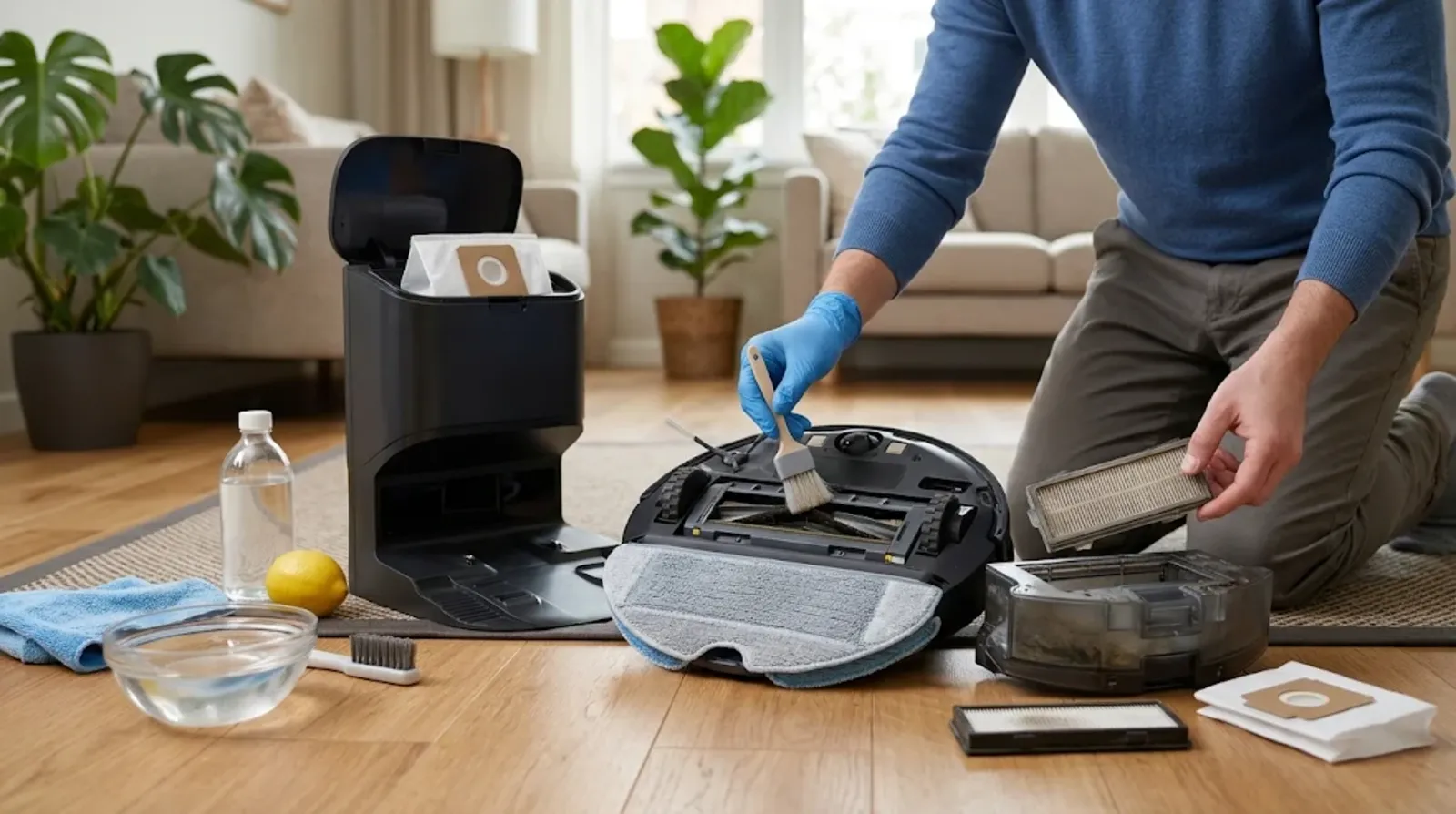
If your robot vacuum smells bad, start by emptying and rinsing the dirty water tank, scrubbing the dock’s wash tray, and letting the mop pads dry completely. Standing wastewater and damp debris cause many of these smells. Give the cleaned parts a day to air out, then check whether the odor returns.
A burning or hot-plastic smell needs a different response. Stop the robot, unplug the dock, and let everything cool. If you’re dealing with a sour smell and water keeps pooling around the station, see our guide to a leaking robot vacuum base station.
Find the Source Before You Start Cleaning
Does the smell hit when you open the dock, when it empties the robot, or when you pick up a mop pad? Dreame support starts by asking whether the odor comes from the robot or the base. Use the timing and the type of smell to decide which part to check.
Sour or Sewer Smell Around the Dock After Mopping
Open the dirty water tank and check whether the odor gets stronger. Galaxus found that wastewater could start smelling after about a day.
If the tank smells fine, check the wash tray underneath it. Dirty water and residue can collect there even after the dock finishes washing the pads.
Wet Dog or Dusty Smell When the Dock Empties the Robot
If you get a whiff of wet dog as the dock empties, check the self-empty bag, the robot’s bin, and the filter. Pet hair and dander can linger in all three.
Check for damp clumps when you open the bin. Yeedi says moisture from humid air or wet debris can let stored waste grow mold.
Musty Feet Smell From the Mop Pads
Take the pads off and check whether they still feel damp. Pads that never dried fully can smell musty, especially in a humid room.
Check the pads if the robot has been sitting unused for several days. Dreame says damp pads can grow mold while they sit, and a dirty wash tray can contribute to the odor during drying.
Burning Rubber or Hot Plastic Smell
Stop the robot, unplug the dock, and let the unit cool. A jammed brush roll can smell like burning rubber, as can a slipping belt on a vacuum that uses one.
If you smell hot plastic or an electrical odor, see smoke, or still smell burning after clearing the brush, keep the robot off. Contact the manufacturer before you run it again.
Why Robot Vacuums Start to Smell
Your robot can leave the floor clean while carrying damp dust or dirty water back to the dock. Where that moisture sits helps explain why the smell develops.
Standing Water Turns Sour Within a Day
Dirty water can turn sour within about a day. A film can build up in the tank and wash tray, and detergent residue in the tubes can add to the smell.
Some manufacturers advertise seven to 10 days between clean-water refills. Your wastewater can start smelling well before the clean tank runs low.
Damp Dust and Hair Trapped in the Bin, Bag and Filter
Dust clumps when it gets wet, whether the moisture comes from something the robot picked up or from humid air. Add pet hair and dander, and the smell can linger in the bin or bag.
The filter can hold moisture after a rinse, too. LG says putting a filter back before it dries completely can cause an odor.
New Robot Smell From Plastics and Rubber
A slight rubber or plastic smell can come from the materials in a new robot vacuum. LG says that odor usually fades within about three months.
Yeedi says you may also notice a mild material smell when a new dock collects dust. Treat a hot-plastic or electrical smell as a reason to switch the robot off and unplug the station.
How to Fix a Smelly Robot Vacuum
Start with the part that smells strongest and work through the nearby parts if the odor lingers. For a sour smell after mopping, begin with the dirty water tank and wash tray.
Empty and Rinse the Dirty Water Tank After Every Mopping Run
Pour out the wastewater after each mopping run. Rinse the tank, wipe around the lid and seals, and leave it open to dry if your manual allows it.
For the Roborock Saros 10, use cold, clean water without cleaning liquid. If you have a eufy S1 Pro, take out the tank filter and scrub and rinse it along with the tank.
Scrub the Wash Tray and Its Filter Under the Dock
Pull out the wash tray and clean away any sludge or trapped fibers. On the Roborock Saros 10, release the water filter by its latch, rinse it, and wipe out the cleaning sink before putting it back.
On a Tapo dock, pay particular attention to the filter in the middle of the tray. Wipe the water-level contacts and clear debris from the dirty-water suction hose as directed for your model.
Dry the Mop Pads Fully or Swap in a Fresh Set
Hang damp pads in a ventilated spot so they can dry without bunching up. A spare set lets you keep mopping while the first set airs out.
For the eufy S1 Pro roller, soak it in hot water for five minutes without cleaner, then reinstall it, run the mop wash, and let it dry. Roborock recommends replacing Saros 10 mop cloths every three to six months.
If the pads come out dry instead, see our fixes for a robot vacuum mop that is not getting wet.
Turn Up the Dock’s Drying Time in the App
On Dreame models with automatic drying, go to Self-Cleaning Settings > Start Drying and extend the drying time. Keep auto-drying on if you have a Roborock Saros 10, and give the pads longer in a humid room.
Eufy recommends the Standard drying level for the S1 Pro. The X10 Pro Omni uses air heated to 113°F (45°C), and Roborock says the S7 MaxV Ultra’s warm-air dryer was tested for sensor safety.
Replace the Self-Empty Dust Bag Before It Is Full
A dock bag can hold weeks of debris and start to smell while it still has room. If the odor is strongest during auto-emptying, replace the bag and wipe the dock’s debris inlet.
Fit a fresh bag before you use the station again. Roborock’s Saros 10 manual says to always run the dock with a bag installed.
Shopping for a new model with a better base? Read which self-emptying robot vacuum you should buy.
Empty the Robot’s Bin and Wash the Filter the Right Way
Empty the robot’s bin and keep debris below the MAX line where your model has one. Wash the filter only if the manual says it’s washable.
Give a washable filter at least 24 hours to air-dry in the shade, without a hairdryer or heater. For the Saros 10, Roborock recommends cleaning it every two weeks and replacing it every six to 12 months.
Cut Hair Out of the Brush Roll and Wheels
With the robot off, remove the brush roll and cut away the hair wrapped around it. Check the wheel wells, too, since trapped hair and dander can hold onto that wet-dog smell.
Wipe the underside and wheel wells with a slightly damp cloth. If the brush was jammed and you smelled burning, follow the shutdown steps before handling it.
If tangled hair is also hurting suction, follow our robot vacuum not picking up dirt fixes.
Flush the Clean Water Tank and Refill It Fresh
Tip out water that’s been sitting in the clean tank, rinse it, and refill it with fresh water before your next mop run. Water can develop an odor while it sits in either tank.
If you’ll be away for a while, empty the clean tank and let it dry. Refill it when you’re ready to mop again.
Use Only the Maker’s Cleaning Solution and Skip the Vinegar
Use the cleaner approved for your model and follow the directions for how much to add. On the Saros 10, Roborock directs you to put its recommended solution in the cartridge and keep disinfectant out. Eufy advises against vinegar and strongly scented, foaming, or oily products.
Extra cleaner can leave residue that turns sour. Galaxus reported that baking soda reduced the smell in one wastewater tank test, but ECOVACS warns that it can clog filters and airflow paths. Skip the baking soda and keep essential oils out of the tanks.
Air Out a Badly Smelling Tank for 24 Hours
If the tank still smells after rinsing, leave it open in a well-ventilated spot for at least 24 hours. Xiaomi recommends this for a strong tank odor on the Robot Vacuum 6 station.
Check the tank again once it’s dry. If the smell remains, ask the manufacturer whether the tank or a seal needs replacing.
Brand Drying Controls at a Glance
Drying menus can vary by model and app version, even within the same brand. Check the entry for your model before changing drying time or adding cleaner.
| Brand | Where to Change Drying | Approved Solution Note | Notable Station Feature |
|---|---|---|---|
| Dreame | Self-Cleaning Settings > Start Drying on supported models | Use Dreame cleaning solution | Automatic mop drying on supported models |
| Roborock | Adjust drying duration in the app on the Saros 10 | Use the recommended solution in the Saros 10 cartridge | Saros 10 drying starts automatically after mop washing |
| eufy | Choose Standard drying in the S1 Pro app | Use eufy Cleaning Solution | X10 Pro Omni dries pads with 113°F (45°C) air |
| ECOVACS | Check the app for your DEEBOT model | Use brand-certified deodorizing products where approved | T90 PRO OMNI washes its roller at 167°F (75°C) and cleans its wastewater system after each cycle |
| Narwal | Check the app for your Narwal model | Check your model’s manual for approved cleaners | Z Ultra adjusts wash water from 113°F to 167°F and finishes with hot-air drying |
When the Smell Keeps Coming Back
If the smell returns after the parts have dried, check what happens the next time the dock washes the mop. Start by looking for water that stays behind in the tray.
Look for Water Pooling Inside the Dock
Check the tray once the dock has finished washing the pads. Tapo identifies a blocked suction hose, a stuck float, and worn rubber plugs as possible reasons wastewater stays in the tray.
Water that sits there can turn sour even if you empty the tank regularly. If you see water pooling around the station, follow our robot vacuum base station leak guide.
Get Support Involved for Persistent or Electrical Odors
Contact the manufacturer if a thorough clean and full drying cycle fail to clear the smell. If your robot is under warranty, ask support about service or replacement parts.
For a burnt or electrical smell, leave the robot off and the dock unplugged while you arrange service. Keep the motor housing closed.
Keep It Fresh With a Simple Routine
Emptying the wastewater after mopping keeps it from sitting until the next run. Pair that habit with a regular check of the parts that collect hair, dust, and residue.
After Every Run, Every Week and Every Month
Empty the dirty water tank when you put the robot away after mopping. If it picked up pet hair or crumbs, empty the robot’s bin before that debris sits in the dock bag or bin for days.
| Task | How Often | Why |
|---|---|---|
| Empty and rinse the dirty water tank | After every mop run | Keeps wastewater from sitting |
| Dry the mop pads fully | After every mop run | Keeps damp pads from turning musty |
| Clear the brush and wheel wells and clean the wash tray | Weekly | Removes hair and residue that can hold odors |
| Inspect the filter, bag, tank seals, and charging area | Every few weeks | Helps you spot damp debris or buildup |
Use your model’s maintenance intervals for filters, bags, and pads. If the robot picked up wet soil or food, clean the affected parts that day.
Before a Holiday or Long Break
Empty both water tanks and leave their lids open to dry where your manual allows it. Remove the mop pads and air-dry them in a ventilated spot.
Empty the robot’s bin and replace the dock bag if it contains debris. That gives dust, pet hair, and damp crumbs less time to sit while you’re away.
FAQs
Pet hair and dander can stay in your filter, brush roll, wheel wells, or dock bag after you empty the bin. If the smell gets stronger when the dock empties your robot, check the bag first. If you wash the filter, let it dry completely before reinstalling it.
Skip vinegar in your robot vacuum’s water tank. Eufy warns that it can affect seals, sensors, and internal parts, and it can leave a smell of its own. Rinse the tank as your manual directs and use only the cleaner approved for your model.
Keep baking soda and essential oils out of your robot vacuum’s tanks. ECOVACS warns that baking soda can clog filters and airflow paths, and eufy advises against oily cleaners. Empty and rinse the dirty tank, then let it air out.
Empty your dirty water tank after every mopping run. Wastewater can start smelling after about a day, so rinse the tank and wipe around the lid and seals when you empty it.
A mild plastic or rubber smell can come from the materials used in your new robot vacuum. LG says it usually fades within about three months. If the smell is like hot plastic or comes with smoke, switch the robot off and unplug the dock.
Stop your robot vacuum immediately if it smells like burning, unplug the dock, and let the unit cool. Once it’s cool, check the brush for tangled hair or a blockage. If you smell hot plastic or an electrical odor, see smoke, or still smell burning after clearing the brush, leave the robot off and contact support.
