




Key Takeaways
- Google’s First Tracker: The Google Pixel Tag went on sale November 11, 2026. You can locate a lost bag through Find Hub, ring the tag when you’re nearby, or press the tag’s button to ring your phone, even on silent.
- Price and Compatibility: The Google Pixel Tag costs $29.99, with a reported four-pack price of $99.99, and works only with Android 9 or later. To follow an arrow to your tag, you’ll need a compatible Ultra Wideband phone such as the Pixel 11 Pro.
- Before You Buy: Check local availability for the Google Pixel Tag, since the eight-market launch excludes the EU, and add a holder if you’re tracking keys. If you want cheaper Ultra Wideband tracking through Find Hub, choose the $20 Moto Tag 2.
If you’ve spent years waiting for Google’s answer to the AirTag, the Google Pixel Tag went on sale November 11. Google’s first item tracker is worth buying if you want to find your keys or bag through Find Hub, with one tag at $29.99 and a four-pack priced at $99.99 according to 9to5Google. It works with Android 9 or later and leaves iPhone owners out, while arrow-style directions require a compatible Ultra Wideband phone like the Pixel 11 Pro.
That last bit matters when your keys could be under a cushion or back at the café. A map location helps you decide where to look, a ring helps once you’re close, and an arrow can point you toward the right cushion.
You can also share a tag if more than one person uses the same bag or set of keys. Before you decide whether to buy one or four, here’s what you get.
| Price | $29.99 for one at the US Google Store |
| Four-pack | $99.99 reported US launch price |
| On sale | November 11, 2026 |
| Countries | Australia, Canada, India, Japan, Singapore, Taiwan, the UK and the US except Puerto Rico |
| Network | Google Find Hub |
| Phone needed | Android 9 or later for basic tracking |
| Precision finding | Requires a compatible Android phone with Ultra Wideband |
| Battery | Replaceable CR2032, rated for over a year by the Google Store |
| Size and weight | 28 x 46.1 x 5.4 mm and 11.8 g with the battery |
| Water and dust | IP67 water and dust resistance |
| Sharing | Up to 10 people |
| Color | Fog |
| Warranty | One year in the US |
What the Google Pixel Tag Is and What It Costs You
Google announced its first Find Hub tracker alongside the Pixel 11 at Made by Google on August 12, 2026. The August announcement gave rounded figures of $29 for one and $99 for four, so the US launch prices are 99 cents higher in either case. Where you live determines where you can buy the tag and what you’ll pay.
Where You Can Buy It Today
In the US, sales opened at the Google Store and Amazon on November 11. The launch covers eight markets in total, with Australia, Canada, India, Japan, Singapore, Taiwan and the UK joining the US. Puerto Rico and EU countries are outside the launch area.
The Google Store in India lists the tag at ₹3,799, though it’s unclear whether orders have opened there. In the US, the four-pack comes to about $25 per tag if you need to track several items.
Design and Size
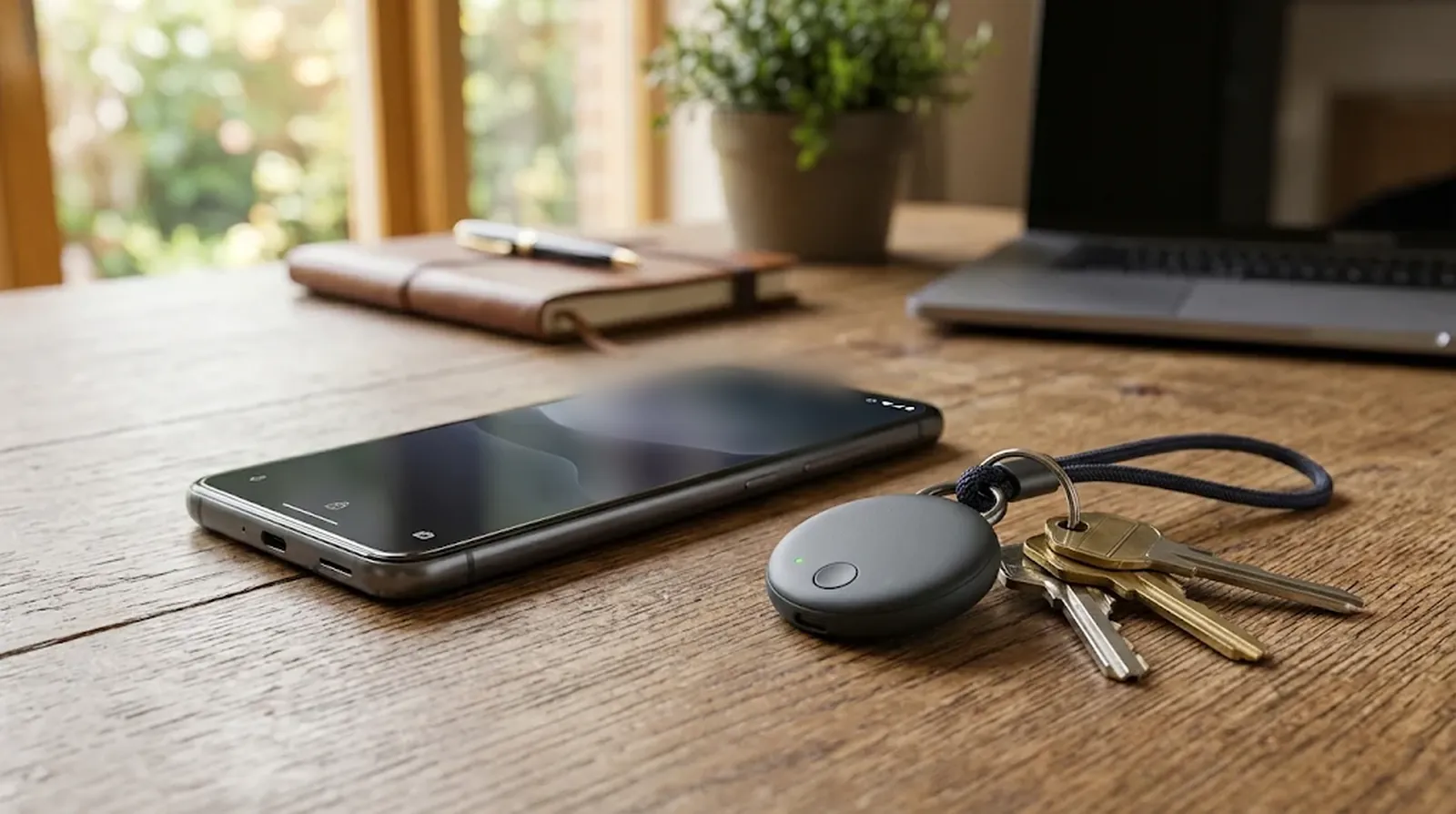
The Pixel Tag is pill-shaped, with a metal front and a polycarbonate back. At 5.4 mm thick, it can slip into a bag pocket, though you’ll need a holder if you want to hang it from your keys.
- Size. The tag measures 28 x 46.1 mm and weighs 11.8 g with the battery installed.
- Color. Fog is the only option.
- Attachment. There’s no built-in keyring hole. Bellroy and Spigen sell cases separately, so factor in a holder if you’re buying the tag for your keys.
How the Tag Finds Your Lost Things
Say you’ve left your bag somewhere and can’t remember where you last had it. Find Hub gives you a place to start, then the tag’s speaker and your phone can help you narrow the search as you get closer. To use any of that, you first need to pair the tag. If your phone keeps losing Bluetooth accessories, these Android Bluetooth fixes are worth a look first.
Setting It Up in Under a Minute
The battery is already inside, so you can start as soon as you open the box. Keep your Android phone handy and follow these steps.
- Pull out the battery tab to power on the Pixel Tag.
- Hold the tag close to your Android phone.
- Follow the Fast Pair prompt that appears on your phone.
- In the Find Hub app, choose a category or give the tag a name such as Work Bag.
Far Away, Nearby and Right Next to You
When you’re out of Bluetooth range, other Android devices near your tag can pick up its signal and relay its location through Find Hub. The network includes more than a billion Android devices, and the location data is end-to-end encrypted.
Once you’re within Bluetooth range, you can make the tag play a sound. With a compatible phone, precision finding adds on-screen distance and direction cues, using Ultra Wideband and Bluetooth Channel Sounding where supported. Hands-on reports put the range for directional guidance at about 50 meters.
Extras Worth Knowing
The ring works both ways. Press the button on the tag and your phone rings even if you left it on silent. You can also turn on Left Behind alerts, and the tag’s accelerometer can detect movement.
You can share the tag with up to 10 people, handy for a set of keys that changes hands. You can find or ring the tag from a Pixel Watch, or ask Gemini to ring it through your Pixel Buds. The tag has also been reported to repeat low-battery reminders every two weeks until the battery runs out.
Which Phones Get the Full Feature Set
You don’t need a Pixel phone to use Find Hub or ring a nearby Pixel Tag. Your Android version and Bluetooth hardware determine whether you get Channel Sounding, while Ultra Wideband support determines whether you can follow an arrow. Check your phone against these three levels before you buy. Still choosing a phone? Our Pixel 11 vs Pixel 10 comparison walks through the hardware differences.
| Basic tracking | Android 9 or later for Find Hub location and nearby ringing |
| Bluetooth Channel Sounding | A compatible phone running Android 16 or later with Bluetooth 6.0 or newer |
| Ultra Wideband precision finding | A compatible Android phone with UWB, such as the Pixel 8 Pro or a later Pro model, including the Pixel 11 Pro and Pro XL |
You can use the tag with a base Pixel 11 or a Pixel 10a, though neither phone has the UWB hardware needed for directional arrows. Even on older Pro phones, the chip alone doesn’t guarantee support. You can’t use Find Hub’s precision finding on a Pixel 6 Pro or Pixel 7 Pro, even though both phones have Ultra Wideband chips.
Some Samsung Galaxy S and Z flagships and select Motorola Edge and Razr phones have UWB hardware. Google hasn’t published a full compatibility list for phones from other brands, so Pixel Tag precision finding on those models is still unconfirmed.
What iPhone Owners Should Know
You need an Android phone to pair the Pixel Tag and track your belongings. Find Hub has no iPhone app, and the Pixel Tag reports its location exclusively through Google’s network.
An iPhone running iOS 17.5 or later should still warn you if an unfamiliar Pixel Tag is traveling with you, thanks to the unwanted tracker standard Apple and Google introduced in 2024. That warning has yet to be independently verified for the Pixel Tag itself.
The Battery and How Long It Lasts
The Pixel Tag runs on a CR2032 coin cell you can replace yourself. The Google Store rates the battery for over a year based on testing with a Pixel 10 Pro XL, while Google’s August announcement said up to a year. Your battery may run out sooner, so it helps to know what replacing it involves.
Press down on the back and twist to open the battery door, then swap in a fresh CR2032. You can keep the tag in use when the cell runs out, though each swap means buying and discarding another battery. The rechargeable Pebblebee Clip 5 and Chipolo LOOP let you reuse the same battery between charges.
The tag’s IP67 rating covers dust and water resistance, with testing at a depth of up to 1 meter for up to 30 minutes. That resistance can wear down over time, and liquid damage voids the warranty. Google also excludes damage from drops and tumbles.
Pixel Tag Against the AirTag and Other Find Hub Tags
At $29.99, the Google Pixel Tag sits close to the AirTag 2 and Galaxy SmartTag 2 on price. Your phone decides which tracking networks you can use, while the tag itself determines whether you’ll need a holder or a spare battery. Here’s how five options stack up before you pick one for your keys or bag. If you use an iPhone and your tracker shows an old location, see our guide to Find My not updating location.
| Google Pixel Tag | $29.99 | Google Find Hub | Yes | Replaceable CR2032, rated for over a year | IP67 | Android 9 or later | None |
| Apple AirTag 2 | About $29 | Apple Find My | Yes | Replaceable CR2032 | IP67 | iPhone | Unspecified |
| Moto Tag 2 | $20 | Google Find Hub | Yes | Replaceable CR2032, rated for 600 days or more | IP68 | Android | Unspecified |
| Samsung Galaxy SmartTag 2 | Just under $30 | Samsung SmartThings | Yes | Up to 500 days | IP67 | Samsung Galaxy | Built-in loop |
| Pebblebee Clip 5 | $35 | Google Find Hub or Apple Find My | No | USB-C rechargeable, up to a year | IP66 | Android or iPhone | Unspecified |
Where Google Comes Out Ahead of Apple
At 5.4 mm thick, the Pixel Tag takes up less depth in a bag pocket than the 8 mm AirTag 2. Its button can ring your phone even on silent, which comes in handy when you have your keys in your hand and your phone is the thing you’ve lost.
You can share a Pixel Tag with up to 10 people, while the AirTag 2 lets you share with up to five others. The Pixel Tag also reportedly repeats its low-battery reminder every two weeks, giving you another nudge if you put off replacing the coin cell.
Where It Falls Behind
The Pixel Tag works only with Android and reports its location through Find Hub alone. You’ll need a separate holder to put it on a keyring, and the rollout covers just eight markets. If you want UWB on Find Hub for less, the $20 Moto Tag 2 comes in nearly $10 below Google’s tracker.
If you’re buying a tracker for checked luggage, more than 50 airlines accept Apple’s temporary location links. Google also lets you send Find Hub location links to participating airlines. The AirTag 2 has a speaker that Apple rates as 50% louder than the original AirTag’s.
Who Should Buy One and Who Should Wait
Think about the item you lose most often and the phone you’ll use to find it. A spare key might only need a ring, while a bag you take on trips could make network support or airline sharing more important. Start with the list that sounds like you. You may also spot discounts once Black Friday 2026 tech deals begin.
Buy a Pixel Tag if any of these fit.
- You have a Pixel 8 Pro or a newer Pro model, such as the Pixel 11 Pro, and want an arrow to point you toward the tag.
- You already use Find Hub and want Google’s own tracker, with extras like Left Behind alerts.
- You wear a Pixel Watch and want to ring the tag from your wrist.
- You’d rather swap a CR2032 when it runs out than plug in another device to charge.
Wait or pick another tracker if any of these fit.
- You use an iPhone. The AirTag 2 works with Apple Find My.
- You own a Galaxy phone and want to track your things through SmartThings. The Galaxy SmartTag 2 has a built-in loop for your keys.
- You want a cheaper UWB tracker for Find Hub. The Moto Tag 2 costs $20.
- You want a rechargeable tracker that can work with either phone platform. The Pebblebee Clip 5 and Chipolo LOOP let you choose a network.
- You live in the EU or can wait on the price. The EU is outside the launch area, and if the tag is sold where you live, you can see whether Black Friday brings a discount.
The Bottom Line on Google’s First Tracker
The Google Pixel Tag is thin, costs $29.99 and gives recent Pixel Pro owners the most ways to find something they’ve lost. Any compatible Android phone can handle basic tracking, though the eight-market launch limits where you can buy one. Start by checking your phone model and local availability.
If both check out, try one tag on the thing you’re always looking for. Slip it into your bag or get a holder for your keys, then try ringing the tag and your phone before you need either feature. If you find yourself using it, you’ll have a better idea of whether the four-pack is worth it.
FAQs
Pairing and tracking a Pixel Tag both require an Android phone. An iPhone with iOS 17.5 or later should warn you about an unfamiliar Pixel Tag traveling with you, though that alert remains unverified for this model.
You need a CR2032 coin cell. Press down and twist the back of the tag to open it and swap the battery.
Your phone only needs Ultra Wideband for arrow-style precision finding. With Android 9 or later, you can use Find Hub to check the tag’s location and make it ring when you’re nearby.
The Pixel Tag can handle splashes on a bag or bike. Its IP67 rating comes from tests at depths of up to 1 meter for up to 30 minutes, and water resistance can wear down with use. Liquid damage voids the warranty.
You can share your Pixel Tag with up to 10 people through Find Hub. That lets several people look for a shared bag or set of keys.
You can look for the Pixel Tag through the Google Store in the UK, Canada, Australia, Japan, India, Taiwan and Singapore. Google lists it at ₹3,799 in India, though ordering there remains unconfirmed. EU countries are outside the launch area.
