




Key Takeaways
- Take Card Payments: Mastercard Accept, announced November 17, 2026, lets you take card payments through your banking or payments app without buying a separate reader. Your customers can tap a card or wallet on your phone, scan a QR code, or open a link you send.
- Eligibility and Rollout: Mastercard Accept starts in parts of Asia Pacific and Latin America as well as the Middle East and Africa. You need an eligible debit or reloadable prepaid account, and Mastercard says deposits in Asia Pacific can arrive in near real time.
- Check Your App: Check whether your bank offers Mastercard Accept, what fees apply, and when you can use the money. Mastercard has yet to announce a US launch date, and you can already take contactless payments by phone in the US through Square or Stripe.
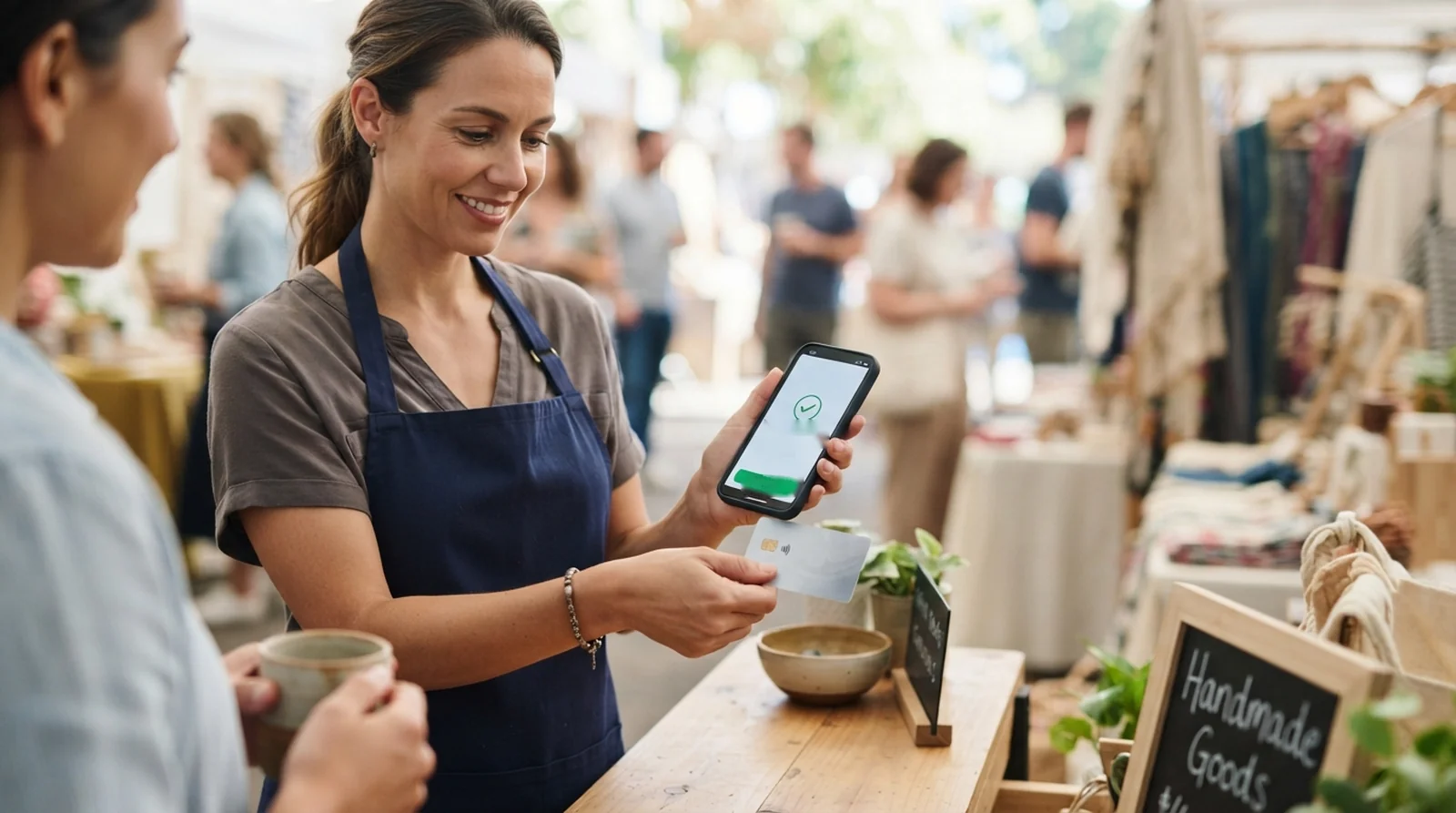
You sell lunch from a food stall, and a customer asks to pay by card. If the cost of a terminal has kept you taking cash, Mastercard Accept, announced November 17, 2026, lets eligible debit and prepaid cardholders take card payments through the banking or payments app they already use. Your customer can tap a contactless card or digital wallet on your phone or scan a QR code to open a payment link.
The first rollout covers parts of Asia Pacific, Latin America, the Middle East and Africa. Mastercard has yet to name a US partner or give a US launch date. Mastercard and Maya are scheduled to demonstrate the service live at the Singapore FinTech Festival on November 18.
So what would taking a payment look like at your stall or after a tutoring session? It starts with the app you already use for your account.
| What | Detail |
|---|---|
| Announced | November 17, 2026. Business Wire carried the release at 8 p.m. EST on November 16. |
| Who can use it | Eligible debit and reloadable prepaid cardholders with a participating bank or payments provider |
| How buyers pay | Tap a contactless card or compatible wallet on your phone, scan a QR code, or open a link you send |
| Hardware needed | Your smartphone |
| When money arrives | Funds can reach your linked bank or prepaid account in near real time, according to Mastercard’s Asia Pacific announcement |
| Fees | Undisclosed. Mastercard describes the service as low cost. |
| First regions | Asia Pacific, Latin America, the Middle East and Africa |
| First named Asia Pacific launches | Maya Business in the Philippines, Bank of Ceylon and LOLC in Sri Lanka, and Kardal and Oriental Bank in Cambodia pending regulatory approval |
| US availability | Mastercard has announced plans to expand to more markets. A US partner and launch date are still unannounced. |
What Mastercard Accept Actually Does
Mastercard Accept adds a way to get paid to the app you already use to manage your money. As Mastercard’s Asia Pacific payments executive Joyce Bo explained, the idea is to let you use the same card credential to pay and get paid. What you can do with that credential depends on how your customer wants to pay.
Say you tutor on weekends. At the end of an in-person lesson, you can enter the amount and hold out your phone for the customer to tap. If you teach from home and your customer is somewhere else, you can send a payment link they can open on their own device.
The Tools Behind Each Payment
Those options come from three Mastercard tools. Tap on Phone handles contactless payments, Pay by Link lets you send a payment request, and Mastercard QR gives your customer a code they can scan to open the payment page. The methods your app offers depend on your provider and market.
That’s how Mastercard’s idea of using a connected device to make a sale plays out if you sell food, work gigs, or run a side business from home. The payment starts where you’re already doing business and goes into the account you’ve linked to the service.
What Happens From the Tap to the Deposit
What do you do when your customer is ready to pay? You enter the amount on your phone, choose an available payment method, and let the customer take it from there. Here’s how the payment moves from your app to your account.
- Open your participating banking or payments app, choose the option to accept a payment, and enter the amount.
- Have your customer tap a contactless card or compatible wallet on your phone, scan the QR code you display, or open the payment link you send.
- Once the payment goes through, the funds become available in your linked bank or prepaid account.
Tapping a Card or Wallet on the Seller’s Phone
Your phone needs near-field communication, or NFC, to receive a tap. That’s the same wireless technology a contactless card uses at a payment terminal. Mastercard’s Tap on Phone technology supports contactless cards and mobile wallets, including on compatible smartwatches.
If a customer is having trouble with Google Wallet tap to pay or gets an Apple Pay decline, you can offer a QR code if your app supports it. The card types your customers can use are a separate question from the debit or prepaid account you need to enroll.
Paying Through a QR Code or Link
When your app displays a QR code, your customer scans it with their own phone to open a card payment page. You can also send a payment link directly, which gives you a way to take a card payment when your customer is somewhere else. Both methods use a link to collect the payment.
When the Money Shows Up
Mastercard’s Asia Pacific announcement says funds can reach your linked bank or prepaid account in near real time. Its global announcement describes faster access to funds without giving a specific timeframe. The timing you can expect depends on the funding options your provider offers.
Mastercard’s product page also lists reports, receipts, and refunds as features you may be able to use in the same app. What you can access varies by financial institution and market.
Who Can Sign Up and Where It Launches First
You can enroll through a participating issuer’s app if you have an eligible debit or reloadable prepaid account and have completed that issuer’s onboarding requirements. Your issuer is the bank or payments provider that handles your account. Mastercard named 18 partners, with launch plans detailed for several markets in Asia Pacific.
| Region or market | Partner | Status |
|---|---|---|
| Philippines | Maya Bank | Plans to add Mastercard Accept to the Maya Business app |
| Sri Lanka | Bank of Ceylon, LOLC | Plan to introduce the service in the coming months |
| Cambodia | Kardal PLC, Oriental Bank | Planned rollout subject to regulatory approval |
| Central America | BAC Latam | Named partner |
| Costa Rica | Banco de Costa Rica, Banco Nacional de Costa Rica | Named partners |
| Guatemala | Banco Industrial, G&T Continental | Named partners |
| Mexico | Getnet, Santander Group | Named partner |
| Latin America | Banco Davivienda, Grupo Cibest | Banco Davivienda was named as a partner. Grupo Cibest is assessing whether to offer the service. |
| Middle East and Africa | areeba, Network International | Named partners |
| Kenya | Equity Bank, KCB Bank Kenya, Premier Bank Kenya | Named partners |
Network International reaches more than 300 financial institutions in 56 markets across the Middle East and Africa. That figure describes the partner’s existing reach. If you bank with an institution in that network, your ability to enroll still depends on whether your issuer offers Mastercard Accept.
What It Costs and How Your Payments Stay Protected
What will it cost you to take a card payment? Mastercard calls Accept a low-cost option and says you can use your phone without buying a terminal. The company has yet to publish fees, so check your provider’s terms when the service appears in your app.
Mastercard processes Accept payments over its network using its existing security and compliance standards. When you take a tap, Mastercard classifies the payment under its general Tap on Phone service as a card-present contactless transaction that uses EMV. Here’s what Mastercard has shared about who can enroll and which details are still open.
- Account checks. You need to complete your participating issuer’s onboarding before you can enroll in Accept.
- Payment details. Mastercard has yet to publish information on tokenization or transaction limits specific to Accept.
You may also be able to issue refunds in the app, depending on your provider. If a customer disputes a payment, you can read more about how banks review card disputes.
How It Compares With Tap to Pay, Square and Visa Accept
Your customer might make the same tap across all four services. The difference for you is where you sign up and where you go to take the payment. Here’s how the account, app, phone and fees compare.
| What to check | Mastercard Accept | Visa Accept | Tap to Pay on iPhone via Square | Stripe Tap to Pay |
|---|---|---|---|---|
| Who it’s for | Individual sellers with an eligible debit or reloadable prepaid account | Small sellers with an eligible Visa debit or prepaid account | Sellers with a Square merchant account | Sellers with a Stripe merchant account |
| App you use | Your participating bank or payments app | Your participating provider’s app | Square Point of Sale | Stripe Dashboard |
| Hardware | A smartphone with NFC for taps | A compatible smartphone | iPhone XS or later | iPhone XS or later or a supported Android phone |
| Fees | Mastercard has yet to publish fees | Visa’s announcement gives no fee figures | 2.6% + 15¢ per in-person payment on Square Free in the US | Pay-as-you-go Stripe Terminal pricing |
| Where available | Initial rollout in parts of Asia Pacific, Latin America, the Middle East and Africa | Over 25 countries as of Visa’s June announcement | Available in the US | Available in the US |
Mastercard Accept and Visa Accept give you a way to take payments through an account you already hold with a participating provider. With Square or Stripe, you sign up with the payments processor and use its app. If you’re comparing iPhone options, see what the UK’s Tap to Pay plan means for iPhone owners.
Will You Be Able to Use It in the US
Mastercard has yet to name a US partner or give a date for US availability. The company says it plans to expand to more markets after the initial rollout, with timing still open.
If you sell in the US and want to take taps on a phone today, Square and Stripe both offer that option on compatible iPhones and Android devices. Check which phones the processor supports and what each payment will cost before you sign up.
What This Means for Small Sellers Right Now
If you sell a few things on weekends or get paid after each lesson, the appeal is easy to see. You may be able to take a card payment with the phone and account you already use. Whether that works for you comes down to what your provider offers.
- Equipment. You can use your phone without buying a separate reader or terminal.
- Familiar app. You can enroll and take payments through a participating banking or payments app you already use.
- Access to funds. Faster deposits could give you access to your sales income sooner.
- Room to grow. Your payment history could help you access other merchant services as your sales grow.
- Eligibility and rollout. You need a qualifying debit or reloadable prepaid account, and your provider needs to offer the service in your market.
- Fees and features. Mastercard has yet to publish prices, and available payment methods and tools can vary by provider.
If Mastercard Accept turns up in your app, check the fees, when your money will arrive, and which payment methods you can offer. If those terms work for you, you could be ready the next time a customer asks to pay by card.
FAQs
Yes, you can use Mastercard Accept without buying a separate card reader. For contactless taps, you’ll need a smartphone with NFC and an app from a participating provider. If your app offers QR payments, you can display a code so your customer can pay on their own phone.
A credit card account alone doesn’t qualify you for Mastercard Accept. To enroll as a seller, you need an eligible debit or reloadable prepaid account with a participating issuer. Mastercard has yet to spell out which types of cards your customers can use to pay you.
Your money could arrive in near real time, according to Mastercard’s Asia Pacific announcement. The global announcement gives no specific deposit time. If deposit speed matters for restocking or paying expenses, check when your provider says you’ll be able to use the money.
Mastercard has yet to say how much your bank might charge you for accepting payments. The company describes Accept as a low-cost option without giving a rate. When your bank makes the service available, check its terms for what you’ll pay to take a card payment.
Your customers can scan a QR code or open a payment link you send, depending on the options in your app. Either method takes them to a page where they can pay by card. A link can come in handy when you and your customer are in different places.
Visa Accept lets you take payments by tap or link through an eligible Visa debit or prepaid account. Mastercard Accept offers similar options through participating Mastercard issuers. For you, the choice depends on which service your provider offers and whether you have an account that qualifies.
