




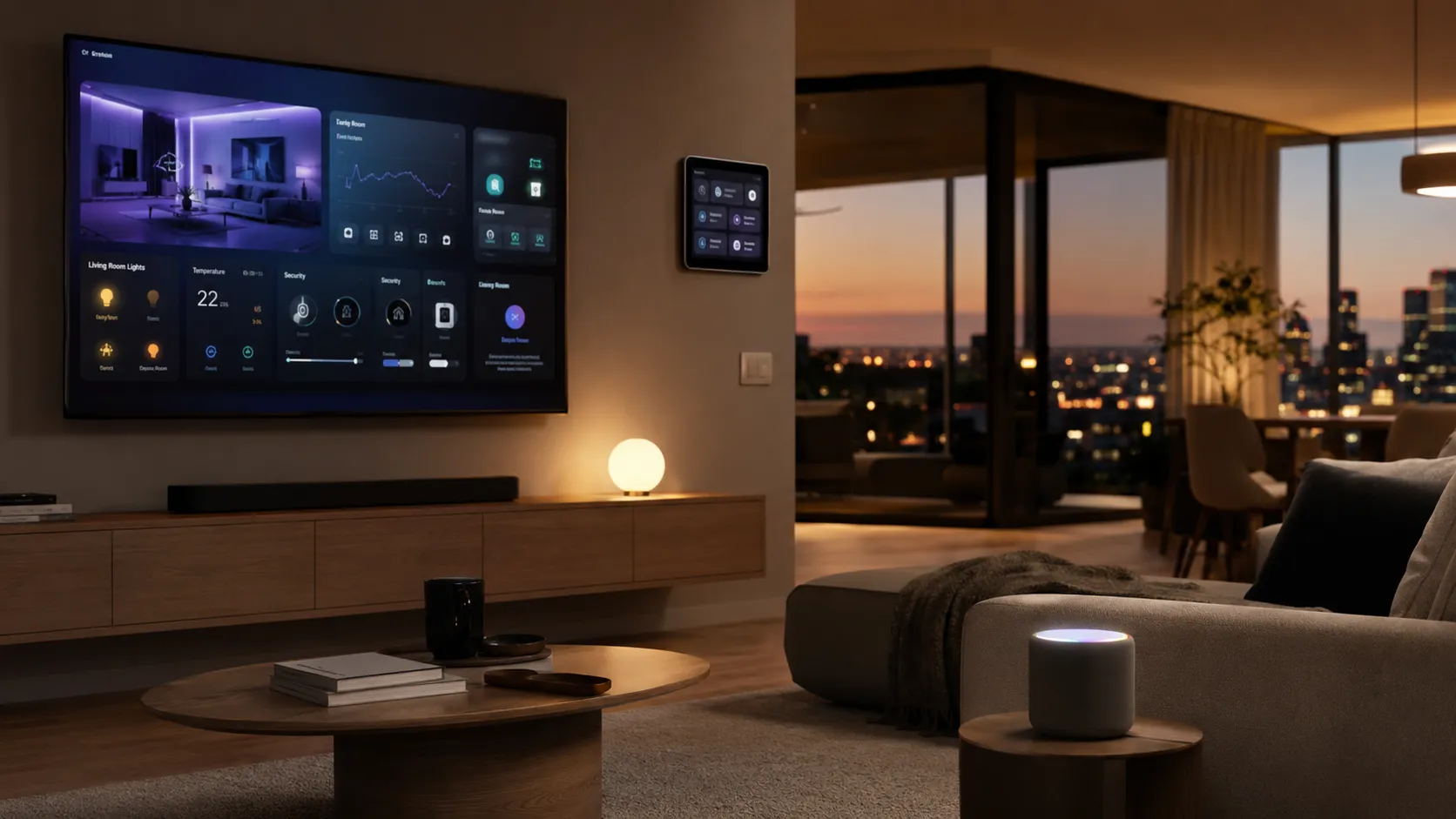
The way you interact with your house is about to change from a series of manual triggers to a system that anticipates your needs. In the past, a smart home was just a collection of devices that waited for you to press a button or speak a specific command. Soon, these systems will move toward a proactive model where the environment adjusts itself based on your behavior and the time of day.
Apple Intelligence is the main driver behind this transition within the HomeKit ecosystem. By bringing advanced machine learning to your speakers, displays, and televisions, the company is turning a simple network of gadgets into a cohesive brain. This technology allows your devices to understand the intent behind your actions rather than just following rigid scripts.
The year 2026 stands as the moment when new hardware and software will finally merge to create this experience. You can expect a coordinated rollout of processing power and updated interfaces that make the living room the center of your digital life. This transition will define the next decade of how people live, work, and relax within their own four walls.
The Transition from Remote Control to Proactive AI
The evolution of HomeKit is moving away from the idea of your iPhone acting as a digital remote. For years, you had to open an app or use a specific phrase to get a light to turn on or a door to lock. In the coming years, the system will function as a background layer that manages these tasks without your constant input or supervision.
This change relies on contextual awareness, which is the ability of the house to understand who is in a room and what they are doing. If you sit on the couch at 8 p.m. on a Tuesday, the system knows you usually watch a specific show and will prepare the screen and lighting. It uses data from your habits to make decisions that feel natural rather than programmed.
The primary goal of this update is to reduce the fatigue that comes from managing too many apps. You should not have to hunt for a specific icon just to change the temperature or check a camera feed. By letting the house manage itself based on your established routines, the technology becomes a invisible helper that stays out of your way until it is needed.
5 New Hardware Innovations Powering the 2026 Smart Home
Your physical devices must grow more powerful to handle the complex processing required for a house that thinks. Below are the hardware updates expected to form the foundation of this new environment.
The High-Performance Apple TV 4K (2026 Edition)
The television will serve as the primary processing hub for your living room intelligence. To support these features, the 2026 model will likely include the A18 chip and a large jump in memory. This extra power is necessary to run the large language models that allow for natural speech and fast response times.
Localized processing is a priority for this device to ensure that your data never leaves your house. By keeping the “brain” of the system inside the Apple TV, the speed of your commands will increase because the data does not have to travel to a server and back. This results in a much smoother experience when you are searching for media or controlling devices.
You can also expect the hardware to support the latest wireless standards to keep everything connected. Wi-Fi 7 and updated Thread networking will allow the Apple TV to communicate with hundreds of sensors simultaneously without any lag. This ensures that when the AI decides to adjust your home, the action happens the moment it is conceived.
The “HomePad” Dedicated Smart Display
A new category of device is expected to arrive in the form of a 7-inch touch interface designed for high-traffic areas. This hub will act as a central station where any family member can see the status of the house at a glance. It bridges the gap between a stationary speaker and a portable tablet, staying mounted where it is most useful.
The display will likely feature a built-in camera to make FaceTime calls more accessible from the kitchen or the entryway. Because it is powered by Apple Intelligence, the camera can follow you as you move, keeping you in the frame while you cook or clean. It serves as a visual anchor for your home automation, showing you who is at the door or what the thermostat is doing.
This hub will also use sensors to recognize who is standing in front of it. When you walk up, it might show your specific calendar and favorite music, but when your spouse approaches, it changes the layout to match their preferences. This level of personalization makes the device feel like a shared asset that understands every individual in the household.
The Next-Generation HomePod mini
Small speakers are the ears of your intelligent home, and the 2026 refresh will make them much more capable. By moving to a modern S-series chip, these devices will be able to handle Siri requests locally without needing an internet connection for basic tasks. This means your lights will turn on instantly even if your web provider is having an outage.
The updated silicon also improves the way the speaker understands the physics of your room. It will use sound waves to map the environment and adjust its output to provide the best audio quality for that specific space. This spatial awareness allows the speaker to know where it is located and which other devices are nearby for better coordination.
Contextual understanding is the biggest upgrade for the smaller HomePod. It will be able to hear a command and understand which room you are in without you having to specify the location. If you tell the speaker in the bedroom to “close the blinds,” it will know exactly which ones you mean based on your proximity.
Tabletop Robotic Command Center
The most advanced addition to the lineup is a screen attached to a motorized base that can move on its own. This tabletop robotic device is designed to be the interactive heart of a room, capable of rotating 360 degrees to face whoever is speaking. It brings a sense of life to the assistant, moving its “head” to acknowledge your commands or track your movement.
This robotic movement is particularly useful during video calls or while following a recipe in the kitchen. As you move from the fridge to the stove, the screen stays pointed at you so you never lose sight of your instructions or the person you are talking to. It turns a static screen into an active participant in your daily activities.
The base will likely use quiet, high-precision motors to ensure that the movement is fluid and not distracting. It represents a step toward more complex home robotics, where the device can use its physical form to better serve the user. By combining a screen with motion, Apple creates a tool that feels more helpful and present than a standard tablet.
Ultra-Wideband (UWB) Room Sensors
Precise location tracking is the secret to making a house feel truly intelligent. New sensors using ultra-wideband technology will be able to pinpoint the location of your iPhone or Apple Watch within a few inches. This allows the house to follow your path and activate features exactly where you are standing.
These sensors enable a feature called room-to-room handoff. If you are listening to a podcast in the office and walk into the kitchen, the audio can follow you automatically from one speaker to the next. The system knows exactly when you cross the threshold, making the transition feel like magic rather than a manual task.
Occupancy sensing also becomes much more accurate with this technology. It can distinguish between a person sitting still on a chair and an empty room, preventing the lights from turning off while you are reading. This solves one of the most common frustrations with current smart home setups by ensuring the house always knows where you are.
Introducing homeOS: A Unified Smart Home Interface
Apple is rumored to be developing a specialized operating system called homeOS to power this new generation of screens and hubs. This software will be built specifically for the needs of a shared living space rather than a personal device. It represents a departure from the current method of using modified versions of mobile software to run home gadgets.
The interface for homeOS is expected to be more visual and interactive than anything we have seen on the HomePod or Apple TV. It will use large, easy-to-read tiles and glanceable information that can be seen from across a room. The goal is to create a “charismatic” UI that feels welcoming and simple for every member of the family to use.
This system will bridge the gap between the power of an iPad and the simplicity of a home controller. You will be able to run apps, manage your schedule, and control every light in the house from a single, unified menu. By creating a dedicated OS, Apple can ensure that the software is perfectly tuned for the unique hardware of a 2026 intelligent home.
5 Ways Apple Intelligence Transforms Siri in the Living Room
The voice assistant is the primary way you will direct your intelligent home in the future. Below are the ways Apple Intelligence will change Siri from a basic command tool into a capable partner for your household.
Natural, Multi-Turn Conversations
You will no longer need to repeat the “Siri” wake word for every single action you want to take. The assistant will be able to maintain a conversation, remembering what you said a few seconds ago to provide better answers. This makes the interaction feel more like talking to a person and less like barking orders at a machine.
This flow allows you to ask a question and then follow up with more details without starting over. For example, you could ask about the weather and then say, “And what about the weekend?” Siri will understand that you are still talking about the forecast and provide the correct information. It removes the robotic friction that often makes voice assistants feel clunky.
The system will also be better at handling stumbles or changes in your speech. If you start a sentence, pause to think, and then finish it, the AI will wait and process the entire thought together. This patience makes the assistant much more useful in a busy environment where you might be distracted while talking.
Personal Context Retrieval
Siri will have the ability to look through your personal data to answer questions about your home life. It can scan your emails, calendar events, and messages to find specific details that you might have forgotten. This turns the assistant into a memory aid that understands the specific logistics of your household.
If you are in the kitchen and can’t remember when a delivery is arriving, you can simply ask the room. Siri will find the confirmation email and give you the exact window of time without you needing to touch your phone. It acts as a bridge between your digital records and your physical environment.
This feature is handled with strict privacy controls to ensure that your sensitive information stays secure. The assistant only pulls the specific data needed to answer your question and does not share it with any outside parties. It provides the convenience of a personal assistant while maintaining the boundaries of a private home.
On-Screen Awareness for TV and Hubs
One of the most useful upgrades is the ability for Siri to see and understand what is happening on your television or smart display. If you are looking at a movie on the Apple TV, you can ask for details about the actors or the director without giving any context. The assistant knows exactly what is on the screen and can provide relevant help.
This awareness extends to navigating apps and adjusting settings visually. You can tell the system to “scroll down” or “click on the third one,” and it will follow your gaze or the layout of the screen. It makes using a remote control optional in many situations, as you can direct the interface with your voice and eyes.
The system can also help you find specific content within apps by understanding the visual cues. If you see a show you like in a trailer, you can tell Siri to “save this to my list.” The AI identifies the show from the video feed and adds it to your queue instantly, making discovery much faster.
User-Specific Voice Recognition
The system will become much better at identifying exactly who is speaking in a house with multiple people. It uses voice fingerprinting to distinguish between parents, children, and guests. This allows the assistant to provide personalized results that are specific to the person making the request.
When a child asks to play music, the system will choose songs from their library and filter out explicit content. If an adult asks for their schedule, the assistant will pull from the correct calendar rather than the shared household one. This ensures that personal data is only shared with the person it belongs to.
This recognition also allows for custom permissions for home control. You can set rules so that guests can adjust the lights but cannot unlock the front door or change security settings. It gives you granular control over how different people interact with your intelligent environment.
Complex Multi-Device Execution
Apple Intelligence allows you to bundle several different requests into a single, natural sentence. Instead of giving three separate commands, you can say, “Lower the blinds, start the coffee, and tell me the news.” The system will parse each part of the request and execute them in the correct order.
This capability makes it much easier to set a mood or prepare for a specific activity. You can create a movie night environment by telling the room to “dim the lights and open the Netflix app.” The AI handles the coordination between your lighting system and your television software at the same time.
The system is also smart enough to understand the relationship between different devices. If you tell it to “turn everything off,” it knows to exclude essential items like the refrigerator or the security system. It uses logic to ensure that your broad commands result in the outcome you actually intended.
Predictive Automations: Beyond Manual Scheduling
The house of 2026 will spend time learning your daily routines so it can act on your behalf. Instead of you sitting down to write a schedule for when the lights should turn on, the system observes when you typically wake up and when you leave the house. Over time, it builds a model of your life that allows it to manage the environment without being told.
This leads to AI-generated scenes that suggest themselves based on the current situation. If the sensors detect that you are winding down for the night, a “Bedtime” prompt might appear on your screen, offering to lock the doors and lower the thermostat. You can approve these suggestions with a tap, and the system will remember your choice for the future.
The environment will also adjust itself based on external factors like weather and light levels. If a storm is approaching, the house can proactively close the windows or turn on the porch lights. It combines your historical preferences with real time data to ensure that your living space is always comfortable and safe.
5 Advancements in HomeKit Secure Video and Security
The way you monitor your home is becoming much more descriptive and proactive. Below are the features that will change your security cameras from passive observers into active protection tools.
AI-Generated Video Summaries
Instead of scrolling through hours of motion clips to see what happened during the day, you will receive a written summary of the activity. The system uses vision models to look at the footage and describe the events in plain language. You can quickly read a few sentences to understand who came to the door or when a package arrived.
These summaries can be grouped by time or by the type of event, allowing you to catch up on your home’s status in seconds. If nothing unusual happened, the system might simply tell you that the day was quiet. This saves a massive amount of time for users who currently have to manually check every notification.
The intelligence behind these summaries is also capable of identifying trends over time. It might notice that the mail carrier is arriving later than usual or that a neighbor’s dog is frequently in your yard. This high-level view helps you understand the patterns of your neighborhood without constant monitoring.
Natural Language Search for Footage
Finding a specific moment in your camera history will be as simple as asking a question. You can ask the system to “find the clip of the kids getting home from school” or “show me when the gardener arrived.” The AI will scan the recorded data and jump directly to the relevant timestamp.
This removes the frustration of scrubbing through a timeline to find a specific event. You can search for visual details, such as “the person wearing a red jacket” or “the white car that parked in the driveway.” The system understands the content of the video, making your entire history searchable like a database.
This feature is incredibly useful for reviewing security incidents or finding family memories. If you remember that something happened “on Tuesday afternoon,” you can narrow down the search instantly. It turns your recorded video into a useful resource rather than a pile of unused data.
Enhanced Object and Pet Recognition
The vision models in 2026 will be much more accurate at identifying exactly what is moving in your yard. The system will be able to distinguish between a family pet and a stray animal, or between a delivery truck and a neighbor’s car. This level of detail ensures that your alerts are meaningful and accurate.
You can also train the system to recognize specific packages or objects that are important to you. If you are expecting a specific box, the camera can alert you the moment it is placed on your porch. It can even tell the difference between a grocery delivery and a standard mail parcel.
This accuracy extends to recognizing frequent visitors and service workers. You can label the faces of people who have permission to be on your property, such as a dog walker or a contractor. When they arrive, the system can greet them or simply log their arrival without sending an urgent security alert.
Intelligent Notification Filtering
One of the biggest problems with current security cameras is the sheer number of false alerts caused by wind or shadows. Apple Intelligence will filter out these “noisy” events by understanding what is actually happening in the frame. If a tree is blowing in the wind, the system knows it is not a security threat and will remain silent.
When multiple events happen in a short window, the system can group them into a single update. Instead of getting five notifications for a single person walking up the driveway, you get one summary that covers the entire event. This reduces the number of times your phone pings you throughout the day.
The filtering logic also learns what you care about based on your feedback. If you consistently ignore alerts from a specific area of the yard, the AI will stop sending them. It tries to ensure that every time your phone makes a sound, it is for something that truly requires your attention.
Proactive Security Alerts
The house will eventually be able to recognize unusual patterns that might indicate a problem. If a door that is normally closed is left open at 2 a.m., the system can send an alert or even ask you if it should be locked. it looks for deviations from your normal routine to catch issues before they escalate.
This proactive approach also applies to environmental hazards like leaks or smoke. By combining audio data with sensor readings, the AI can identify the sound of a pipe bursting or a smoke alarm in a far-off room. It can then provide instructions on what to do or contact emergency services if you do not respond.
Security becomes a partnership between you and the technology, where the house stays vigilant while you sleep. It provides a layer of protection that goes beyond simple motion sensors. By understanding the context of your home’s safety, the system provides peace of mind that is grounded in actual data.
The Privacy Advantage: On-Device vs. Cloud AI
Privacy is the most important factor when bringing intelligence into the most sensitive areas of your life. Apple’s strategy is built on the idea that your home data should stay within your walls whenever possible. Most of the processing for your daily tasks happens directly on the chips inside your HomePod or Apple TV.
For tasks that are too complex for a local device, the system uses Private Cloud Compute. This technology allows the AI to use more powerful servers without ever exposing your personal identity or raw data to the company. It creates a secure tunnel where the work gets done and the result is sent back, but the data is never stored or viewed by anyone.
End-to-end encryption ensures that even if someone were to intercept your camera feeds or home data, they would not be able to read it. Your habits, schedules, and private conversations remain yours alone. This commitment to security is what allows users to trust an always-on assistant in their living room.
Connectivity and Ecosystem: Matter, Thread, and Beyond
A smart home is only as good as its ability to talk to different types of hardware. Apple continues to support the Matter standard, which allows devices from different brands to work together in the Home app. This means you can buy a light bulb from one company and a lock from another, knowing they will all respond to the same AI.
Thread networking is the underlying technology that makes these connections fast and reliable. It creates a mesh network where every device helps to pass signals along, ensuring that there are no dead spots in your house. This low-latency communication is essential for the quick response times that Apple Intelligence requires.
The ecosystem is also expanding to include deeper integration with major appliances like ovens and washing machines. In 2026, you will be able to ask your house how much time is left on the laundry or if the oven is preheated. By bringing these large machines into the HomeKit fold, the AI gains control over every aspect of your household operations.
5 Steps to Prepare Your Home for the 2026 AI Era
You do not have to wait for the future to arrive to start building a foundation for these features. Here are the steps you can take today to ensure your house is ready for the transition.
Auditing Your Current Network Infrastructure
A thinking house requires a robust and fast data connection to function properly. You should consider upgrading to a mesh Wi-Fi 7 system to ensure that every corner of your home has a strong signal. This high bandwidth is necessary for the constant communication between sensors and hubs.
It is also a good idea to check your upload speeds with your internet provider. As you add more cameras and high-definition hubs, the amount of data leaving your home will grow. A stable connection ensures that your remote access and video summaries work without any stuttering.
Finally, make sure your router is placed in a central location. Even the best mesh systems benefit from a clear path for the main signal. By solidifying your network now, you remove the most common point of failure for future automation.
Prioritizing Thread-Enabled Devices
When you buy new smart plugs, lights, or sensors, make sure they support the Thread protocol. This technology is a prerequisite for the fast, localized responses that define the next generation of HomeKit. Devices that rely solely on Bluetooth or older Wi-Fi standards will likely feel slow by comparison.
Thread devices also use much less power, which is important for sensors that run on batteries. This means you will spend less time changing batteries in your door sensors and more time enjoying the automation. It is a long-term investment in the reliability of your system.
Look for the “Matter over Thread” logo on the packaging of new gadgets. This ensures that the device is future-proof and will work with any hub you add later. By building a Thread-based network today, you are creating a stable environment for the AI features of tomorrow.
Optimizing Camera Placement for AI Analysis
To get the most out of video summaries and object recognition, your cameras need a clear view of the action. You should position your porch cameras so they can see the faces of visitors and the ground where packages are placed. Avoid angles that are too high, as they can make it difficult for the AI to identify people.
Consider the lighting in the areas you want to monitor. While modern cameras have good night vision, adding a small motion-activated light can greatly improve the accuracy of the vision models. The better the image quality, the more descriptive your AI-generated summaries will be.
You should also check for obstructions like branches or decorations that might cause false alerts. Even though the AI will be better at filtering these out, a clean view always results in better performance. Taking a few minutes to adjust your mounts now will save you from frustration later.
Cleaning Up Your Home App Organization
The assistant will find it much easier to navigate your house if your rooms and zones are named clearly. Avoid generic names like “Light 1” or “Plug A” and instead use descriptive titles like “Reading Lamp” or “Coffee Maker.” This allows the AI to understand exactly what you are referring to during a conversation.
You should also group your rooms into logical zones like “Downstairs” or “Outside.” This allows you to give broad commands that the system can execute quickly. If you tell Siri to “turn off the downstairs,” it needs to know exactly which rooms belong in that category.
Organizing your favorites in the Home app also helps the AI prioritize which devices you use most often. By keeping your most-used controls at the top, you provide a hint to the system about your daily habits. This small bit of maintenance makes the transition to a proactive home much smoother.
Staying Within the Apple Silicon Ecosystem
If you are planning to upgrade your Apple TV or HomePod soon, try to choose models with the newest available chips. Local intelligence features are tied directly to the processing power of the A-series and S-series silicon. Older devices may still work for basic tasks, but they will not be able to handle the advanced AI features.
The 2026 era of the smart home is built on the idea of on-device processing. This means that the “brain” of your house is only as fast as the hardware you provide. Investing in current-generation chips now ensures that you won’t have to replace your hubs when the new software arrives.
Keep an eye on the RAM specifications of new devices as well. Intelligence models require memory to run smoothly, so devices with higher RAM counts will always be the most capable. By choosing powerful hardware today, you are opening the door to the full suite of future features.
The Final Word
The year 2026 will be remembered as the moment the “Smart Home” finally became “Intelligent.” By moving away from manual controls and toward a proactive system that understands context, Apple is changing the fundamental nature of our living spaces. This shift promises to save time and reduce the daily friction of managing a modern household.
The balance between advanced convenience and strict privacy remains the core of this strategy. You can enjoy the benefits of a house that anticipates your needs without worrying that your private life is being turned into a data point for advertisers. It is a vision of the future where technology serves the human experience rather than distracting from it.
Your living room is no longer just a place to sit and watch a screen; it is the center of an environment that supports your lifestyle. As these new hardware and software tools arrive, the boundary between your digital and physical worlds will continue to fade. The result is a home that is not just connected, but truly aware.
