




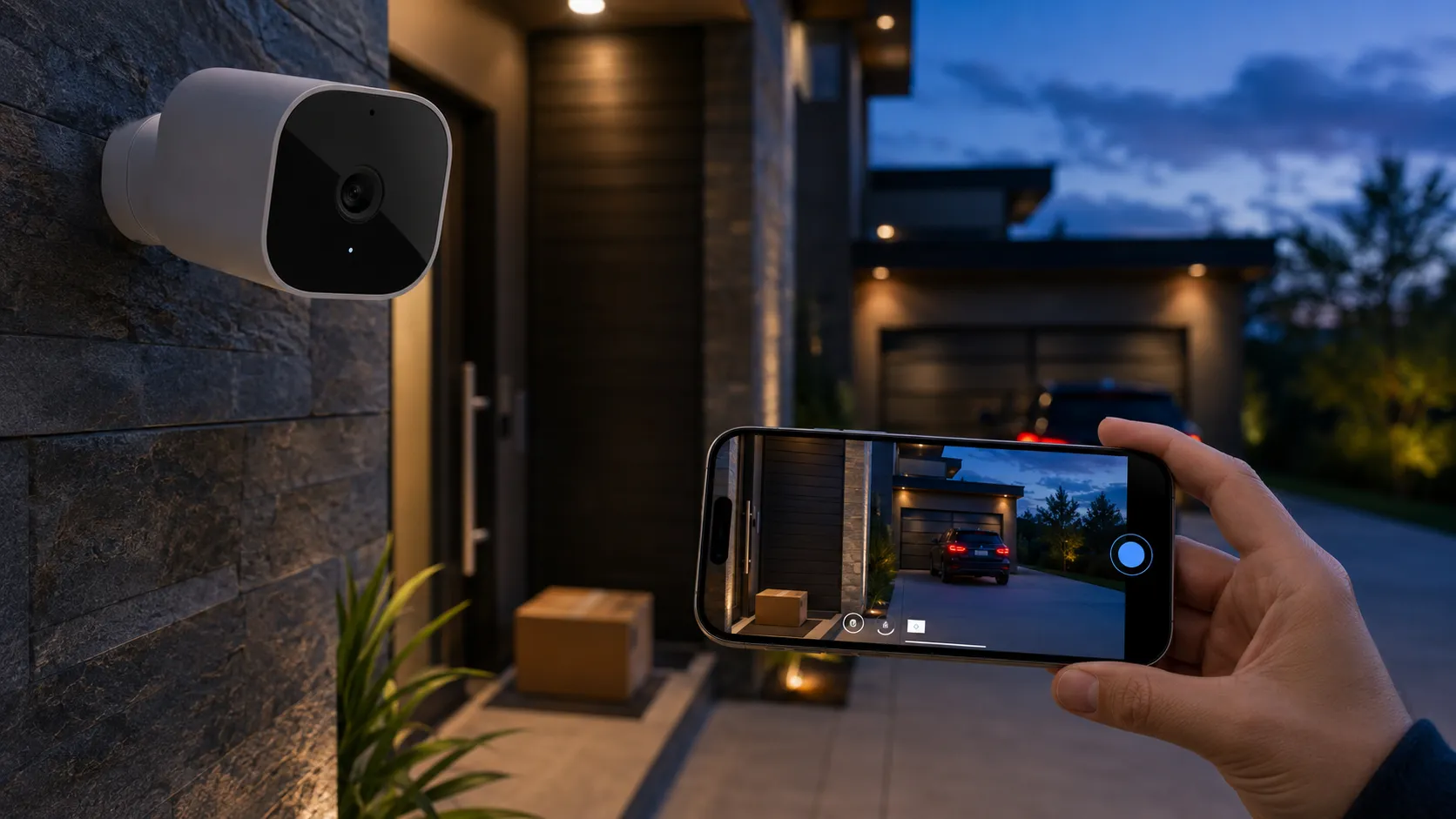
For several years, users of the Apple home ecosystem accepted 1080p as the standard limit for their secure video feeds. This changed with the transition toward Ultra-HD, allowing the Home app to display the same level of clarity found in professional-grade surveillance systems. By increasing the pixel count, the system provides a much clearer view of your property and surroundings.
As camera hardware has improved across the industry, Apple’s software is finally catching up to provide a high standard of smart home security. Previously, manufacturers produced high-resolution cameras that were held back by software limitations. Now, the infrastructure supports the full potential of these sensors, making your security recordings more useful for actual identification.
This guide explains the technical requirements you need to meet and how Apple Intelligence helps manage your footage. You will also see which hardware currently supports these 2026 standards and how to prepare your network for the increased data load. Understanding these changes ensures your home remains protected by the best technology available.
The HomeKit Secure Video 4K Update (iOS 27)
The update brings native 4K recording to the home at frame rates of 24 or 30 frames per second. It also introduces 2K support for cameras that do not require the full density of a 4K stream, providing a middle ground for different areas of your property. This variety allows you to prioritize high resolution where it matters most while saving resources elsewhere.
Image quality depends heavily on data flow, and the jump from 1.8 Mbps to a robust 5 Mbps makes a significant difference in how clear moving objects appear. Even when a person or vehicle moves quickly across the frame, the higher bitrate keeps the image from becoming a blocky or distorted mess. This ensures that every frame of the video remains sharp and usable for review.
Apple created a highest video tier architecture to manage these large data streams efficiently across different devices. This architecture allows a single camera to provide simultaneous 4K and 2K streams so you can view a high-resolution feed on your television while checking a lower-resolution version on your mobile device. It balances the needs of your hardware without causing delays in the live feed.
Managing larger files requires a better buffer system to prevent the Home app from lagging during playback or streaming. The new camera service architecture handles these larger files locally on your hub before they are sent to the cloud. This reduces the time it takes for a video to start playing when you receive an alert about a visitor at your door.
The Role of Apple Intelligence in Ultra-HD Monitoring
Natural language search changes how you interact with your recorded history by allowing you to find specific events using plain descriptions. You can type a phrase to find a person wearing a specific color of clothing or a vehicle of a certain make. This saves you from the tedious task of scrolling through hours of video to find a single moment.
Alerts no longer just tell you that general motion occurred on your property. You receive detailed summaries that explain exactly what happened, such as a delivery driver leaving a package or a neighbor walking their dog. These automated descriptions give you the context you need to decide if an alert requires your immediate attention.
All of these advanced features happen on your own hardware rather than on a remote server. Apple maintains your privacy by using the processing power of your home hub to analyze every frame of video locally. This ensures that your private data remains inside your home while still providing the benefits of modern artificial intelligence.
Smart event filtering helps you ignore the movements that do not matter for your security. The system can distinguish between a potential threat and the mundane movement of tree shadows or pets in the yard. This reduction in false alerts means you can stay informed without being distracted by constant notifications on your phone or watch.
Why 1080p Isn’t Enough: The Benefits of 4K Security
Moving to 4K provides more than just a sharper picture for your mobile device. Below are the ways this resolution improves your actual safety and evidence gathering.
Superior Forensic Evidence
High resolution is vital when you need to identify specific details after an incident occurs. While 1080p can show that a person was present, it often lacks the sharpness to reveal distinct facial features or small text on clothing. The fourfold increase in pixels ensures that the evidence you collect is high enough quality to be useful in a professional investigation.
With 4K, you can see the characters on a license plate even if the vehicle is parked across the street from your home. This level of detail turns a vague recording into a piece of evidence that law enforcement can use to resolve a case or identify a suspect. It provides a layer of certainty that lower resolutions simply cannot match in real-world scenarios.
The extra pixels also help in varying weather conditions where rain, snow, or fog might blur lower-resolution feeds. You get a consistent level of clarity that ensures your security remains reliable throughout the year. This reliability is the main reason many homeowners are choosing to replace their older high-definition cameras with Ultra-HD models.
Lossless Digital Zoom
Standard cameras lose most of their detail when you try to zoom in on a recorded video. A 1080p image quickly becomes pixelated and blurry, making it nearly impossible to see what a person is holding or the specific details of a package. This limitation often makes the zoom feature useless for identifying important information after an event has passed.
4K video contains significantly more data, which gives you the ability to crop into the frame without immediate degradation. You can zoom in twice as much as before and still have an image that is as clear as a full-frame 1080p shot. This allows you to inspect small details in the background of your video that would have been lost in a standard feed.
This capability allows you to place a camera further away from the street or your front door while still capturing the necessary information. It gives you more flexibility in how you position your hardware on your house. You can cover a large area and still have the confidence that you can zoom in on any specific spot with high clarity.
Wider Field of View (FOV) Utility
Wide-angle lenses often distort the edges of the frame and lose detail in the center when using lower resolutions. In the past, you might have needed two cameras to cover a large driveway if you wanted to see everything clearly. Using multiple cameras increased the cost of your system and the complexity of your home network.
A 4K camera with a wide lens covers the same large area while maintaining high pixel density across the entire view. You can see your whole yard and still have enough resolution to identify individuals at the very edges of the frame. The extra pixels compensate for the wide angle, ensuring that no part of the image is too blurry to be useful.
This efficiency reduces the total number of devices you need to buy and install around your property. Using one high-resolution unit to do the work of several older models simplifies your setup and reduces the load on your Wi-Fi. It is a more streamlined way to achieve total coverage of your home and surroundings.
Enhanced Low-Light Performance
Modern 4K sensors are often physically larger than their 1080p predecessors, which helps them collect more light. This change improves how the camera performs when the sun goes down or when your property is dimly lit. A larger sensor can produce a clear image in conditions where older cameras would only show dark shadows.
You will notice that night vision recordings look less grainy and have better contrast between different objects. Instead of a blurry gray image, you see distinct shapes and textures that make it easier to understand what is happening in the dark. This clarity is essential for identifying intruders or animals that appear on your property at night.
Higher resolution also helps the camera software process color in low-light environments. Some modern cameras can maintain a color image for longer periods before switching to black and white mode. This gives you more descriptive information, such as the color of a person’s jacket or a car, even when the lighting is poor.
Eliminating the Quality Trade-off
Homeowners used to face a difficult choice between using the secure Home app or the native app from the camera manufacturer. The manufacturer’s app usually offered the full 4K resolution, while Apple’s version was limited to 1080p. This forced many people to compromise their privacy just to get the best possible video quality.
Now that the Apple ecosystem supports the higher resolution, you no longer have to make that compromise. You keep your video inside the encrypted environment without losing the clarity of the high-resolution sensor. This allows you to benefit from the security of Apple’s servers while seeing every detail of your home.
This change creates a more unified experience for everyone in your family. Everyone can use the same app to view high-quality video, and you do not have to worry about third-party companies having access to your private streams. It simplifies your smart home management while keeping your data as secure as possible.
Hardware Check: Is Your Network and Hub Ready?
Preparing for 4K security involves more than just purchasing a new camera for your porch. Here are the infrastructure requirements you should check to ensure a smooth experience.
The Power of the Home Hub
Your home hub is the brain of your security system, and it must handle the encryption of 4K video in real time. This is a demanding task that requires the modern processors found in the latest generation of Apple devices. Without a powerful hub, the system will struggle to process the data before it is sent to your cloud storage.
A 4K Apple TV or a current-generation HomePod acts as the central point for your data security. It processes the video locally to identify people, animals, and vehicles before the file is encrypted. This local processing ensures that the artificial intelligence features work quickly without relying on a constant connection to a remote server.
If you use an older hub, you might experience delays in your notifications or a lower overall resolution. Upgrading your hub ensures that the system can manage the 5 Mbps streams coming from multiple cameras simultaneously. It provides the foundation for a responsive and reliable security system that can handle the demands of Ultra-HD video.
Bandwidth Demands
Uploading 4K video requires a strong and consistent internet connection from your home to the cloud. Most home internet plans focus on download speeds, but security cameras depend on your upload capacity. If your upload speed is too slow, your video will stutter or fail to record the most important moments.
Each 4K camera needs approximately 5 Mbps of dedicated upload speed to function correctly. If you plan to install four cameras around your house, you need at least 20 Mbps of upload capacity just for your security system. You should test your internet speed to see if your current plan can support this extra load without slowing down your other activities.
Using Wi-Fi 6 or wired Ethernet connections helps manage this data load more effectively. Wired cameras are especially useful because they provide a stable path for the data that is not affected by other wireless devices in your home. This stability is key for maintaining a continuous stream of high-resolution video throughout the day.
Power Supply Realities
Processing 4K video consumes a significant amount of energy compared to standard definition. This means that battery-powered cameras will drain much faster if they are constantly recording and analyzing Ultra-HD footage. You might find yourself charging your cameras every few weeks instead of every few months.
To keep your cameras running without frequent interruptions, you should consider using wired power or solar panels. These options provide the continuous energy needed to support the higher processing requirements of the new video standard. It removes the stress of monitoring battery levels and ensures your security is always active.
Some cameras may even limit their resolution or disable certain AI features if they detect low battery levels. Having a permanent power source ensures you always get the highest quality video regardless of the usage patterns. It is the best way to maintain the forensic benefits of 4K without manual maintenance.
iCloud+ Subscription Tiers
Apple’s cloud storage is where your recordings are kept for a rolling ten-day period. Because 4K files are much larger than 1080p files, you will likely need one of the higher-tier subscription plans to enable these features. The storage requirements for Ultra-HD video are much higher than what is provided in basic plans.
The 2TB plan is the most common requirement for homes that want to use several 4K cameras with full history. This tier provides enough space to handle the increased data volume without overwriting your history too quickly. It ensures that you have access to your recordings when you need them for insurance or security purposes.
You should check your current subscription level before adding new high-resolution cameras to your home. Making sure you have the right tier ensures that your cameras can record at their full potential without being throttled. It is an essential part of the cost to consider when planning your smart home upgrade.
Router Optimization
A standard router can become congested when multiple cameras are streaming high-resolution video at the same time. This congestion can cause your movies to buffer or your video calls to drop in quality for other family members. Managing your home network traffic becomes more important as you add more 4K devices.
Setting up a dedicated 5GHz band for your cameras can help separate their traffic from your phones and computers. This keeps your security data flowing smoothly without interfering with your entertainment or work. It is a simple way to improve the performance of every device connected to your network.
Advanced users might also create a separate network specifically for their smart home devices. This improves both the performance and the overall security of your home by keeping your cameras isolated from your personal computers. It is a professional approach to managing a modern home filled with high-data devices.
Recommended 4K-Ready Cameras for HomeKit in 2026
Several manufacturers are leading the way with hardware that supports the new Apple security standards. Below are the top choices for upgrading your home to Ultra-HD resolution.
Eufy Cam S3 Pro
This outdoor camera is designed to handle harsh weather while providing a crisp 4K image for your security feed. It features a built-in solar panel, which helps solve the power drain issues associated with high-resolution recording. This makes it a great choice for areas of your house where running a power cable is difficult.
The hardware is capable of seeing clearly over long distances, making it ideal for monitoring large yards or long driveways. Its recent firmware updates ensure that it communicates effectively with the Apple Home app and your home hub. You get the benefit of a professional sensor integrated into a user-friendly system.
Users often appreciate the local storage options that work alongside the cloud-based recording features. This gives you a physical backup of your 4K footage even if your internet connection goes down temporarily. It provides an extra layer of redundancy that many homeowners find reassuring for their primary security cameras.
Eufy Indoor Cam E30
If you need to monitor the inside of your home, this camera offers high resolution in a compact and modern package. It includes pan and tilt features, allowing you to see every corner of a large room from a single device. You can control the movement of the camera directly from the Home app on your iPhone or iPad.
The 4K sensor provides enough detail to see small objects, pets, or even the text on a document clearly. It is one of the most affordable ways to bring Ultra-HD security into your living space, nursery, or kitchen. The clarity it provides is a significant step up from the grainy indoor cameras of the past.
Because it is designed for indoor use, it plugs directly into a standard wall outlet for constant power. You never have to worry about battery life or reduced performance due to low energy. It stays ready to capture high-quality video at all times, ensuring you never miss an important moment inside your home.
Aqara G5 Pro
This rugged outdoor option is built for those who want professional-grade hardware in their Apple ecosystem. It supports high resolutions that far exceed the old 1080p standard, providing excellent clarity for your security recordings. The construction is durable enough to withstand extreme temperatures and heavy rain.
The G5 Pro is known for its fast response times when you view a live stream from your phone or watch. It works efficiently with the Apple home hub to deliver a smooth 4K experience without the lag found in cheaper models. This responsiveness is vital when you need to see what is happening in real time.
It also features advanced infrared lights for better performance in complete darkness at night. This makes it a strong choice for the side of a house or an alleyway where natural light is limited. You get a clear view of your property regardless of the time of day or the lighting conditions.
Aqara Camera Hub G350
This device acts as both a high-resolution camera and a hub for other smart sensors in your home. It supports the latest Matter standards, which means it will remain compatible with your devices for a long time. It is a versatile tool for anyone starting to build a modern and secure smart home from scratch.
The camera itself provides a high-resolution feed that integrates with the new Apple architecture for recording and streaming. It offers a wide field of view and advanced tracking features to keep subjects in the frame. It is an intelligent device that does more than just record video; it helps manage your entire home.
By combining two functions into one device, you reduce the amount of extra hardware sitting on your shelves. It provides a central point for your security needs and your home automation rules. It is an efficient and cost-effective way to upgrade your home to the 4K standard.
Transitioning Legacy 4K Cameras
Many homeowners already own cameras that claim to be 4K but only show 1080p when viewed in the Apple Home app. These devices might receive a firmware update that allows them to use their full resolution within the Apple ecosystem. This would allow you to upgrade your system without purchasing entirely new hardware.
Whether a camera gets this update depends on the manufacturer and the processing power of the specific model. Some older 4K cameras might not have the internal components required to handle Apple’s encryption at high speeds. You should check the support pages for your specific devices to see if a 4K update is planned.
If an update is not available, you may need to replace those specific units to take advantage of the new features. It is a good idea to prioritize replacing the cameras at your most vulnerable entry points first. This allows you to get the forensic benefits of 4K where they matter most for your family’s safety.
The Challenges of the Ultra-HD Security Jump
While the improvements in video quality are significant, there are several difficulties you may face during the upgrade process. Below are the factors you should consider before making the change to 4K security.
Significant Storage Impact
4K video files take up a much larger amount of space than standard high-definition recordings. This means that your recording history might fill up much faster than you are used to with your old system. You may find that your storage plan is under more pressure as you add more high-resolution cameras.
You might notice that your ten-day history feels shorter if you have several cameras recording constant motion throughout the day. Managing this requires being more selective about what your cameras are allowed to record and store. It is a change in how you think about your home’s digital footprint and storage needs.
Adjusting your settings to only record when a person, animal, or vehicle is detected can help save valuable space. This ensures you keep the most important footage without overwhelming your storage plan with hours of empty video. It is a necessary step for maintaining a long history of useful security events.
Thermal Management
Recording and encrypting 4K video creates a significant amount of heat inside the camera housing. If a camera is placed in a spot with direct sunlight and high ambient temperatures, it might get too hot to function. The camera may shut down temporarily to protect its internal electronics from permanent damage.
Manufacturers are designing new 4K models with better cooling systems and heat sinks to handle this issue. However, where you choose to mount your camera remains a critical factor for its long-term reliability. A camera that overheats frequently will not be able to provide the constant protection you need.
You should look for shaded areas under eaves or use protective covers if you live in a particularly hot climate. This helps your 4K cameras run continuously without the risk of overheating during the summer months. Proper placement is just as important as the quality of the hardware you choose to buy.
Initial Hardware Costs
New 4K-native cameras are generally more expensive than the 1080p models they are intended to replace. You are paying for the better sensors, faster processors, and more advanced lenses required for Ultra-HD. These costs can add up if you have a large property that requires many different cameras for full coverage.
In addition to the cost of the cameras, you might need to upgrade your home hub or your internet router to handle the data. These hidden costs are often overlooked but are necessary for a system that works without lag or errors. Upgrading your security is an investment in your home’s infrastructure as much as it is a purchase of a new gadget.
It is often more practical to upgrade your most important cameras first rather than trying to replace every device at once. This allows you to spread out the cost over several months while still getting the biggest benefits. You can focus on your front door and driveway before moving to less critical areas of your property.
Data Cap Concerns
If your internet service provider limits how much data you can use each month, 4K cameras can become a problem. Continuous streaming and uploading can use hundreds of gigabytes of data over a 30-day period. This could lead to extra fees or a slower internet connection for the rest of your home.
You should check your monthly data usage to see if you have enough room for several high-resolution video streams. If you are already close to your limit, you might need to switch to an unlimited plan to avoid surprises on your bill. It is an ongoing cost that you should factor into your decision to upgrade your system.
Monitoring your data usage through your router app can help you understand how much each camera is contributing to the total. This visibility allows you to make adjustments to your recording settings if you find that your cameras are using too much data. It gives you more control over your home’s internet consumption.
Ecosystem Lock-in
Using HomeKit Secure Video means you are committing to the Apple ecosystem for your home security. To get the full 4K experience, everyone in your home needs an iPhone, and you need a modern Apple home hub. This creates a very integrated environment that works well together but can be difficult to leave.
This makes it harder to switch to other mobile platforms or smart home brands in the future without replacing your hardware. You are investing in a system that is designed to be very private and secure but is not very flexible with other brands. It is a long-term commitment to a specific way of managing your home.
For many homeowners, the privacy benefits and the ease of use are worth this specific limitation. However, it is a factor you should consider if you prefer to use a mix of different brands and platforms. Knowing the boundaries of the system helps you make a better decision for your long-term needs.
Setup Guide: Optimizing 4K HKSV for Success
Open the Home app on your iPhone and select the specific camera you want to adjust for high resolution. Inside the settings menu, look for the recording options and ensure the quality is set to the highest tier to enable 4K or 2K streaming. This ensures that your camera is not being limited by the default settings of the app.
High-resolution snapshots allow you to draw very precise activity zones on your screen with much more accuracy than before. Because you can see more detail in the image, you can exclude tiny areas like a public sidewalk or a neighbor’s window. This prevents your cameras from triggering unnecessary alerts for events that do not involve your property.
Tuning your notifications is a much easier task with the extra data provided by Apple Intelligence. You can set your devices to only notify you when a specific type of event occurs, such as a person entering your yard. This prevents your phone or watch from buzzing every time a car drives past your house in the background.
Always check the manufacturer’s app first to see if there is a pending firmware update for your camera. Some high-resolution cameras require a specific version of their software before they can communicate with the new Apple architecture correctly. Keeping your firmware up to date is the best way to ensure your system remains stable and secure.
Comparing 4K HKSV vs. Competitor Systems (Nest & Ring)
Apple uses end-to-end encryption for all of your video data, which means even Apple cannot see your recordings. This is a very different approach from some competitors who store video on their own servers where it could be accessed under certain conditions. For many users, this privacy-first model is the most important reason to choose the Apple ecosystem.
The way HomeKit Secure Video works with your Apple Watch and iPad is much smoother than using separate apps for other systems. You get a clear thumbnail of the video on your wrist immediately, and you can communicate with visitors without waiting for a slow app to load. This tight integration makes your security feel like a natural part of your daily life.
When you look at the monthly cost of an iCloud+ subscription, it often covers more than just your security cameras. It includes storage for your family’s photos and backups for all of your devices, which can be a better value than paying for a separate subscription. It simplifies your monthly bills by combining several essential services into a single payment.
The Future of Apple Home: Beyond 4K
As home internet speeds continue to increase, 8K resolution may eventually become the next step for home security systems. This would require even more bandwidth and much more powerful home hubs, but it would provide an incredible level of detail. It would allow you to see tiny features from long distances with perfect clarity.
Future updates to the system might allow the AI to recognize more than just faces or vehicles. The system could learn the specific gait of a person or recognize behavioral patterns to provide even more accurate alerts about activity on your property. These advancements would make your smart home even more proactive in identifying potential threats.
For most homeowners today, the move to 4K is a significant improvement that provides real value for their security needs. It is a necessary step for those who want the best possible protection and the most useful evidence if an incident occurs. While the requirements are higher, the benefits in clarity and peace of mind make it a worthwhile upgrade.
