




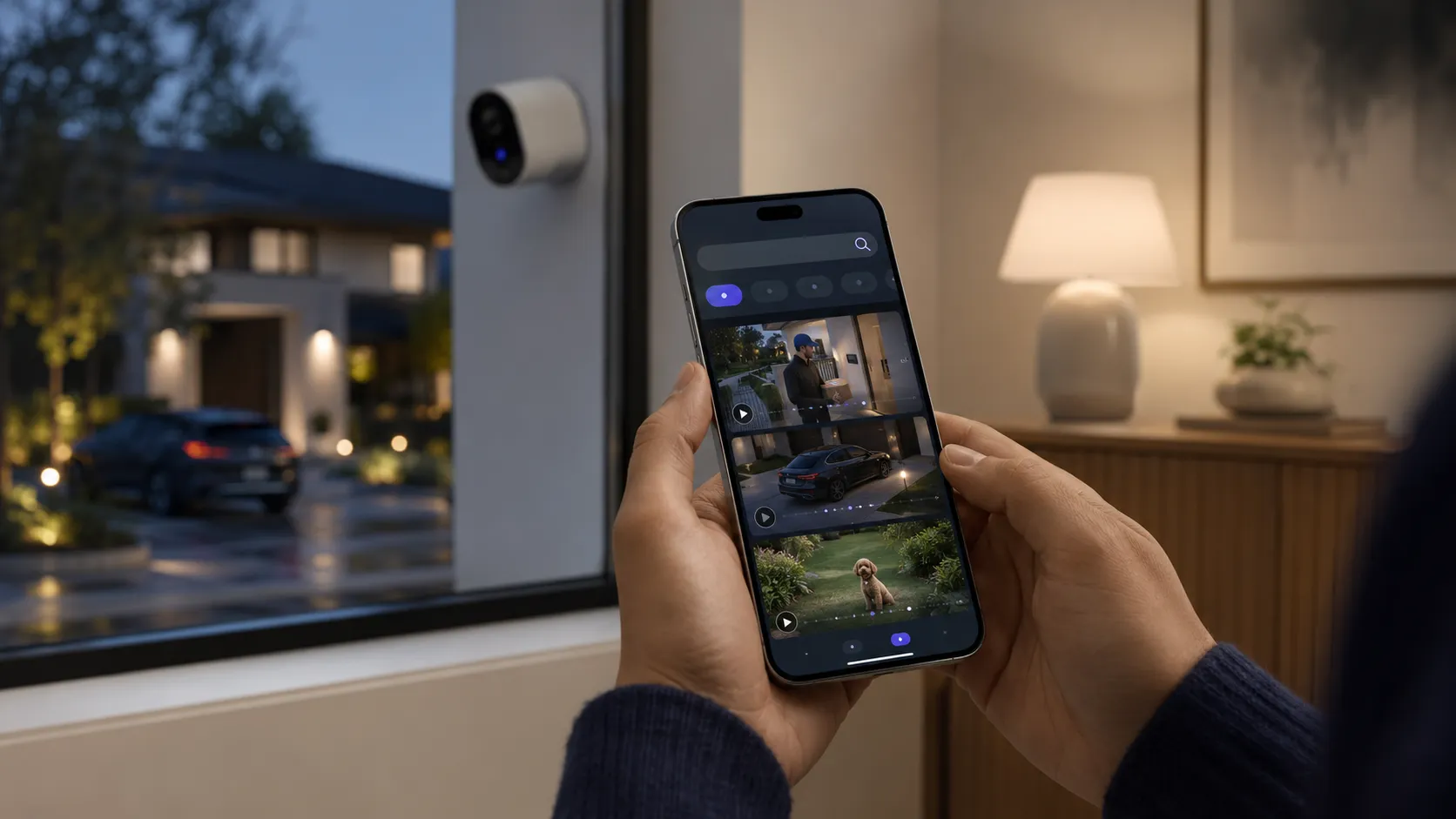
Traditional security monitoring often feels like a chore because finding one specific moment requires you to slide your thumb across a timeline for several minutes. You look at tiny thumbnails and hope you do not skip past the activity you need to see. This manual labor makes owning a camera feel like an extra task rather than a convenience for your daily life.
The arrival of Natural Language Search changes this experience by letting you talk to your video history. Instead of manual scrolling, you type what you are looking for and the system finds it for you. This transition from manual scrubbing to intelligent retrieval makes home security feel modern, responsive, and easy to manage without technical skills.
Apple uses its deep integration between devices to make this process feel natural for anyone who uses an iPhone. By connecting your cameras with local processing power, the company makes finding a clip as simple as finding a photo in your library. You can now manage your home data with the same speed you use to search for a text message.
What is HomeKit Natural Language Search?
Natural Language Search is a text-based tool for HomeKit Secure Video that was introduced to help users find specific events in their recorded history. Instead of looking at a list of timestamps, you enter a phrase like “the kids playing with the dog” to see the exact moment that happened. It turns your storage into a database of searchable written descriptions.
This system is part of the Apple Intelligence integration, which means it uses advanced models to understand the content of your video. It is not looking for simple motion; it is understanding the context of the actions being performed. This integration allows the system to process complex visuals and turn them into understandable data points that you can query at any time.
One of the most helpful changes is the replacement of generic “Motion Detected” alerts with descriptive text. When a camera records an event, the system creates an overlay that describes what happened, such as a person carrying a box. These descriptions are what make the search function so powerful, as every recorded second is now backed by a written explanation.
How Apple Intelligence Analyzes Your Footage
Understanding the background logic of this system helps you see how it remains fast and private. Below are the specific technical processes that make search possible.
Local On-Device Indexing
The processing for your video search begins right inside your home on your Home Hub, such as an Apple TV or HomePod. This device acts as a local brain that watches every clip recorded by your cameras to build a private index. By keeping this index local, the system ensures that your data is ready for searching the moment you open the app.
This indexing process happens in the background without needing to send your raw video files to a distant server for analysis. Your Home Hub organizes the visual data into a structured format that your iPhone or Mac can read quickly. This local organization is why the search results appear almost instantly when you type a query.
Because the index is stored on your own hardware, the speed of your search does not depend on your internet upload speed. Even if your external connection is slow, the Home Hub has already done the heavy lifting of categorizing your footage. This creates a reliable experience where your video history is always organized and accessible.
Video-to-Text Metadata Generation
Metadata generation is the process where the AI “watches” your video clips and translates visual actions into written words. The system identifies key movements and objects, then writes a short summary of the event. This happens for every clip that HomeKit Secure Video saves to your account.
These summaries are detailed enough to capture the difference between someone walking past the house and someone approaching the door. The AI looks for patterns in the movement to decide which words best describe the scene. This translation is the bridge that allows a standard video file to be found using a text search bar.
Once the metadata is created, it is attached to the video file as a searchable tag. You never see the thousands of tags being created, but they are working in the background to ensure accuracy. This automated writing process removes the need for you to ever manually label your footage.
Semantic Understanding of Visual Elements
The system uses semantic understanding to recognize the specific nature of different objects in the frame. It knows that a dog is different from a cat, and it can distinguish a delivery person from a neighbor. This level of detail ensures that your searches are accurate and do not show you irrelevant clips.
By understanding the relationship between objects, the AI can even identify when a car is being parked or when a package is being left on a porch. It looks at the shapes, sizes, and behaviors of everything in the video to categorize them correctly. This prevents the frustration of getting “person” alerts when it was actually just a tree moving in the wind.
This deep understanding also allows you to search for specific types of vehicles or clothing colors. If you remember seeing a blue van, the semantic engine knows to look for that specific color and shape in the metadata. This makes the system feel much more intelligent than a standard motion sensor.
Real-Time Event Categorization
Events are tagged and categorized the very moment they are recorded by your HomeKit cameras. There is no long waiting period while the system processes the day’s footage; the analysis happens as the action unfolds. This means you can search for something that happened just a few minutes ago.
This real-time processing allows your notifications to be much more specific than they were in the past. Instead of a simple alert, you get a summary of the event as it finishes. This categorization keeps your video library organized as it grows, preventing a backlog of unanalyzed data.
Because the tagging is instant, the “Noteworthy Clips” section of your Home app stays updated throughout the day. You can check your phone at any time and see a summarized list of the most important things that happened. This keeps you informed without requiring you to manually check the live feed every hour.
The Role of the Neural Engine
The complex math required to turn video into searchable text happens on the Neural Engine found in Apple’s modern chips. This dedicated hardware handles AI tasks without slowing down the rest of your device or your home network. It is designed to process information in a way that traditional processors cannot match.
Having a powerful Neural Engine means the system can analyze multiple camera streams at the same time without any lag. Older hardware would get too hot or take too long to produce results, which would make the search feature feel broken. Apple limits this feature to specific chips to ensure the experience is always smooth.
This hardware requirement ensures that the AI models can run at full strength to provide the best accuracy. You want the system to be certain about what it sees before it tags a video. The Neural Engine provides the raw power needed to maintain that high standard of visual recognition.
Transforming the Search Experience
Searching for specific moments becomes as simple as sending a text message. Here are the ways you can interact with your library using words.
Using Conversational Phrases
You can interact with your video history using the same natural language you use with a friend. Typing phrases like “the dog in the garden” or “who was at the door?” allows the system to find relevant clips. You do not need to learn special commands or keywords to get the results you want.
This conversational method makes the technology accessible to everyone in the family. Whether you are looking for a funny moment with a pet or checking on a service worker, the process is the same. The AI understands the intent behind your words and scans the metadata to match them.
By moving away from technical filters, the Home app becomes a tool for stories as much as security. You can find clips of a birthday party or a child’s first steps just by asking. It changes the way you think about your recorded footage from a list of files to a collection of memories.
Cross-Camera Unified Search
One of the biggest advantages of this update is the ability to search across every camera in your home at once. You do not have to remember if the delivery person was seen by the doorbell or the driveway camera. A single search query looks through the history of every connected device.
This unified method saves a lot of time because it presents a chronological story of an event. You can see a person arrive at the gate, walk up the path, and leave a package, all in one search result. It connects the dots between different angles to give you a complete picture.
Searching this way also helps you find things that moved between zones. If a pet ran from the backyard to the side of the house, you can see the entire path by searching for the animal’s name or type. You no longer have to jump between different camera views to follow the action.
Filtering by Attributes
The AI is detailed enough to let you search for specific visual attributes like colors or vehicle types. If you are looking for a “red truck” or a “person in a yellow jacket,” the system can find those matches. This is helpful when you have a vague memory of an event but cannot remember the exact time.
This level of detail is especially useful for identifying visitors you do not know. You can filter for “delivery trucks” to see every time a package arrived during the week. It adds a layer of depth to your security that simple motion detection could never provide.
Attribute filtering works by matching your adjectives to the metadata generated during the recording. The system identifies colors and shapes as it indexes the video, making these specific searches possible. It turns your video library into a highly organized and searchable catalog of your daily life.
Temporal Search Queries
You can combine actions with specific timeframes to narrow down your results quickly. Phrases like “package delivered yesterday afternoon” or “trash pickup on Monday” help you skip over irrelevant footage. Adding a time element makes the search results much more manageable.
This temporal awareness is built into the index, so the system knows exactly when every tagged event occurred. It allows you to find specific incidents without knowing the precise minute they happened. You can search by days, parts of the day, or even specific holidays.
Using time-based queries is the fastest way to verify if a routine task was completed. If you want to know if the gardener came on Tuesday, you just ask. This functionality makes the security system act like a digital logbook for your home’s activities.
Locating Specific Interactions
The system is smart enough to find complex behaviors and interactions between people or objects. You can search for “kids playing in the driveway” or “someone leaving a box.” It understands that an action is taking place, rather than just seeing a person standing still.
This focus on interactions helps you find the most meaningful moments in your video history. You can see when the mail was dropped through the slot or when a guest arrived with a gift. These specific actions are much easier to find when the AI can describe the behavior it sees.
Locating interactions also helps with troubleshooting home issues. If you want to see why a gate was left open, you can search for people near the gate. The system will show you the interaction that led to the gate being moved, giving you the context you need.
Beyond Search: Advanced Features in the New Home App
The Home app includes a “Noteworthy Clips” feed that automatically identifies the most important events of the day. Instead of looking through every motion alert, you see a list of visitors, deliveries, and significant activities. This feed stays at the top of the interface so you can see what matters the most without any effort.
Apple Intelligence groups related activities into unified event summaries to reduce the number of clips you have to watch. For example, if a person walks to your porch, rings the bell, and then leaves, these are presented as a single story. This prevents your timeline from being cluttered with five different clips of the same event.
The system now supports 4K resolution, which provides much clearer imagery for the AI to analyze. Higher resolution means the models can identify faces and small objects with much higher accuracy than before. This technical upgrade ensures that your search results are based on the best possible data.
To prevent notification fatigue, the app uses smart notification stacking to summarize multiple motions into a single alert. If your kids are playing in front of a camera, you will receive one descriptive update rather than a notification every few seconds. This keeps your lock screen clean while still providing the information you need.
Why Natural Language Search is a Game Changer for Homeowners
The efficiency of this system is its biggest benefit because it saves you from the frustration of manual review. What used to take ten minutes of scrubbing can now be done in five seconds with a quick type. This time-saving feature makes you more likely to actually use the footage your cameras are recording.
When you need to find an incident for insurance or security purposes, the evidence collection process is much simpler. You can search for the specific event and export the clip immediately without hunting through hours of empty footage. This provides a level of organization that is vital during stressful situations.
You gain a proactive sense of peace of mind by being able to check on specific concerns instantly. If you are at work and wonder if the dog was let out, a quick search gives you the answer. It removes the guesswork from home management and gives you a clear window into your property at all times.
Essential Requirements: What You Need to Get Started
Before using these updates, you need to check your current setup. Here are the requirements for getting started with Natural Language Search.
Software Prerequisites
To access these features, your devices must be running the latest operating systems, specifically iOS 27 or later. This software contains the necessary code to communicate with Apple Intelligence and the new Home app structure. Without this version, the search bar will not have the advanced logic needed for conversational queries.
Updating your software also ensures that your device has the latest security patches for your video data. Apple frequently updates how encryption is handled to keep your private footage safe from outside access. Keeping your iPhone, iPad, and Mac updated is the first step toward a more intelligent home.
The new software versions also include the updated Home app interface which is designed around the search experience. It moves away from the old camera grid and toward an event-focused view. This layout is much more efficient for navigating the thousands of clips your cameras might record over a week.
Apple Intelligence-Enabled Hardware
Because this search function relies on heavy AI processing, you need a device that supports Apple Intelligence. This includes the iPhone 15 Pro and later models, as well as iPads and Macs with M-series chips. These devices have the hardware needed to run the complex models that understand your video metadata.
If you are using an older iPhone, you may still be able to view the results, but the local processing of the search query itself might be limited. The best experience comes from using hardware that can handle the semantic matching in real-time. This ensures that the results pop up as you type without any lag or spinning icons.
The hardware requirement is not about forcing an upgrade; it is about the physical limits of older processors. Turning visual data into searchable text is one of the most demanding tasks a mobile chip can perform. Modern Apple silicon is built specifically to handle these types of workloads while maintaining battery life.
The Role of the Home Hub
An Apple TV 4K or a HomePod is required to act as the Home Hub for your security system. This device stays powered on and connected to your network, allowing it to process video in the background even when you are away. It serves as the local server where the AI analysis actually takes place.
The Home Hub is what allows your cameras to be smart without needing a constant connection to the cloud for processing. It watches the video streams and creates the metadata tags that you eventually search for on your phone. This keeps the most difficult work inside your home network.
Without a modern Home Hub, your cameras would just be recording “dumb” video files without any context. The latest generations of Apple TV and HomePod include the necessary chips to manage multiple 4K camera streams at once. They are the silent partners that keep your search index up to date 24 hours a day.
iCloud+ Subscription Tiers
You must have an active iCloud+ subscription to enable the video history features of HomeKit Secure Video. This paid plan provides you with ten days of rolling video history that does not count against your standard storage limit. The search feature works by scanning this recorded history for matches.
Different subscription tiers allow for a different number of cameras to be connected to the system. You should choose a plan that covers all the cameras you want to be searchable. Once the subscription is active, the recording and indexing happen automatically without any further setup.
Having your video stored in iCloud+ also means you can access your searchable history from anywhere. Whether you are on your home Wi-Fi or using cellular data, you can query your home’s activity. The subscription covers the cost of the encrypted storage and the infrastructure needed to keep the system running.
Compatible HKSV Cameras
While the AI processing happens on your hub, the quality of your cameras still matters for the best search results. Cameras that support HomeKit Secure Video are required so that the encrypted stream can be processed by your Apple devices. High-quality sensors help the AI see details like clothing patterns and facial features.
The new support for 4K resolution is a significant step forward for search accuracy. If your camera only records in 1080p, the AI might struggle to identify small objects in the distance. Upgrading to 4K cameras ensures that the metadata being generated is as precise as possible.
You should also look for cameras with good night vision and wide dynamic range. If a clip is too dark or too bright, the AI might miss important details, which means that clip won’t show up in your search results. Better hardware leads to a better database of information for the Apple Intelligence to work with.
How Apple Protects Your Footage
Your video data is end-to-end encrypted before it ever leaves your house to be stored in the cloud. This means that only your trusted devices have the keys to view the footage. Apple cannot see your video, and neither can anyone else who might try to intercept the data.
The “brain” that analyzes your video to create search tags is located inside your home on your local Home Hub. By doing the analysis locally rather than on a corporate server, the system ensures your daily habits stay private. No one at Apple is watching your clips to help the AI learn; the models are already trained and run privately on your hardware.
The phrases you type into the search bar are also kept private and are not shared with any third parties. When you search for “kids in the pool,” that query stays on your device. This prevents a profile of your home life from being built by advertisers or data brokers.
Apple ensures that all AI metadata is tied strictly to your Apple ID and remains in a secure data silo. This information is not mixed with other users’ data, and it is never used for any purpose other than helping you find your clips. You remain the sole owner of the information generated by your security system.
Comparing Traditional Video History vs. AI-Powered Search
Manual review is the old method of checking your cameras, and it is often a frustrating experience. You have to guess when an event happened and then watch several minutes of footage to confirm it. This process is so slow that most people only check their cameras after a major problem has occurred.
Keyword indexing is the new method that treats your video library like a searchable database. You no longer have to care about timestamps or thumbnails because the computer does the organizing for you. This change makes your cameras useful for small, daily questions rather than just big emergencies.
The accuracy of AI descriptions is much higher than the simple motion triggers used in the past. Older systems would alert you every time a shadow moved, leading to a library full of empty clips. The new system understands context, which means your search results are focused on real activity that matters to you.
Best Practices for Optimizing Your HomeKit Search Results
Strategic camera placement is vital because the AI needs a clear view of faces and objects to identify them. Mounting cameras at head height and avoiding steep angles will help the system recognize people more accurately. A clear view leads to better metadata and more reliable search results.
Good lighting is another important factor in maintaining accuracy during the evening and night. While infrared sensors are helpful, adding motion-activated floodlights can give the AI the color information it needs to identify clothing or car colors. This extra clarity helps the search engine find the “blue van” you are looking for even at midnight.
Naming your cameras and zones clearly will help you get more relevant results when you search. Instead of “Camera 1,” use names like “Front Porch” or “Backyard Gate” so you can include locations in your queries. This helps the system narrow down the search area and find your clips faster.
Linking the search feature with “Known Faces” from your Photos app adds another level of specificity to your queries. You can ask “When did Sarah get home?” and the system will use facial recognition to find that specific person. It turns your general security search into a personalized log of your family’s movements.
The Final Word: The Future of the Intelligent Home
The introduction of Natural Language Search makes home security more accessible and less of a technical burden. You no longer need to be patient or tech-savvy to find the information you need from your cameras. It is a major step toward making the smart home actually feel smart by serving the user’s needs instantly.
As HomeKit Secure Video continues to evolve, we can expect Apple Intelligence to provide even deeper insights into our homes. Future updates might allow for even more complex queries or proactive suggestions based on your routine. The foundation is now in place for a home that understands what is happening without you ever having to ask.
The most successful technology is the kind that works invisibly to save you time while keeping your family safe. By turning a library of video into a searchable conversation, Apple has removed the biggest pain point of home monitoring. You are now in total control of your history, all through the power of a few simple words.
