




Key Takeaways
- Which to Buy: Choose the ROG Xbox Ally X20 if you’re buying your first Ally and expect to do most of your gaming on it. Keep the ROG Xbox Ally X if you already own one, or buy it if price and weight matter most.
- What $300 Buys: The $1,299.99 ROG Xbox Ally X20 adds a 7.4-inch OLED with 1,400-nit peak HDR brightness, magnetic TMR sticks and cooler operation. The $999.99 ROG Xbox Ally X weighs 41g less and uses the same Ryzen AI Z2 Extreme, so expect similar frame rates.
- Before You Order: Check whether your ROG Xbox Ally X20 includes a charger and whether its warranty covers OLED burn-in. Expect battery life close to the ROG Xbox Ally X, and consider the $2,499.99 bundle only if you want the AR glasses.
Would you pay $300 more for a better screen on a handheld that plays your games at about the same speed? If you’re buying your first ROG Xbox Ally and it’ll be your main gaming device, get the X20 for its brighter OLED, better grips and cooler operation. If you already own the Ally X or want the best frame rates for your money, stick with the $999.99 Ally X or look for an open-box deal.
The $1,299.99 ROG Xbox Ally X20 launched on October 15, 2026, with a 7.4-inch OLED that reaches 1,400 nits in HDR, magnetic TMR sticks and a D-pad you can switch between four and eight directions. Inside, both handhelds use the same Ryzen AI Z2 Extreme chip, 24GB of RAM, 1TB SSD and 80Wh battery. The upgrade comes down to what you’ll see and feel every time you play.
What Actually Changed on the X20
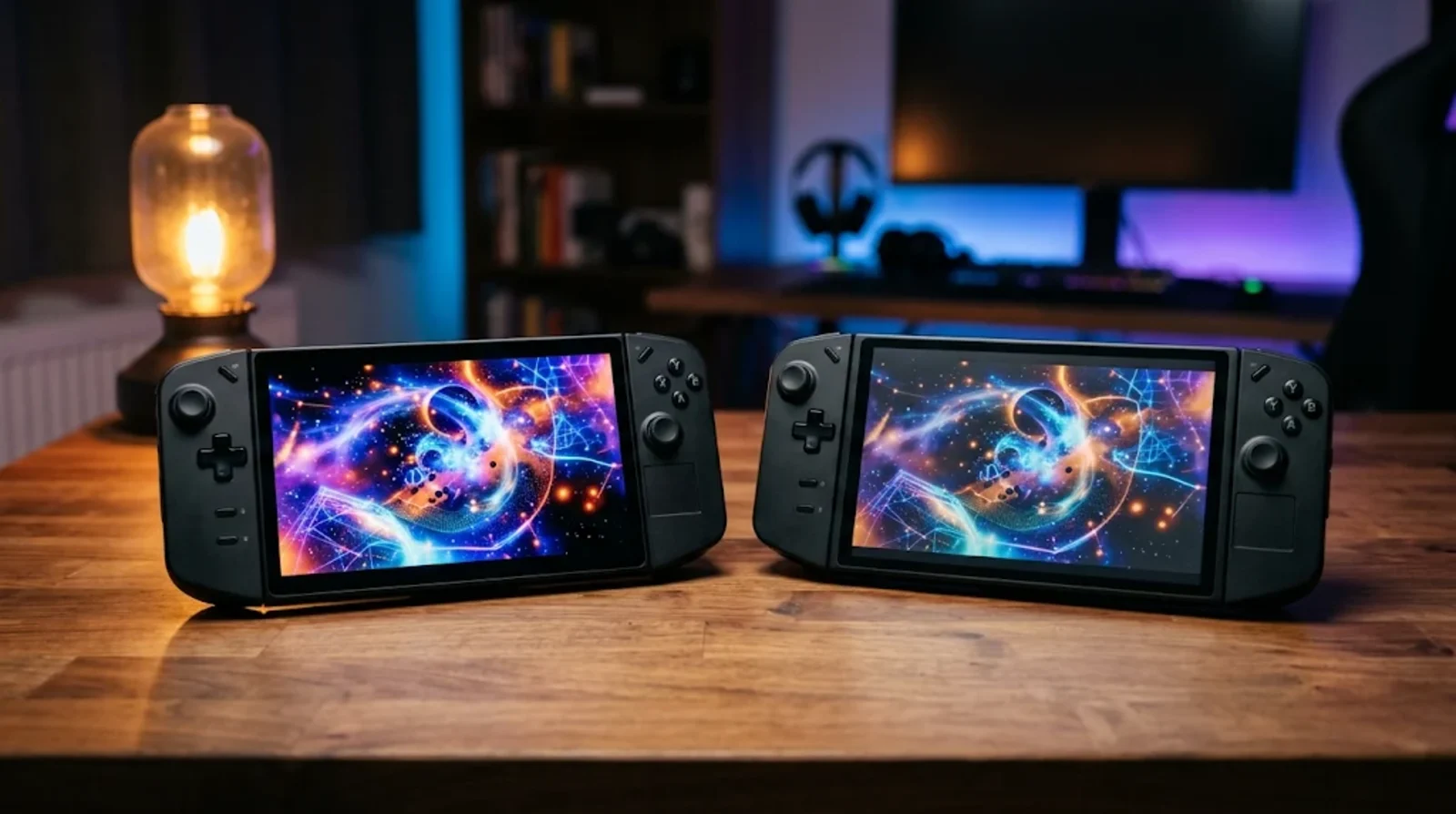
ASUS kept the core hardware and redesigned the screen, controls, casing and cooling. You can see how much changed by putting the two handhelds side by side.
Side by Side Specs and Prices
| Spec | ROG Xbox Ally X20 | ROG Xbox Ally X |
|---|---|---|
| US list price | $1,299.99 standalone or $2,499.99 bundled | $999.99 |
| Chip | AMD Ryzen AI Z2 Extreme | AMD Ryzen AI Z2 Extreme |
| Memory and storage | 24GB LPDDR5X and 1TB SSD | 24GB LPDDR5X and 1TB SSD |
| Screen | 7.4-inch 1080p OLED at 120Hz, 600 nits SDR, 1,400 nits peak HDR, DCI-P3 | 7-inch 1080p IPS-level LCD at 120Hz, 500 nits, sRGB |
| Sticks | Magnetic TMR | Standard analog |
| Triggers | Hall effect with impulse feedback | Hall effect |
| D-pad | Switchable 4-way or 8-way | Standard |
| Battery | 80Wh | 80Wh |
| Weight | 756g | 715g |
| Card reader | microSD Express | UHS-II microSD |
| DisplayPort over USB4 | DP 2.1 | DP 1.4 |
| Peak CPU temperature in PC Gamer testing | 79°C | 96°C |
| PCMark 10 gaming battery test by PC Gamer | 149 minutes | 125 minutes |
You get the same amount of room for games on either handheld, and both screens refresh at up to 120Hz. The X20 gives you a larger image, wider color coverage and higher peak brightness for HDR.
The temperature and battery figures come from PC Gamer’s tests, so your results will depend on the game and power mode. The 41g weight difference is there every time you pick up the X20, and it matters more if you tend to play without resting your arms.
Where the X20 Pulls Ahead
You’ll see the X20’s biggest upgrade the moment the screen lights up. Spend more time with it and the grips, sticks and fans give you other reasons to consider the extra $300.
The 7.4-Inch OLED Screen
The X20 reaches 600 nits in SDR and peaks at 1,400 nits in HDR, while the Ally X’s IPS panel goes up to 500 nits. The OLED covers the wider DCI-P3 color space, while the Ally X covers sRGB. ASUS also lists a 0.2ms response time, a 30-120Hz variable refresh range and an anti-reflection coating to cut glare.
Both screens are 1080p, so the X20’s slimmer bezels give you a bigger image with the same pixel count. The Tom’s Guide reviewer called it the best handheld screen they’d seen. Tom’s Hardware found it brighter than the Ally X, though its measurements put the Steam Deck OLED panel ahead.
TMR Sticks and the New Controls
The X20 uses magnetic TMR joysticks with a 3% dead zone. If you’ve dealt with Xbox controller drift, you know how frustrating it is when the camera moves after you’ve taken your thumb off the stick. On a handheld that costs more than $1,000, a stick design built to resist drift is worth paying attention to.
You also get impulse feedback in the triggers, rubberized grips and rounder face buttons. The D-pad switches between four directions for inputs where you want to avoid accidental diagonals and eight directions for games that use them. Tom’s Hardware found the switch awkward to operate, so you may prefer to set it once for the game you’re playing.
Cooler and Quieter Under Load
ASUS redesigned the airflow and claims a 20% improvement, while FinalBoss reported that the fans grew from 30mm to 32mm. In PC Gamer’s testing, the X20’s CPU peaked at 79°C and drew up to 48W of package power. The Ally X reached 96°C and 55W in the same comparison.
PC Gamer found the X20’s fans quiet at 15-20W and acceptable at 35W. That’s good news if fan noise bothers you on longer sessions. Lower CPU temperatures show that the X20 ran cooler in those tests, but they give you little basis for predicting how long either handheld will last.
Faster Ports and Card Reader
Both handhelds have USB4, but the X20 supports DisplayPort 2.1 on that port, up from DisplayPort 1.4 on the Ally X. That matters most if you plan to dock to a high-refresh monitor that can use the extra bandwidth. If you mostly play on the built-in screen, you’ll get more everyday use out of the new card reader.
The X20’s microSD Express reader gives you a faster removable storage option with a compatible card. ASUS lists UHS-I compatibility for ordinary cards. If you bring over a UHS-II card from your Ally X, it’ll likely run at UHS-I speeds, though full UHS-II performance is unconfirmed.
Where the Ally X Still Holds Up
The Ally X gives you the same processor, memory and battery capacity for $300 less. The case for saving that money gets stronger when you look at how the two handhelds actually run games.
Same Frame Rates in Real Games
In PC Gamer’s plugged-in 35W tests at 1080p, the X20 averaged 58 fps in Cyberpunk 2077 with upscaling, while the Ally X managed 53 fps. In Metro Exodus Enhanced, the Ally X led at 27 fps to the X20’s 22 fps. F1 24 with upscaling was nearly even at 96 fps on the X20 and 97 fps on the Ally X.
Tom’s Hardware found essentially identical performance, which makes sense given the shared Ryzen AI Z2 Extreme and 24GB of memory. The Xbox full-screen experience, Game Bar and combined PC game library are available on the Ally X too. If you’re dealing with Xbox app games not launching on PC, troubleshoot the launch problem before you consider swapping hardware.
Battery Life Is About the Same
Both have an 80Wh battery. PC Gamer got 149 minutes from the X20 in its PCMark 10 gaming test, 24 minutes more than the Ally X. Tom’s Hardware estimated about two and a half hours from the X20 in God of War Ragnarök at 17W and half brightness, though its earlier Ally X run used a different game.
BGR reported about two to three hours in demanding games on the X20 and six to eight hours in lighter ones. OLED can use less display power in dark scenes, but the game and power mode still matter. Expect similar runtime overall, with room for a modest gain depending on what you play.
Lighter and $300 Cheaper
At 715g, the Ally X is 41g lighter than the 756g X20. BGR put the X20 at 116g heavier than the Steam Deck OLED. If you already find a handheld tiring to hold through a long session, the extra weight deserves as much attention as the extra screen space.
The Ally X lists for $999.99, and open-box units have appeared below $800. For context, Valve cited rising memory and storage costs when the Steam Deck OLED went up to $789 for 512GB and $949 for 1TB in 2026. An Ally X open-box deal can bring a 1TB Windows handheld close to the price of the smaller Steam Deck OLED.
Which One Should You Buy
Your answer depends on how often you’ll play on the handheld and what you already own. If you’re starting from scratch, think about whether the built-in screen will be your main display.
Buy the X20 If It Will Be Your Main Gaming Device
If most of your gaming happens on the handheld, the X20 is the one we’d pick. The OLED makes the strongest case if you play HDR games or spend a lot of time in dark scenes. The rubberized grips and TMR sticks add value if you play for hours at a time or have dealt with drift before.
PC Gamer gave the X20 an 80 out of 100, and Tom’s Hardware saw it as the best version of the Ally X design. At $1,299.99, you’re paying for a screen and controls you’ll use in every game. That’s easier to justify when the handheld doubles as your main gaming PC.
Keep Your Ally X If You Already Own One
If your Ally X plays the games you want at frame rates you’re happy with, keep it. PC Gamer and Tom’s Hardware both advised existing owners to skip the upgrade. You could sell your Ally X and still have several hundred dollars left to pay for an X20 that runs the same games at much the same speed.
FinalBoss pointed to one reason to reconsider. If the LCD is the part of your Ally X you wish you could change, the brighter OLED addresses that complaint directly. Think about how much you play on the built-in display before you put your Ally X up for sale.
Get the Ally X If Price Matters Most
The $999.99 Ally X gives you better performance per dollar, a lighter handheld and access to the same games. If you find one open-box for under $800, the price gap gets even wider. You could put part of the savings toward a quality microSD card or a fast USB-C charger.
The base ROG Xbox Ally is a cheaper step down at $599.99 and has sold for less during promotions. It comes with a Ryzen Z2 A chip, 16GB of RAM and 512GB of storage. If you want the Z2 Extreme and the full 1TB SSD, the Ally X is the cheaper way to get both.
Skip the $2,499.99 Bundle Unless You Want the Glasses
You can buy the X20 on its own for $1,299.99. The $2,499.99 bundle adds ROG XREAL R1 Edition 20 AR glasses, a dbrand Killswitch case with a custom skin, joystick covers, a Pelican Protector case and a 68W charger. Start by asking whether you’d buy the glasses on their own.
The glasses cost $849.99 separately, so buying them and the X20 comes to $2,149.98. That puts the bundle about $350 above the two standalone items. If you want the glasses, that’s the amount you’re paying for the rest of the package.
Before You Order
The price on the product page tells you how much the handheld costs. The box contents and return terms tell you what you might pay beyond that, starting with the charger.
Check Whether a Charger Is in the Box
PC Gamer received an X20 without a charger. ASUS lists a 68W adapter with availability depending on the model and market, and the $2,499.99 bundle includes one. Check the retailer’s box contents for the exact version you’re ordering.
A low-powered charger can limit performance when you try to play plugged in at 35W. ASUS recommends a 100W adapter for charging from 0% to 50% in about 30 minutes and keeping the battery charging under heavy load. If you already own a USB-C charger, check its output before buying another.
Protect the OLED From Burn-In
The X20 has pixel-shift and screen-saver features to help reduce burn-in risk. Use automatic dimming if you have it enabled, and avoid leaving the same game menu on screen when you step away. You can also turn down the brightness when you’re using the Windows desktop.
ASUS’s X20 product page leaves burn-in coverage unspecified. Its US Ally storefront has listed a one-year limited warranty with a limited-time offer for an extra year. Check the warranty for the X20 you’re buying and keep the receipt.
Wait for a Deal or Not
If you can wait through the holiday sales, the Ally X already has a track record of open-box listings below $800, and the base Ally has seen discounts too. A price cut for the X20 remains unconfirmed. If your Steam Deck won’t turn on, see whether you can get it working before paying full price for a replacement.
ASUS’s US store lists a 30-day return window and a possible 15% restocking fee for returns without a defect. It also lists price matching within the return period. Check the terms for the model and retailer you choose, especially if you’re buying now and watching for a holiday deal.
Final Verdict on the X20 and Ally X
Get the X20 if you’re buying your main gaming handheld and want a bigger, brighter OLED, better grips and cooler operation. How much time you’ll spend looking at that built-in screen is the best way to judge whether it’s worth the $300.
Keep the Ally X if you own one, or buy it if price and weight matter more to you. If you’re still considering Valve’s handheld, see how the two compare in ROG Xbox Ally X vs Steam Deck OLED.
FAQs
The ROG Xbox Ally X20 delivers about the same gaming performance as the Ally X. Both use the Ryzen AI Z2 Extreme with 24GB of LPDDR5X memory. PC Gamer saw small differences in both directions. The X20 led by 5 fps in Cyberpunk 2077 with upscaling, and the Ally X led by 5 fps in Metro Exodus Enhanced.
Keep your Ally X if you’re happy with its screen and controls. The two handhelds deliver similar frame rates. Consider the X20 if the Ally X’s LCD is your main complaint. The larger OLED brings higher HDR brightness and wider color coverage to the games you already play.
Charger inclusion for the standalone Ally X20 depends on the market and model. ASUS lists a 68W adapter, and PC Gamer received a unit without one. The $2,499.99 bundle includes the 68W charger. Check the box contents on the retailer’s listing if you’re buying the handheld separately.
Yes, the ROG Xbox Ally X20 sells on its own for $1,299.99. The ROG XREAL R1 Edition 20 glasses are available separately for $849.99. The $2,499.99 bundle includes the glasses, protective cases and other accessories. If all you want is the handheld, choose the standalone listing.
The X20 can last longer in some tests, but you should expect broadly similar battery life. Both handhelds have an 80Wh battery. PC Gamer measured 149 minutes on the X20 and 125 minutes on the Ally X in PCMark 10 gaming. Your runtime depends on the game, brightness and power mode.
Yes, the X20 supports ordinary microSD cards through UHS-I compatibility. A UHS-II card from your Ally X will likely fall back to UHS-I speeds. Full UHS-II speeds in the X20 are unconfirmed. You’ll need a microSD Express card to take advantage of the reader’s faster storage option.
The X20 is worth considering over the Steam Deck OLED if Windows, Game Pass and access to multiple PC stores matter enough to you to pay more. At $1,299.99, it also gives you a 7.4-inch, 120Hz OLED. The Steam Deck OLED costs $789 with 512GB or $949 with 1TB. If your priority is getting an OLED handheld for less, the Steam Deck OLED is the better buy.
