





Key Takeaways
- Who Runs Cash App: Cash App is Block’s nonbank money app, with banking services provided by partner banks. You can pay by $cashtag, phone number or email, and Cash App serves eligible US adults, sponsored teens ages 13 to 17 and children ages 6 to 12.
- Features and Fees: Cash App offers free balance-funded payments, the free Cash App Card and direct deposit, with instant transfers costing 0.5% to 2.5%. Cash App Green can raise your savings rate, and Cash App offers Borrow, Afterpay, investing and free tax filing.
- Payment and Account Risks: Cash App payments are usually final, personal transfers lack purchase protection and frozen accounts can delay withdrawals. Verify your identity to raise your limits, turn on Security Lock and avoid fake support numbers by using in-app chat or calling 1-800-969-1940.
Someone asks you to pay them on Cash App, and you don’t even have it on your phone. So what is Cash App? It’s a nonbank money app from Block, Inc., the company behind Square, that lets you send and receive money by $cashtag, phone number or email and offers a free Visa debit card, direct deposit, savings, borrowing, investing and free tax filing.
Here’s the thing. Sending money to a friend, moving it to your bank and taking it out at an ATM are three different transactions. What you pay depends on what you’re doing, where the money comes from and, for bank transfers, how soon you want it to arrive.
We’ll go through who can open an account, how to check your limits and what it costs to move $100. You’ll also see how to use the main features, what to do if a payment goes wrong and what can happen if your account is frozen. Then we’ll cover safety, taking payments as a seller and how Cash App compares with Venmo, Zelle and PayPal.
What Cash App Is and Who Runs It
Block was still called Square, Inc. when it introduced the app as Square Cash on October 13, 2013. The $cashtag arrived in March 2015, and by September 2026, Block reported that 60 million accounts had made a transaction that month. When you order a card, put money in savings or use another feature, the company handling that service depends on what you choose.
| What you use | Who provides it |
|---|---|
| Cash App Card | Sutton Bank issues the prepaid debit card. |
| Cash App Visa Debit Flex Card | Sutton Bank and The Bancorp Bank issue this version. |
| Cash App Savings | Wells Fargo Bank, N.A. holds your savings balance. Cash App passes interest through to you. |
| Stock and ETF investing | Cash App Investing LLC provides brokerage services. |
| Bitcoin | Block, Inc. provides bitcoin services. |
| Cash App Borrow | Square Financial Services, Inc. issues the loans. |
| Afterpay | First Electronic Bank originates the loans. |
Sutton Bank, The Bancorp Bank and Wells Fargo are FDIC members. If you hold a Cash App Card or have a Sponsored Account, your eligible funds can qualify for up to $250,000 in pass-through FDIC coverage per customer at each program bank. That limit counts your principal, accrued interest and other deposits you hold at the same bank in the same ownership category.
What does that insurance cover? It protects eligible deposits if the partner bank holding them fails. Pending balances, stocks, bitcoin, mistaken payments and unauthorized transactions fall outside that coverage.
Who Can Use Cash App and How Verification Works
To open your own adult account, you need to live in the US, be at least 18 and meet the age of majority in your state. Cash App shut down its UK service on September 15, 2024.
Accounts for Kids and Teens
If your teen is 13 to 17, a parent or qualifying guardian who is at least 15 years older can sponsor their account. Your teen can get a Cash App Card and earn as much as 3.5% APY on savings. As the sponsor, you can cap spending, approve contacts, limit features and get alerts when your teen pays someone new.
Cash App introduced Child Sponsored Accounts on April 21, 2026, for kids ages 6 to 12. You manage the account through your app, and your child gets a customizable debit card and can receive payments from up to five contacts you approve. Savings can earn up to 3.25%, and you can convert the account to a teen account when your child turns 13. Cash App excludes New York from the child account program.
How to Sign Up and Verify Your Identity
Start with your phone number or email so Cash App can send you a confirmation code. You’ll also enter your legal name and date of birth, choose a $cashtag and create a four-digit Cash PIN.
For identity verification, Cash App generally asks for the last four digits of your Social Security number along with your name and date of birth. In some cases, Cash App may ask for your full Social Security number, your home address, a valid government photo ID or documentation showing where your money comes from.
- Enter your phone number or email, then type in the code Cash App sends you.
- Fill in your name and date of birth, pick your $cashtag and set your Cash PIN.
- To check your verification status, tap your profile icon. Open Account & settings, then Security & privacy, then Identity verification.
How Much You Can Send, Receive and Spend
Before you verify your identity, you can send up to $250 in seven days and receive up to $1,000 in 30 days. Verification raises your payment limits. Cash App can adjust those limits, so check the amounts shown for your account.
Your card and direct deposits have their own caps. Check the period as well as the dollar amount, since a single purchase, a full week of spending and a paycheck deposit can each have a different limit.
| What you’re using | Main limits |
|---|---|
| Cash App Card purchases | Reported limits are $7,000 per purchase and per day, $10,000 per week and $25,000 per month. |
| ATM withdrawals and cash back at a register | Reported limits are $1,000 per transaction, per day and per week. |
| Adult direct deposit | $25,000 per deposit. |
| Teen Sponsored Account direct deposit | $5,000 per day and $10,000 in a rolling 30-day period. |
What Cash App Costs
You can open an account, receive personal payments and send money from your Cash App balance, linked bank account or debit card for free. Standard bank transfers are also free, and Cash App charges zero monthly, inactivity or customer service fees. Fees come up when you do things like send money with a credit card, speed up a transfer or deposit cash at a store.
| Action | Fee |
|---|---|
| Send a personal payment with a credit card | 3%. |
| Make an instant transfer to a bank account or debit card | 0.5% to 2.5%, with a minimum fee of $0.25 to $1 and a maximum of $75. |
| Deposit paper money | $1 per deposit. |
| Withdraw cash at an ATM | $2.50 at the standard rate. The ATM operator may add its own charge. |
| Make a foreign card purchase | 3% at the standard rate. |
| Receive a business payment | Widely reported at 2.75% per payment. Cash App discloses the fee for your business account. |
| Choose a card design or replace your card | Standard black and white designs are free, and other designs can cost extra. A classic replacement costs $5 and a metal replacement costs $50. |
| Use eligible overdraft coverage | $0 in overdraft fees. |
What Moving $100 Can Cost
Say you send $100 to a friend. If the money comes from your balance or a linked debit card, your Cash App fee is $0. If you fund that same payment with a credit card, Cash App charges $3.
Say you already have $100 in Cash App and want it in your bank account. A standard transfer costs $0. At the instant transfer rates, the fee comes to $0.50 to $2.50, subject to the minimum that applies to you. Cash App shows the exact charge before you confirm.
How Cash App Green Changes Your Fees
You can qualify for Green each month by spending at least $500 on qualifying purchases with the Cash App Card or Cash App Pay. The other route is to receive at least $300 in qualifying deposits that month.
Green waives Cash App’s fee at in-network ATMs and can waive the foreign transaction fee on qualifying in-person card purchases. If you receive at least $300 in qualifying deposits each month, you may also qualify for up to $200 in fee-free overdraft coverage on card purchases.
What You Can Do With Cash App
Need to split a dinner bill, deposit a paycheck or get cash out of your balance? You can do all three with Cash App, and each starts in a different part of the app. Let’s start with the one that probably brought you here in the first place.
1. Send, Request and Split Money

If you owe a friend for dinner, you can send your share as soon as you have their $cashtag, phone number or email. The minimum payment is $1, and money moves instantly between Cash App accounts. Check who you’re paying before you send it, since getting a completed payment back usually means asking the recipient to return it.
What if several people owe you? You can collect contributions in a pool for a shared expense or send a reusable payment link, a feature Cash App added in February 2026. Some incoming payments show as Pending until you accept them, and Cash App cancels unclaimed payments after 15 days. If a send keeps getting rejected, our guide to Cash App payment failed errors covers the usual fixes.
How to Do It
- To send money, open the Payments tab marked with the $ sign, enter the amount and tap Pay. Find the recipient, check the details and tap Pay again.
- To ask for money, enter the amount and tap Request. You can also create a link from the request and share it by text, email or social media.
- To collect from a group, create a pool for the expense. To check an incoming payment, tap the clock icon to open Activity, then select the transaction.
2. Spend With the Cash App Card and Cash App Pay
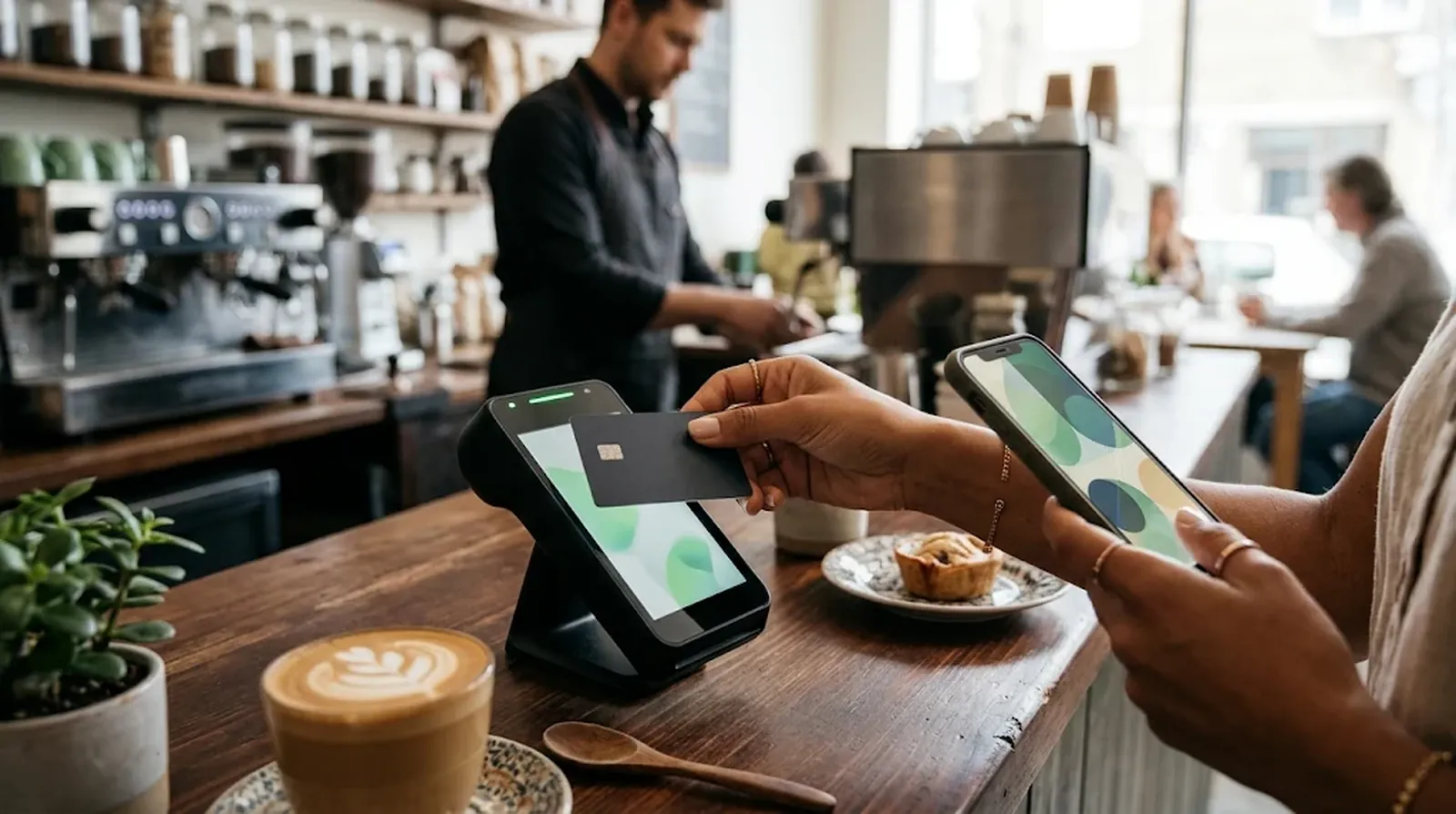
If you want to spend the money sitting in your Cash App balance, the free Visa debit card gives you a way to use it online and in stores. You can customize the physical card and use weekly cash back offers at participating retailers. The card’s Zero Fraud Liability protection applies when you report an unauthorized card charge within 60 days.
Cash App Pay is another way to check out at participating stores and websites. It’s available to US accounts, and you can fund a Cash App Pay purchase only with a linked debit card until you verify your identity.
Want to tap to pay with something other than your phone or card? Cash App’s first Tag, the $25 Cash App Wand, links to your card. Tags became generally available in August 2026 and are available from age 13, with approval required for teens.
How to Do It
- Open the card tab and select Get Cash Card. Provide a physical mailing address when you order.
- Once your address is verified, you can use the virtual card or add it to Apple Pay or Google Pay.
- To pay with Cash App Pay, scan the merchant’s QR code at the register or on the checkout page. On a phone, select Cash App Pay if the merchant offers it at checkout.
3. Get Paid With Direct Deposit and Add Cash
If you want your wages to land in Cash App, the Cash App Card gives you access to routing and account numbers. You can use them for your paycheck, government payments, bill payments and wires. Your paycheck can arrive up to two days earlier than it would at many banks. If a paycheck shows up later than that, see what to check when a Cash App direct deposit is late.
Checks run on a different timetable. If Cash App accepts your mobile check deposit, the money can take 1 to 15 business days to become available. Cash App counts submissions after 7 p.m. ET on the next business day.
If you have bills to deposit, you can take them to a participating Walgreens, Kroger or 7-Eleven. Cash App charges $1 per paper deposit, and the store may set a minimum of $5 or $20. Your account history can affect how much you can deposit, and paper deposits are unavailable in US territories. You can also move money from Apple Pay to Cash App if your balance starts there.
How to Do It
- For direct deposit, open Money and tap your Cash balance to find your routing and account numbers. Enter them on your employer’s direct deposit form.
- To add money from a linked account, open Money, tap Add Cash and enter the amount. Confirm with your PIN or a biometric check if asked.
- To deposit a check, use the mobile check deposit feature to scan it.
- To deposit bills, show your Cash App deposit barcode to the cashier at a participating store so they can scan it.
4. Move Money to Your Bank or an ATM
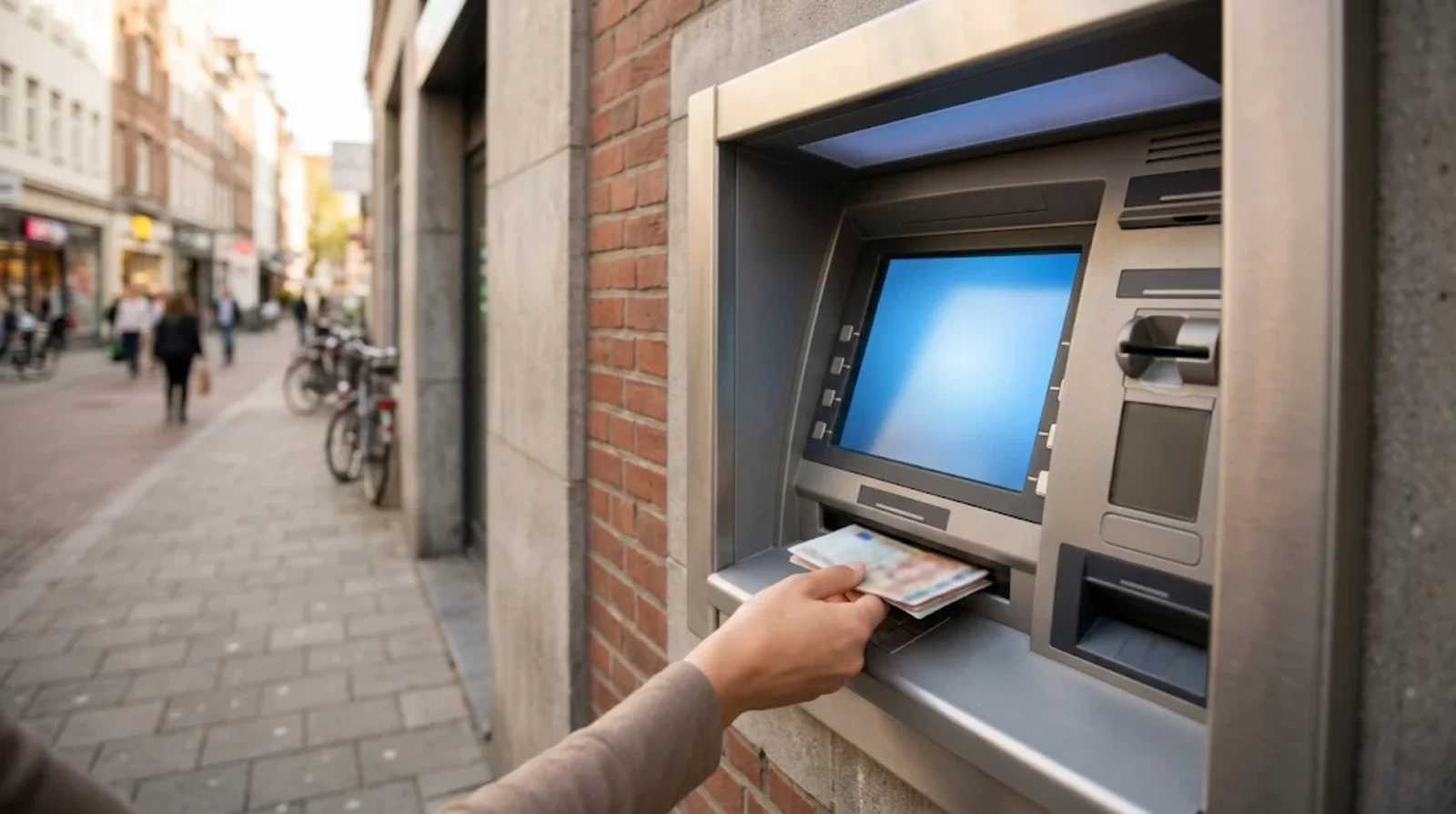
If you can wait 1 to 3 business days, a standard transfer to your bank costs nothing. An instant transfer costs 0.5% to 2.5% and usually arrives within 30 minutes. Here’s the catch. Depending on your bank, even an instant transfer can take up to 24 hours.
If you need cash in hand, you can use the Cash App Card at an ATM. Cash App normally charges $2.50 per withdrawal, and the ATM operator may charge you too. With Cash App Green, Cash App waives its withdrawal fee at about 40,000 MoneyPass ATMs.
How to Do It
- Start a transfer from your Cash App balance and enter how much you want to move.
- Choose a standard transfer to your linked bank account or an instant transfer to an eligible bank account or debit card. Check the fee shown before you confirm.
- For cash, use your Cash App Card at an ATM. If you have Green, look for a MoneyPass machine and check the screen for any operator charge before accepting.
5. Save Money and Earn Interest
If you’re setting money aside for a trip or a bill, Cash App lets you track up to five savings goals. You can also use Round Ups to save the spare change from Cash App Card purchases automatically.
Once you confirm your tax information, the base savings rate is 1.5% APY. On an adult account, you can earn up to 3.5% APY with a Cash App Card and Green status. Green can also give you priority phone support and a higher limit if you qualify for Borrow.
Your savings earn interest daily, and that interest compounds monthly. If you earn at least $10 in interest during the year, you’ll get a Form 1099-INT. Business accounts are ineligible for savings interest.
How to Do It
- Add money to Savings from your Cash App balance or a linked payment method.
- Confirm your tax information so you can earn the base rate, then create goals for the expenses you’re saving toward.
- If you want to save as you spend, turn on Round Ups for Savings.
6. Borrow or Pay Over Time

Cash App Borrow gives you access to a small loan if you qualify. Loans start at $20 and go up to $500, with a first-time limit of up to $400. You need to own the account, be at least 18 and have verified your identity, and the feature is unavailable in Colorado, Iowa and Oregon. Cash App says most people qualify with at least $300 in monthly paycheck deposits or by linking an outside account that receives at least $500 a month.
Here’s the catch. Cash App shows you a flat fee before you accept the loan, and that fee has been reported at 5%. You can repay as money comes in, pay weekly or pay it all at once. On the final due date, Cash App automatically deducts whatever you still owe. If the option has vanished from your app, here is why Cash App Borrow may not be showing.
Afterpay lets you split an eligible card purchase into installments if you have the Cash App Visa Debit Flex Card. You may also be able to spread out an eligible payment you sent to someone in the past 30 days if it was at least $25. Afterpay charges zero interest when you pay on time, and the plan for a payment you’ve already sent comes with an upfront fee. Availability varies by state.
How to Do It
- If Borrow is available in your app, check the amount you can borrow, the fee and the due date before accepting.
- For installments, open Afterpay in Cash App and look for an eligible card purchase or payment you’ve sent.
- Review the full cost and repayment dates before you accept a plan.
7. Invest in Stocks or Buy Bitcoin

If you want to start with a small amount, you can buy stocks or ETFs from $1. Fractional shares let you buy part of a share, and Cash App charges no commission. Regulatory fees may still apply, and fractional shares are ineligible for transfers.
You choose what to buy and sell in this self-directed account. SIPC coverage for eligible brokerage holdings can reach $500,000.
You can also buy and sell bitcoin. The service fee on a market buy ranges from 2% for orders under $500 to 0% for orders of $2,000 or more, plus a spread of 0% to 0.75% shown before you confirm. Bitcoin falls outside both FDIC and SIPC coverage.
How to Do It
- Open the investing feature in Cash App and choose the stock or ETF you want to buy.
- Enter how much you want to invest. Review the order details and any charges shown before confirming.
8. File Your Taxes for Free

Cash App Taxes lets you file a federal and state return for free. It can suit you if you have W-2 or 1099 income, investment income or self-employment income to report.
If you’re due a refund, you can have it deposited into Cash App. The refund may arrive up to five days early, though your actual deposit date can vary.
How to Do It
- Open Cash App Taxes and enter the details from the tax forms that apply to you.
- If you want your refund sent to Cash App, enter your Cash App routing and account numbers for direct deposit.
- Review and submit your federal and state returns.
What Cash App Can Refund After a Scam or Mistake
You sent money and then realized the $cashtag was wrong. Or the person you paid for an item stopped replying. What you can do next depends on whether the payment is still pending and whether you approved it in the first place.
Authorized Payments and Unauthorized Transactions
If you approved a payment because someone tricked you, Cash App generally treats it as authorized. Completed payments between users are usually final, and a refund depends on the circumstances. Sending money to the wrong person can leave you relying on that person to send it back.
If someone transfers money without your permission, you can dispute the transaction under Regulation E. Report the error within 60 days after Cash App sends the first statement that shows it. Cash App generally makes a decision within 10 business days, though it can take up to 45 days if it needs more time to investigate.
Here’s where timing matters. Under Cash App’s terms, your liability for an unauthorized transfer can be up to $50 if you report it within two business days of learning about it. If you wait longer, your liability can reach $500.
What to Do After a Mistaken Payment or Scam
Start by opening the payment in Activity and checking its status. If it’s still pending, you may be able to cancel it. If it went through to the wrong person, you can use Request to ask for the money back.
If you suspect a scam, flag the transaction in Cash App. You can also report the scam to the Federal Trade Commission at ReportFraud.ftc.gov.
- Open Activity and select the payment. Check whether you can cancel it if it’s pending.
- If you sent a completed payment to the wrong person, tap Request and ask that recipient to send it back.
- If you suspect fraud, open the transaction and select Report. You can also file a report at ReportFraud.ftc.gov.
Common Cash App Scams
A scam can start with someone posing as support, a phishing message or a fake giveaway. A money flip promises a bigger payout if you send cash first. You might also be asked to send a rental deposit, pay for a marketplace item or put money into a supposed investment. Our phishing email examples show how these messages usually look.
Other scams start with a relationship or a claim that someone paid you by accident. If a stranger says they overpaid you and wants you to send money back, check what actually appears in Activity and contact Cash App through the app before you send anything.
Fake Support Numbers and Settlement Checks
A phone number that comes up in a search can belong to someone impersonating Cash App support. Cash App lists one official support number in its terms, 1-800-969-1940. You can also reach support through the app, and you should keep your sign-in code and PIN private.
Did you get a message saying a settlement check is waiting for you? The CFPB redress process uses Block’s records to identify eligible consumers and requires zero fees or claim forms. Treat any request for a payment, PIN or sign-in code to release a check as a scam.
When Cash App Freezes, Limits or Closes Your Account
A payment limit and a frozen balance can both stop you from moving money, but they call for different next steps. If you hit a sending cap, check your account limits and verification status. If you lose access to the account or the balance itself, start by finding out what Cash App will let you withdraw.
Why Cash App Can Limit or Close Your Account
Some limits depend on whether you’ve verified your identity. Cash App can adjust those limits, so check the amounts shown for your account before assuming that a failed transfer means your account is frozen.
Cash App’s terms allow it to suspend or close an account at any time and for any reason. In September and October 2026, users reported deactivations and held transactions, sometimes without a clear explanation. If Cash App has an investigation open, it may hold your money until the investigation ends.
How to Get Your Balance Out
If your account closes with money in it, ask support whether you can withdraw the remaining balance. The terms give Cash App discretion over whether to make those funds available and allow it to ask you to connect a new bank account. That requirement can leave you without an immediate way to withdraw if you don’t have a bank account.
A canceled Cash App Card has a separate rule. If Cash App cancels your card because you’re ineligible, its terms say it will return your funds unless they’re tied to an investigation into suspected unlawful activity. If you decide to leave on your own terms, follow our steps to delete your Cash App account.
Where to Complain if You Still Need Help
If you can sign in, start with Cash App’s in-app chat, which is available around the clock. If you’re locked out, call the official support number at 1-800-969-1940. Ask what happened to your account and whether any part of your balance is available to withdraw.
If you still can’t resolve the issue, you can submit a complaint to the Consumer Financial Protection Bureau or contact your state attorney general. Explain when you lost access, how much money is affected and what Cash App has told you so far.
Selling and Getting Paid for Work on Cash App
Getting your share of the grocery bill back from a roommate is a personal payment. Getting paid by a customer for work or goods brings in business fees and possible tax reporting. Here’s what to check before you start accepting those payments.
Personal and Business Accounts
A personal account works for payments such as splitting a bill or paying someone back. Cash App charges zero fees to receive those personal payments.
If you take customer payments through a Cash App business account, Cash App charges a processing fee each time you get paid. That fee is widely reported at 2.75%, and Cash App says it discloses the charge when you open, switch to or use a business account. You can also use payment links to request money from customers.
When Cash App Sends a Form 1099-K
The federal threshold has two parts. You have to receive over $20,000 for goods or services and have over 200 of those transactions during the year. A few states set lower limits, and Cash App may report payments below the federal threshold.
Cash App says personal accounts receive no Form 1099-K from Cash App. If you crossed the reporting threshold with a business account, switching it to personal later leaves that reporting requirement in place. If Cash App issues you a form, look under Settings, then Documents.
You still have to report taxable income even if you receive no form. If Cash App lacks a valid Social Security number for you, it must apply 24% backup withholding to reportable payments.
Why Personal Payments Leave Buyers Without Purchase Protection
If you pay a seller using a personal Cash App transfer, the payment falls outside purchase protection. If the seller takes your money and the item never arrives, a refund depends on what happened and may be unavailable.
The card’s Zero Fraud Liability policy applies to unauthorized card charges. If you approved a personal transfer to buy an item, that card policy doesn’t cover it. Check what protection comes with the payment method before you pay a seller you don’t know.
Is Cash App Safe to Use
You can make Cash App ask for approval before every payment and lock your card if it goes missing. How the company responds when you report a problem matters too. Several regulatory actions required Block to change how it handles support and fraud claims.
Security Features You Can Use
Turn on Security Lock if you want Cash App to ask for your PIN, fingerprint or face scan before each payment. If you misplace your Cash App Card, use Card Lock to pause it while you look for it.
Cash App uses encryption and monitors for fraud around the clock. Real-time alerts can help you spot account activity, and scam warnings can flag a payment before you send it. If you see a warning, check who’s asking for the money before you continue.
What Regulators Required Block to Change
On January 15, 2025, 48 state financial regulators imposed an $80 million penalty over shortcomings in anti-money-laundering controls. The agreement required an independent consultant to review Block’s program.
On January 16, 2025, the CFPB ordered Block to pay $75 million to $120 million in consumer redress and a $55 million civil penalty, for a total of up to $175 million. The bureau found gaps in fraud controls and live support. It also found that Block used card chargebacks in cases that required investigations under Regulation E.
On April 10, 2025, the New York Department of Financial Services imposed a $40 million penalty over failures in anti-money-laundering controls. The case involved oversight of bitcoin transactions and a backlog of alerts.
On July 8, 2026, 46 state attorneys general reached a $45 million settlement with Block, with the penalty going to the states. The agreement requires round-the-clock live support, including at least 13.5 hours of human phone support and 18 hours of live chat each day. It also requires Block to investigate fraud claims, reimburse unauthorized transactions and honor the CFPB redress order.
Which Settlements Are Sending Payments
CFPB redress checks reportedly began going out on June 8, 2026. Block’s records were used to identify eligible consumers for the period from July 1, 2019, to January 16, 2025.
The administrator of a separate $15 million data security settlement says payments started on October 7, 2026. The claim window closed on November 18, 2024, and eligible claimants could receive up to $2,500 for documented losses.
A separate $12.5 million settlement involved unsolicited invitation texts sent to recipients with Washington area codes. It was approved on December 2, 2025, with estimated payments of $88 to $147 per claimant.
How Cash App Compares With Venmo, Zelle and PayPal
| Feature | Cash App | Venmo | Zelle | PayPal |
|---|---|---|---|---|
| Instant transfer to a bank | 0.5% to 2.5%, with a $0.25 to $1 minimum and a $75 maximum. | 1.75%, with a $0.25 minimum and a $25 maximum. | Sends money directly between bank accounts, typically within minutes for enrolled recipients. About 99.4% of linked accounts charge zero fees. | 1.75%, with a $0.25 minimum and a $25 maximum. |
| Sending with a credit card | 3%. | 3%. | Unavailable. | 2.90% plus $0.30. |
| Business or seller fee | Reported at 2.75% per business payment received. | 2.99% for a goods and services payment to a personal account. | No comparable seller fee. | Varies by transaction. |
| Purchase protection | Personal transfers between users fall outside purchase protection. | Eligible payments can qualify when you select Turn on for purchases. | Authorized payments fall outside purchase protection. | PayPal Purchase Protection covers eligible purchases. |
Cash App suits you if you want to pay friends, spend from your balance and handle things like direct deposit or savings in one app. Venmo may suit you if you mostly split expenses with friends and like adding notes or emojis to payments. For a closer look at two of these rivals, read how Zelle and Venmo differ.
Zelle may suit you if your bank offers it and you want to send money straight from your bank account to someone you know. If you’re paying an online seller, PayPal may suit you when the order qualifies for PayPal Purchase Protection.
FAQs
A standard transfer of $100 to your bank is free. An instant transfer works out to $0.50 to $2.50, subject to the minimum fee that applies to you. Cash App displays the exact charge before you approve the transfer.
Yes, you can receive payments, deposit bills at participating stores or set up direct deposit with a Cash App Card. If Cash App closes your account, it may ask you to connect a bank account to withdraw any funds it makes available.
Cash App reports qualifying business payments on Form 1099-K. The federal threshold requires both more than $20,000 in payments for goods or services and more than 200 qualifying transactions during the year, and some states set lower thresholds. Cash App excludes personal accounts from its 1099-K reporting. You still have to report taxable income even if you receive no form.
A standard bank transfer takes 1 to 3 business days. With the instant option, your money typically arrives in 30 minutes or less, though your bank may take as long as 24 hours.
Leave the money where it is and open Activity to see what came in. If the sender claims it was a mistake and asks for the money back, contact Cash App through in-app chat before sending anything. An unexpected payment followed by a request for money back can be an overpayment scam.
To open your own account, you must live in the US, be at least 18 and have reached your state’s age of majority. Teens ages 13 to 17 can use a Sponsored Account. Parents can manage a Child Sponsored Account for kids ages 6 to 12 in eligible US locations, with New York excluded.
Final Word
Start with what you actually need Cash App for. If you just want to split a bill, get comfortable sending and requesting money before you set up anything else. Verify your identity so you can see your updated limits, and turn on Security Lock so you approve each payment with your PIN, face or fingerprint.
Keep larger sums in a bank and move over what you need for Cash App payments. If a payment looks wrong or you lose access to your balance, stick to Cash App’s in-app chat or call the official number at 1-800-969-1940.
