

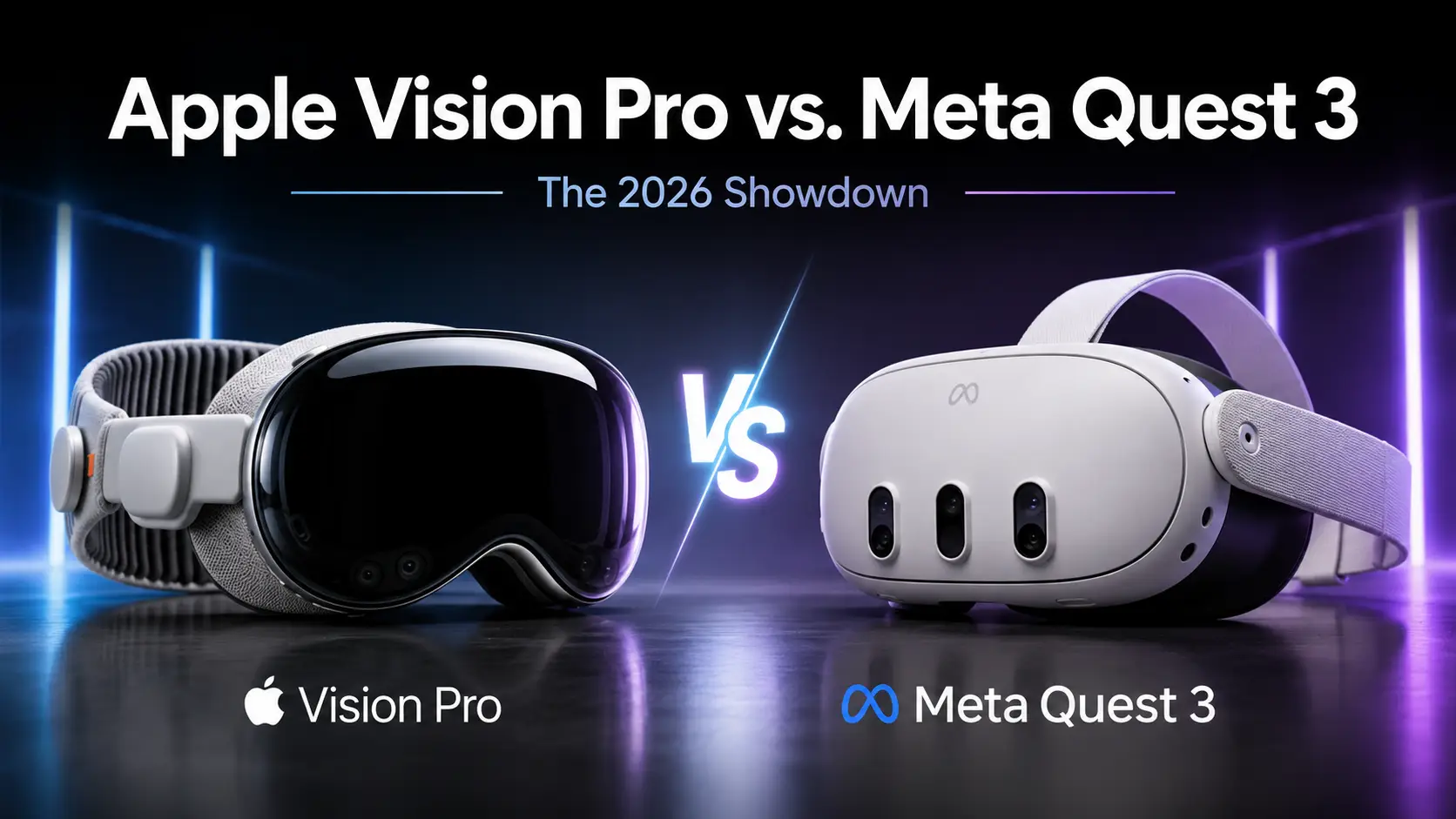
Two years have passed since the market for high-end wearables was redefined, and the path since 2024 has seen a complete change in how people view digital interfaces. What you once called “VR” is now referred to as spatial computing, a term that describes the merging of your physical space with digital information. This change happened as developers moved away from simple games and toward tools that replace traditional monitors and physical workstations.
The two main choices available today are the refreshed Apple Vision Pro and the enduring Meta Quest 3. Apple updated its headset in late 2025 with a faster processor, while Meta has kept its older hardware relevant through massive software improvements and lower pricing. Both companies have moved toward specific goals, creating a clear choice for anyone looking to enter this digital space in 2026.
As you look at these devices today, you see that the standard for success has moved away from just having the highest numbers on a spec sheet. Success now depends on how long the hardware remains useful and how mature the operating systems have become for daily tasks. This comparison looks at how these two very different methods of spatial computing serve your needs in the current year.
Hardware Evolution: Apple’s Power vs. Meta’s Practicality
The hardware designs of these two devices reflect the different goals of their creators. Below are the specific ways these headsets have changed to meet the demands of modern users.
The Apple M5 Refresh and the R1 Advantage
Apple updated the internal guts of its headset to the M5 chip, which provides a massive jump in processing efficiency. This new silicon allows the device to run complex professional software without the heat issues that some users noticed in the original version. The cooling system was modified to be quieter, ensuring you can wear it for hours without feeling the warmth of the processor against your face.
The R1 co-processor remains the secret to why the experience feels so stable. It handles the massive amount of sensor data in real-time, keeping the lag so low that your brain perceives digital objects as truly being part of the room. By 2026, this chip has been optimized to work with even more sensors, making the tracking of your hands and eyes feel more natural than before.
Performance on the M5 chip also means that heavy multitasking no longer drains the battery as quickly. You can have dozens of windows open, including high-resolution video streams and 3D models, without seeing a drop in frame rate. This power is the reason the device is still marketed as a full computer rather than just a wearable accessory.
Quest 3’s Longevity and the Rise of Quest 3S
The Meta Quest 3 has proven to be an incredibly durable piece of hardware that still holds up well three years after its launch. Meta chose to keep this model as its middle option while introducing the Quest 3S to capture the budget-conscious side of the market. This decision has kept the user base large, which encourages developers to keep making new content for the platform.
Because the Snapdragon XR2 Gen 2 chip was ahead of its time in 2023, it still handles most modern games and social apps with ease. Meta has used every bit of power from this processor by finding ways to optimize how the OS handles background tasks. You get a reliable experience that does not feel outdated, even when compared to newer, more expensive competitors.
The availability of the 3S model has changed the market by making spatial computing accessible for the price of a standard game console. While it lacks some of the optical quality of its bigger brother, it uses the same software library and tracking tech. This has allowed Meta to dominate the home entertainment and casual use categories in 2026.
Optics and Display Fidelity
Apple still leads the industry with its Micro-OLED displays that provide a pixel density far higher than anything else in the consumer market. When you look through the lenses, you cannot see individual pixels, making text look as sharp as a printed page. This level of clarity is necessary for anyone who wants to spend an eight-hour workday reading documents or writing code inside the headset.
Meta uses dual LCD panels that are reliable and bright, though they do not match the deep blacks and vibrant colors of the Apple displays. However, the pancake lenses in the Quest 3 provide a very wide “sweet spot,” meaning the image stays clear even when you look toward the edges of the screen. For gaming and fitness, these screens are more than enough to provide a convincing sense of depth and scale.
The difference in display tech is most obvious when you try to watch high-end movies or edit photos. Apple’s high-PPD screens make 8K content look life-sized and theater-quality, while the Quest 3 feels more like a very good home television. Your choice here depends on whether you need perfect visual accuracy or just a clear enough image for movement and play.
Ergonomics and Comfort Innovations
After two years of feedback, both companies have changed how their headsets sit on your head. Apple introduced a new strap design that better balances the front-heavy nature of the device, moving more of the weight to the top and back of the skull. This change has made the device much more tolerable for long work sessions, reducing the neck strain that early adopters complained about.
Meta has benefited from a massive third-party market that provides hundreds of different head strap and facial interface options. You can easily swap the basic cloth strap for a rigid plastic one with a built-in battery or a soft foam face pad that breathes better during workouts. This modularity has allowed the Quest 3 to stay comfortable for a wider variety of head shapes and sizes.
Weight distribution remains a challenge for all spatial computers, but the 2026 designs have made progress. By using lighter materials in the facial interfaces and better padding, both headsets feel less like a heavy mask and more like a pair of high-end ski goggles. The result is that you can stay in your digital workspace longer without needing to take a break.
Battery Life and External Power Solutions
The power dilemma was solved in 2026 by moving toward more flexible external options. Apple still uses a separate battery pack connected by a wire, but the new version is smaller and offers a longer charge. Many third-party companies now make vests or belts that hold extra batteries, allowing you to work for a full day without ever plugging into a wall.
Meta continues to offer an all-in-one design where the battery is inside the headset, which is great for short sessions of movement. For longer play, the Elite Strap with Battery has become the standard accessory, as it balances the weight and doubles the runtime. This flexibility allows you to choose between a light, cord-free experience or a longer, more supported one.
Both devices now support faster charging, meaning you can get back to full power in a fraction of the time it took in 2024. USB-C remains the standard, and you can now use high-capacity power banks from other devices to keep your headset running. This has removed the fear of the device dying in the middle of an important meeting or a final game level.
visionOS 27: Apple’s Leap into Visual Intelligence
The software on the Vision Pro has matured into a system that understands the space around you. Here are the ways the latest update has changed how you interact with your digital environment.
3D Siri and Environment Awareness
Siri has been updated with generative AI that allows it to use the cameras of the Vision Pro to “see” your room. You can point at a broken appliance or a piece of furniture and ask Siri for instructions or measurements. This visual intelligence makes the assistant a partner in your physical tasks rather than just a voice that plays music or sets timers.
The awareness of the room is so detailed that Siri can remember where you left physical objects like your keys or a book. If you ask where something is, the headset can highlight the area in your room even if the object is currently hidden under a papers. This level of spatial memory changes the headset from a screen you look at into a tool that understands your home.
This AI also helps with organizing your digital windows based on what you are doing in the real space. If you sit at your kitchen table, it might open your grocery list and a recipe, but if you move to your desk, it swaps those for your work email and calendar. The software feels like it is thinking with you, anticipating what you need based on your location and the objects around you.
Generative AI Spatial Panoramas
One of the most popular features in the new OS is the ability to turn any old 2D photo into a fully immersive 3D environment. Using on-device processing, the M5 chip calculates the depth of your old family photos and wraps them around you as if you were back in that moment. This transforms your digital library from a flat collection of images into a set of memories you can walk back into.
The system is smart enough to fill in the gaps that were not in the original frame, using AI to guess what the rest of the room or the sky looked like. This makes the experience feel seamless and natural, rather than a distorted 2D image stretched over a sphere. You can even share these environments with other Vision Pro users, allowing them to stand in a memory with you.
Because the processing happens locally, your private photos never leave the device, which satisfies the high privacy standards users expect. The speed of the M5 chip means these environments are created in seconds, allowing you to browse your entire history in 3D. It is a powerful way to use technology to connect with your past.
The 90Hz Hand-Tracking Breakthrough
The original hand tracking was good, but the update to 90Hz makes the interface feel much more tactile. When you reach out to touch a virtual button, the response is immediate, removing the slight floaty feeling that existed in earlier versions. This makes typing on virtual keyboards much more reliable and allows for more complex gestures in creative software.
This speed also means that your hands can move faster without the system losing track of your fingers. In the past, quick movements could cause the digital representation of your hands to glitch or disappear, but that problem is mostly gone in 2026. This allows for more intense interactions in professional apps and even some games that don’t use controllers.
Developers have used this improved tracking to create apps that require high precision, such as virtual surgery tools or musical instruments. You can now play a virtual piano with all ten fingers and feel a sense of rhythm that was previously impossible. It shows that cameras and software can replace physical inputs if the refresh rate is high enough.
Professional Workflow Enhancements
The introduction of curved Safari windows has changed how you manage large amounts of information. Instead of flat squares, you can wrap your web browsers around your field of view, making it easier to see more content without turning your head as much. This layout mimics the feel of a high-end ultra-wide monitor but without the physical desk space required.
Multi-Mac desktop mirroring is now a standard feature, allowing you to bring three separate computer screens into your spatial view at once. You can have your laptop screen in the center, a secondary monitor on the left, and a vertical coding screen on the right. This setup makes the Vision Pro the ultimate tool for developers who need to see several different views of their work simultaneously.
Apple also improved how the headset handles physical peripherals like keyboards and trackpads. When you look at your physical keyboard, the headset can overlay a digital skin that changes based on the app you are using, showing shortcuts or different languages. This bridge between the physical and digital makes the device a true extension of your existing computer setup.
Ecosystem Synergy
The Vision Pro is now the center of a wider set of Apple devices, including the new lightweight Apple Glasses released this year. You can start a task on your glasses while you are out for a walk and then “throw” that window onto your Vision Pro when you walk through your front door. The transition is instant, making your digital life feel like one continuous experience across different hardware.
Integration with the iPhone 18 allows the phone to act as a high-precision controller or a secondary touch surface for the headset. You can use the phone’s screen to sign documents or draw precisely while seeing the result in the 3D space in front of you. This makes the phone more useful rather than making it obsolete.
AirDrop and Universal Control have also been improved, allowing you to move files between your iPad, Mac, and Vision Pro with a simple hand gesture. If you are looking at a photo on your iPad, you can pinch it and pull it into the air to see it in 3D on your headset. This level of connection is what keeps users inside the Apple ecosystem.
Meta Horizon OS v2.6: Refining the Social Metaverse
Meta has focused on making its software more social and easier to use for the average person. Below are the ways the Meta Horizon OS has been refined to provide a better user experience.
Passthrough Perfection
In 2026, Meta has used advanced software tricks to solve the visual warping that used to happen when objects moved near the cameras. When you walk around your house with the Quest 3 on, the walls and furniture look solid and stable, without the “wavy” effect that plagued earlier mixed reality. This makes it much safer and more comfortable to wear the device for long periods while staying aware of your real surroundings.
The color balance and clarity of the passthrough have also been improved through better image processing. While it still does not match the eye-popping resolution of the Vision Pro, it is now clear enough that you can read a text message on your phone or see the labels on a kitchen appliance without taking the headset off. This utility is what makes the Quest 3 a great tool for multitasking at home.
Meta also added an “auto-depth” feature that understands the distance of objects more accurately. This means that if you place a digital board game on your physical table, the pieces will sit perfectly on the surface without clipping through it. This stability is key for creating a convincing mixed-reality experience that feels like it belongs in your home.
The Wrist-Based UI Revolution
Meta moved away from the old floating menus that used to get in the way of your view. Now, your primary system buttons are attached to your physical wrists, appearing as small virtual icons that you can tap with your other hand. This design keeps the center of your vision clear while making it much faster to change settings or open a new app.
This UI change was part of a larger effort to make the headset easier to use without controllers. By putting the most important controls on your body, Meta has created a more intuitive way to navigate that feels like you are wearing a futuristic watch. It is a simple solution that solves the problem of searching for a floating menu in 3D space.
You can customize these wrist buttons to perform different tasks, like muting your microphone or taking a screenshot. Because they are always in the same place relative to your body, you develop muscle memory quickly. This makes the Quest 3 feel less like a computer and more like a natural tool that you can control with simple taps.
Controller Emulation for Cloud Gaming
A major update in 2026 allows the Quest Touch Plus controllers to act as a single gamepad for cloud gaming services like Xbox Cloud Gaming. Instead of needing to pair a separate Bluetooth controller, the headset tracks the position of both hands and treats them as one input device. This makes it much easier to jump into a game of Halo or Forza while you are sitting on your couch.
The haptic feedback in the controllers is used to simulate the feel of a standard console controller. You get vibrations that match the action on the screen, providing a sense of physical connection to the game. This feature has turned the Quest 3 into a portable gaming monitor that you can take anywhere with a fast internet connection.
This also works for PC gaming, allowing you to use your VR controllers as inputs for non-VR games. It removes the need for extra gear and makes the headset a more versatile entertainment device. For many users, this has replaced the need for a traditional TV and console setup in small living spaces.
Advanced Mixed Reality Anchors
Meta has greatly improved how the Quest 3 remembers the location of digital objects across multiple rooms. You can leave a virtual television in your bedroom and a digital art piece in your hallway, and they will still be there when you return the next day. The system now maps your entire house and saves it as a persistent space that stays active in the background.
These anchors are also more accurate, meaning objects don’t “drift” away from their original spots over time. If you pin a calendar to your fridge, it stays exactly where you put it, even if the lighting in the room changes. This makes your home feel like it has been upgraded with permanent digital features that you can access whenever you put the headset on.
This technology also supports multiplayer mixed reality, where two people in the same room can see the same digital objects. You can play a virtual board game with a friend on your real coffee table, and both of you will see the pieces in the exact same spot. It is a major step toward making the “metaverse” a physical reality in your own home.
Social Presence and Avatars
Meta’s avatars have moved away from the cartoonish look of the past and toward a more human appearance. The 2026 version of Codec Avatars uses the cameras on the Quest 3 to track your mouth and eye movements more accurately, making your digital self look like it is actually talking. This makes social interactions in apps like Horizon Worlds feel much more personal and less like you are talking to a puppet.
The body tracking has also been improved, using AI to guess the movement of your elbows and legs even without extra sensors. When you wave or sit down, your avatar mimics the motion in a way that looks natural to other people. This reduces the “uncanny valley” effect and makes it easier to spend long hours hanging out with friends in virtual spaces.
These social features are a major reason why Meta maintains its lead in the consumer market. The ability to feel like you are in the same room as someone on the other side of the world is a powerful draw. Meta has focused on the human connection, while Apple has focused more on individual productivity.
Productivity and Professional Use Cases
Both devices are now being used as serious tools for work, but they serve different types of professionals. The way you use these headsets for your career depends on the specific requirements of your job.
The Virtual Office: Apple’s Dominance
The Vision Pro is the clear choice for anyone who needs to work with high-resolution text and complex data. Because the screens are so sharp, you can read small fonts for hours without eye strain, which is a requirement for lawyers, writers, and accountants. The “Infinite Canvas” allows you to spread your work out in a 360-degree circle around you, giving you more space than any physical office could provide.
Developers also prefer the Apple ecosystem because of how easily it integrates with Mac tools like Xcode. You can write code on your MacBook and immediately see how it looks in 3D right next to your screen. This speed of development has led to a high-quality App Store filled with professional tools that are not available on other platforms.
The sense of “presence” you feel while working in one of Apple’s immersive environments, like a quiet forest or a mountain top, helps with deep focus. It blocks out the distractions of a noisy home office or a crowded plane, allowing you to get more work done. For those who can afford the price, it is the most capable mobile office ever built.
Remote Collaboration in 3D Space
When it comes to meetings, Apple’s “Personas” provide a high-fidelity digital version of yourself that looks like a video feed. This is used for FaceTime calls and professional meetings, where you want to look like yourself rather than a game character. The 2026 update has made these Personas look more three-dimensional and less like a flat mask, making them much more useful for business calls.
Meta’s Horizon Workrooms takes a different method, focusing on the feeling of being in a shared physical office. You can sit at a virtual table with your coworkers’ avatars, hear their voices coming from their specific directions, and even share a virtual whiteboard. This is more about team building and creative brainstorming than just a standard video call.
The choice between the two depends on the culture of your company. If you need a professional, one-on-one meeting that looks like a traditional video call, Apple is better. If you want to feel like your remote team is actually sitting together in a room to solve a problem, Meta’s social focus provides a better sense of community.
Training and Simulation
The Quest 3 has found a massive market in corporate safety and technical training because it is cheap enough to buy for an entire workforce. Companies use it to teach employees how to handle dangerous equipment or follow specific retail procedures without any real-world risk. The lower cost of deployment makes it the standard choice for large-scale business use.
The physical controllers are a big advantage here because they allow for haptic feedback. When a trainee pulls a lever or presses a button in the simulation, the controller vibrates to confirm the action. This tactile response is necessary for building muscle memory in technical jobs like manufacturing or medical repair.
Apple’s headset is used for training too, but usually for high-stakes roles like surgery or aerospace engineering where visual detail is the top priority. The cost of the Vision Pro means it is often shared among a few experts rather than given to every employee. It is a specialized tool for high-value tasks that require seeing every tiny detail perfectly.
Creative Suites
For spatial video editing, the Vision Pro is the only serious option because it can capture and play back 3D video in high fidelity. Creators can film a scene and then “step into” the footage to make edits, checking the depth and scale in real-time. This has created a new category of 3D content that looks better than anything previously seen in a cinema.
Meta’s platform is better for 3D modeling and digital sculpting due to the precision of the Touch Plus controllers. Artists can use the triggers and buttons to manipulate virtual clay or draw in 3D space with a level of control that hand-tracking cannot yet match. This makes the Quest 3 a favorite for character designers and architects who need to build complex shapes quickly.
Both platforms now have versions of popular creative apps like Adobe Lightroom and various CAD tools. You can view a 3D model of a building at full scale on either device, but the Vision Pro will show you the texture of the materials more clearly. Meta, meanwhile, will let you walk through that building and move walls more easily using your controllers.
Data Security in the Workplace
Apple uses Optic ID to scan your iris, which is one of the most secure ways to protect a device. This allows you to log in, pay for apps, and sign into private databases just by looking at a sensor. For companies that handle sensitive data, this level of biometric security is a major reason to choose the Vision Pro.
Meta has introduced its own enterprise privacy protocols to compete, but the brand still faces questions about data collection. They have worked hard to create “work-only” accounts that do not require a social media profile, which has helped them get into more government and medical offices. However, Apple’s long history of privacy-first hardware gives it an advantage in high-security industries.
Both devices now support standard mobile device management (MDM) tools, allowing IT departments to control what apps are installed and wipe the device if it is lost. This makes them much easier to manage than they were in the early days. As of 2026, the “work headset” is a standard part of many corporate hardware kits.
Gaming and Entertainment: The Great Divide
The way you play on these devices has split into two very different categories. While one focuses on action and movement, the other focuses on the visual experience of watching content.
Why Meta Quest 3 Remains the Gaming King
With a content library worth billions of dollars, Meta is still the primary home for anyone who loves games. The presence of physical controllers is the main reason for this, as they provide the tactile feedback and precise buttons needed for fast-paced action. You cannot play a high-speed shooter or a complex rhythm game as well with just your hands.
Meta has also funded many exclusive titles that you cannot find anywhere else. These games are built specifically for the Quest hardware, ensuring they run smoothly and use the tracking features to their full potential. From massive RPGs to small indie puzzles, the variety of games on the Quest store is much larger than what Apple offers.
The ability to connect the Quest 3 to a powerful gaming PC also expands its library even further. You can play high-end VR games like Half-Life: Alyx using the Quest as a headset, giving you the best of both worlds. This versatility makes it the smartest choice for anyone who considers gaming their main reason for buying a headset.
Apple’s Cinematic Strategy
Apple has ignored traditional “twitch” gaming in favor of what they call cinematic experiences. They have partnered with companies like IMAX and Disney to provide 8K 3D movies that look better than they do in a real theater. When you watch a movie on the Vision Pro, the spatial audio and the massive virtual screen create an experience that is impossible to replicate at home with a TV.
Instead of games that require controllers, Apple promotes “interactive stories” where you use your hands to influence the environment. These are slower, more beautiful experiences that focus on being inside a scene rather than winning a match. It is a different kind of entertainment that appeals more to movie fans and casual users than to hardcore gamers.
The integration of spatial audio is a huge part of why this works. The headset maps the room and bounces sound off your physical walls, making it sound like the audio is coming from the environment around you. It creates a sense of scale that makes a virtual movie screen feel fifty feet wide.
Fitness and Movement
The Quest 3 remains the top choice for fitness because it is lighter and built for sweat. Apps like Supernatural and Beat Saber require you to move your entire body, and the Quest’s design stays secure on your head during these intense sessions. The fact that it is cheaper means you don’t feel as bad about getting it sweaty or accidentally bumping a wall.
Meta has also added features that track your heart rate and calories burned across all apps, syncing that data with your phone’s health app. This has turned the headset into a piece of gym equipment for many people. The controllers act as light weights and provide the haptic feedback that tells you when you have hit a virtual target correctly.
Apple’s headset is a bit too heavy and expensive for most people to use for a high-intensity workout. While there are some yoga and meditation apps that work beautifully on the Vision Pro, it is not the device you want for a fast-paced cardio session. For now, the “fitness” category belongs firmly to Meta.
Immersive Sports and Live Events
The 2026 sports season has seen both platforms offering front-row seats to major games. Apple’s high-resolution cameras are used to broadcast basketball and soccer games in a way that makes you feel like you are standing on the sidelines. The clarity is so high that you can see the expressions on the players’ faces, providing a perspective that a traditional TV broadcast cannot match.
Meta focuses on the social side of sports, allowing you to sit in a virtual stadium with your friends’ avatars while watching the game. You can talk to each other and cheer together as if you were at the arena. While the video quality is lower than Apple’s, the feeling of “being there” with other people is very strong.
Both companies are bidding for exclusive rights to live concerts and events. In 2026, it is common to buy a “virtual ticket” to a concert that allows you to choose your own camera angle and see the show in 3D. It is a new way to experience live entertainment without the crowds or the travel.
Indie Developers and Platform Exclusives
The Quest Store is full of experimental games from indie developers who have been building for VR for a decade. This has created a culture of weird and wonderful apps that you won’t find anywhere else. Meta encourages this by making it easy for small teams to publish their work and reach a large audience.
Apple’s App Store for the Vision Pro is more focused on polished, high-end tools from major companies. While there are some indie apps, the high cost of the device means the audience is smaller, so many small developers haven’t moved over yet. However, the apps that are there tend to be of very high quality, following Apple’s strict design guidelines.
This divide means that if you want to see the future of experimental gaming, you look at Meta. If you want to see the most polished versions of professional software, you look at Apple. Both stores are healthy, but they cater to very different groups of people.
The Input Face-Off: Eyes and Hands vs. Controllers
The consensus in 2026 is that both input methods have their place. Apple’s “look and pinch” system is the most natural way to navigate a computer menu ever invented. It feels like magic to just look at an icon and tap your fingers together to open it. For browsing the web or watching movies, this system is much better than holding a piece of plastic in your hand.
However, the problem of “gorilla arm” fatigue is real for anyone who tries to do complex work for too long. Holding your hands up in the air to move windows can get tiring, which is why software updates have moved many controls closer to your lap. Meta’s hybrid approach, which uses both controllers and hand tracking, is seen as more versatile because it gives you the right tool for every task.
The third-party market has stepped in to fill the gaps for both devices. You can now buy small rings for the Vision Pro that add physical buttons for gaming, or advanced head straps for the Quest 3 that include eye-tracking sensors. This shows that users want a mix of both worlds—the ease of hand tracking and the precision of physical buttons.
Value Proposition: Is the Vision Pro Worth 7x the Price?
In 2026, the price gap is the biggest talking point in the industry. The Vision Pro starts at $3,499, while the Quest 3 can be found for around $499. While the Apple headset is clearly better in terms of screen quality and power, most reviewers agree it is not seven times better for the average person. It has become a status symbol for some and a necessary professional tool for others.
The “secondary market” for the Quest 3 has become massive, with used units selling for very low prices. This has created a huge entry-level user base that is driving the growth of social VR. For most families, buying four Quest 3 headsets for the price of one Vision Pro makes more sense, as it allows everyone to play together.
The Vision Pro is viewed more like a high-end workstation or a luxury car. You buy it because you want the absolute best experience possible and you have the budget to support it. The Quest 3 is the utility tool—the “people’s headset” that does everything well enough to be useful without being a financial burden.
Future Outlook: Apple Glasses and the Quest 4 Rumors
Reports suggest that Meta has pushed the release of a true Quest 4 back to 2027. Instead, they are focusing on a project called “Puffin,” which is an ultralight headset designed for daily wear. This shows that Meta is moving away from the “boxy” headset design and toward something that looks more like a pair of glasses.
Apple is rumored to be doing the same, with more focus on the rumored 2026 Apple Glasses than on a “Vision Pro 2.” This pivot toward lightweight AR suggests that the era of heavy headsets might be coming to an end. For current owners, this means that the 2024-era hardware will likely be the last of the “big” headsets before everything gets much smaller.
This shift is good news for current owners because it means their hardware won’t be replaced by a significantly better version next year. Both the Vision Pro and the Quest 3 have long lifespans ahead of them. The focus for the next few years will be on making the software better and the hardware smaller, rather than just adding more power.
