

The 2026 software cycle stands as the most fundamental update to the Apple mobile experience in over a decade. Since the introduction of the flat aesthetic in 2013, you have interacted with a relatively static grid of icons that prioritized simplicity above all else. This year, the software moves away from those traditional roots to adopt a philosophy that merges physical reality with digital depth.
The upcoming changes draw heavily from the spatial computing concepts introduced with visionOS. You will see a transition where the interface no longer feels like a flat sheet of glass but rather a window into a three-dimensional space. This change prepares the hardware for a future where the screen is no longer a restricted boundary but an expansive canvas for interaction.
Rumors regarding the WWDC 2026 keynote suggest that Apple is ready to abandon the static grid for something far more reactive. This change is not just about aesthetics; it is about how you control information in an environment where AI and foldable screens are the standard. The following details provide a comprehensive look at what you should expect from this massive software transition.
iOS 27 Release Date and Beta Cycle Rumors
The global debut of iOS 27 is expected to occur during the WWDC 2026 keynote on June 8, 2026. This event typically serves as the primary stage for Apple to announce its software roadmap for the rest of the year. You can expect a heavy emphasis on how the operating system integrates with the next generation of hardware while maintaining the core functionality you expect from your primary device.
Immediately following the keynote, the Developer Beta will become available for registered testers to begin optimizing their applications. This phase is followed by a Public Beta in July, allowing more users to test the stability and provide feedback on the new design changes. The final “Gold Master” version will be finalized in late August as the company prepares for the massive hardware announcements that define the autumn season.
The official launch of iOS 27 will likely coincide with the release of the iPhone 18 and the much-discussed iPhone Ultra Fold in mid-September 2026. This timeline follows the historical pattern of the iOS 27 release date, ensuring the software is ready for the latest consumer devices. Monitoring these iOS 27 beta rumors gives us a clear window into how the company intends to manage its most complex software rollout to date.
Liquid Glass 2.0: A New Design Language for a Modern Age

The design philosophy of the iPhone is moving toward a more fluid and transparent experience. Below are the key components of this aesthetic change.
Translating visionOS for the Pocket
The depth and translucency that define spatial computing are now coming to the device in your pocket. You will notice that windows and menus appear to float over the background, using shadows to indicate which elements are active. This change moves away from the flat design that has dominated the last decade, favoring a look that feels more tactile and physical.
Materials within the interface now react to the content behind them, creating a sense of weight and presence. When you open a folder, the background blurs with a glass-like refraction that makes the digital environment feel like a physical object. This approach helps you understand the hierarchy of the screen without needing bright colors or distracting outlines to separate different functions.
Using these translucent layers allows for a more cohesive experience when moving between different types of content. You are no longer looking at a series of isolated screens, but a unified space where layers of information stack on top of one another. This design logic ensures that even as the interface becomes more complex, it remains intuitive because it follows the rules of the real world.
The “Glass Slider” and User Agency
One of the most discussed features is a system-wide setting that gives you control over the visual intensity of the software. This “Glass Slider” allows you to adjust the transparency and refraction levels of the interface to suit your personal preference. If you prefer the grounded look of the past, you can reduce the glass effects, or you can increase them for a more futuristic appearance.
This level of control represents a departure from the traditional Apple approach of fixed design choices. By giving you the ability to modify how the UI handles light and depth, the company acknowledges that different users have different needs for legibility and style. It ensures that the transition to a more complex visual style does not come at the expense of usability for those who prefer high contrast.
The slider affects everything from the control center to individual app notifications, creating a uniform look across the entire operating system. You can save different profiles for different times of the day, perhaps choosing a more opaque look during work hours and a more refractive, atmospheric look in the evening. This feature puts you in charge of the digital environment in a way that feels personal and responsive.
Breaking the Grid with Dynamic Morphing
The classic grid of icons is evolving into a system of dynamic elements that react to your physical environment. Icons and widgets are no longer static squares; they can change shape and size based on how you use them or even the ambient light in the room. If you tilt your phone, the highlights on the icons move as if they were made of real materials catching the light.
Dynamic morphing means that an icon can expand into a mini-widget without you having to enter a dedicated edit mode. When a notification arrives, the icon might subtly glow or change its texture to catch your attention in a way that feels organic rather than intrusive. This creates a home screen that feels like a living environment, responding to your touch and the movement of the device.
This change also allows for better organization of information as your priorities change throughout the day. Your most-used applications can take on more prominent visual characteristics, while those you use less often recede into the background. It is a smarter way to manage the screen, moving away from a rigid list toward a layout that adapts to your behavior.
Edge-Conscious UI Requirements
Apple is introducing new requirements for developers that change how buttons and menus are placed on the screen. The new guidelines move interactive elements away from the extreme edges of the display to prepare for upcoming hardware changes. By keeping controls within a central safe zone, the software remains usable even as bezels become thinner or disappear entirely.
You will see more rounded corners on internal menus and a greater use of “islands” for important functions. This design choice prevents accidental touches on the edges of the screen, which becomes more important as the display wraps further around the body of the device. It also creates a more consistent look, as every application follows the same padding rules for its primary controls.
These requirements also prepare the ecosystem for the introduction of all-glass hardware that might not have traditional boundaries. When every app stays within the designated interaction area, the transition to new screen shapes becomes seamless. It is a practical move that ensures the software remains functional on a wide variety of future screen types.
A Living Home Screen Environment
The cumulative effect of these changes is a home screen that feels less like a menu and more like a responsive space. The background is no longer just a static image; it interacts with the icons floating above it, creating a sense of depth that was previously missing. Your wallpaper might move subtly as you navigate, giving the entire interface a sense of life.
Interaction with this environment feels more natural because the software tracks your movements and adjusts the UI accordingly. If you move from a dark room into bright sunlight, the interface doesn’t just change brightness; it changes the way it handles shadows and highlights. This ensures that the screen is always easy to read and visually pleasing, regardless of your surroundings.
This environmental approach makes the iPhone feel more like a personal companion than a piece of utility software. Every time you wake the device, you are entering a space that has been built to react to your specific needs and context. It represents a significant change in how we think about mobile operating systems, prioritizing a feeling of presence over a simple list of functions.
The “Dual-Mode” System: Optimizing for the iPhone Ultra Fold
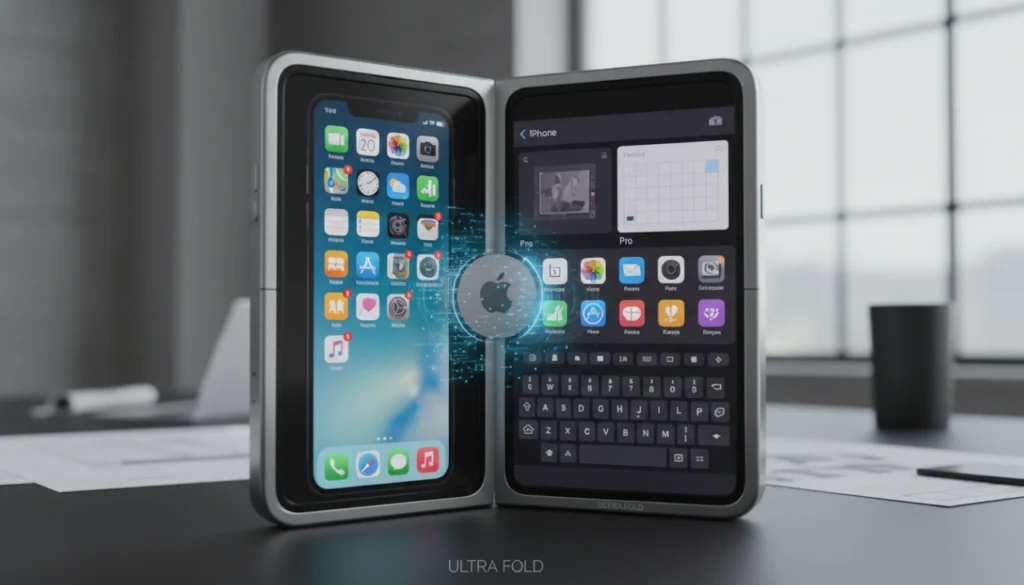
The introduction of foldable hardware requires a software system that can adapt instantly to different screen states. iOS 27 uses sensors to detect whether the device is folded or unfolded, switching the layout to provide the best possible experience for that specific form factor. This ensures that the transition from a standard phone to a tablet-sized display is smooth and does not interrupt your current task.
In Canvas Mode, the interface expands into a layout that feels similar to a mini-iPad, complete with a persistent navigation sidebar. This mode allows for true side-by-side multitasking, where you can drag and drop images or text between two open applications. This is the first time the iPhone has supported this level of productivity, effectively turning the device into a portable computer when fully opened.
When the device is in Phone Mode, the screen retains a familiar feel but incorporates the new generative search features. This mode is designed for one-handed use, keeping the most important tools within reach of your thumb. The integration of these two modes shows how the iPhone software update 2026 trends are moving toward a more flexible and capable future for all users.
The impact of foldables on the ecosystem will change how you view your mobile device as a tool for both work and play. By offering two distinct interfaces in a single device, Apple is bridging the gap between the simplicity of a phone and the power of a tablet. This dual-mode approach ensures that the software remains optimized regardless of how you choose to use the hardware.
Project Campo: The Evolution of Siri into a Standalone AI

The virtual assistant is moving away from being a simple voice overlay and becoming a central part of the operating system. Here are the ways Siri is changing.
Moving Beyond the Overlay
The familiar glowing orb at the bottom of the screen is being replaced by a dedicated application codenamed Project Campo. When you activate the assistant, you are no longer limited to a small window; you enter a full-screen environment designed for deep interaction. This allows you to see more information at once and engage in long-form conversations without the interface disappearing.
This standalone application keeps a history of your interactions, making it easier to return to previous tasks or look up information from earlier in the day. It functions more like a modern chatbot, providing a space where you can type, talk, or share files in one unified thread. This change makes the assistant feel like a constant presence that you can rely on for complex projects.
By moving Siri into its own space, Apple can offer more powerful tools that would have been too cluttered for a small overlay. You can manage multiple requests at once and see the progress of different tasks in real-time. It is a fundamental change that treats the assistant as a primary way to use the device rather than a secondary feature.
Multi-Modal Capabilities
You can now use the camera or your file system to give the assistant context for your requests. If you have a document you need summarized, you can simply show it to the assistant for instant analysis. This multi-modal approach means the software can “see” what you are working on and provide relevant help based on visual data.
This capability extends to photo editing and information gathering as well. You can point the camera at a piece of hardware and ask the assistant how to fix a specific part, and it will provide a step-by-step guide using the visual feed as a reference. It removes the need for you to describe complex problems with words alone, making the interaction much faster.
The ability to process images and files locally ensures that your data remains private while still benefiting from advanced intelligence. You can ask questions about your private photos or sensitive documents without worrying about that information leaving the device. It creates a powerful tool for analyzing your personal data in a way that feels secure and helpful.
Open-Sourcing Intelligence: Google Gemini and Claude Integration
In a surprising move, the system now allows you to choose which AI model powers your more complex queries. While Apple’s own models handle local tasks and privacy-sensitive data, you can route broader knowledge requests through third-party services like Google Gemini or Claude. This ends the era where the assistant was limited by a single proprietary system.
This integration gives you access to the best available intelligence for specific tasks. If one model is better at creative writing and another is better at technical analysis, you can switch between them depending on your needs. It makes the iPhone a hub for the entire world of generative intelligence rather than a closed garden.
The software handles these transitions seamlessly, so you don’t have to worry about which model is doing the work. You simply ask a question, and the system determines the best way to get the answer, using the external models when the request goes beyond the local capabilities. It is a pragmatic approach that prioritizes the quality of the result over company-specific technology.
“Search or Ask” Universal Gesture
A new swiping mechanic replaces the traditional Spotlight search with a generative AI bar. By swiping down from the top center of the screen, you trigger a tool that can find local files, answer web queries, or generate new content. This “Search or Ask” gesture becomes the primary way you interact with the intelligence built into the device.
This interface blends your local data with internet results in a single, conversational stream. If you search for “receipts from last week,” the system finds the relevant emails and photos while also offering to calculate your total spending. It is an active tool that anticipates what you might want to do with the information it finds.
The gesture is available from any screen, ensuring that you always have a powerful assistant just one swipe away. It reduces the time spent digging through folders or opening separate apps to find what you need. By centralizing these functions, the software makes the entire phone feel more organized and responsive to your intent.
Persistent Context and Conversation History
The assistant now remembers what you discussed days or even weeks ago, allowing for a continuous conversation that evolves over time. If you were planning a trip last Tuesday, you can ask for “more ideas for that vacation” today, and the system will know exactly what you are talking about. This persistent context makes the AI feel like it truly understands your life and your goals.
This history is synced across your devices, so you can start a conversation on your phone and continue it on your Mac or iPad. The assistant keeps track of your preferences, your favorite locations, and the people you interact with most. Over time, it becomes more efficient at helping you because it doesn’t have to ask for the same details repeatedly.
Even with this level of memory, you remain in control of what the system remembers. You can delete specific parts of your history or turn off persistent memory for certain types of tasks. This balance of helpfulness and privacy is a core part of the new software, ensuring that the assistant remains a tool that you can trust with your personal information.
Radical Customization: The “Widgetized” Camera Experience
The philosophy of forced simplicity in the camera app is being replaced by a system that favors power users. You now have the ability to rearrange every tool, button, and slider within the native Camera interface to suit your shooting style. If you rarely use the flash but frequently change the exposure, you can move the exposure slider to the primary position and hide the flash icon entirely.
Apple is also introducing “Professional Viewfinder Widgets,” which allow you to pin specific manual controls directly to the main screen. You can keep your ISO, shutter speed, and white balance settings visible at all times, making it easier to make adjustments on the fly. This level of customization signals a change in how the company views the iPhone, moving it closer to a professional tool than a simple point-and-shoot camera.
By allowing this level of personalization, the software accommodates both casual users who want a clean interface and professionals who need instant access to technical data. You can save different layouts for different scenarios, such as a “Street Photography” setup with minimal distractions or a “Studio” setup with all the data visible. This flexibility ensures that the camera app remains the most powerful and versatile tool on your device.
Advanced Apple Intelligence: Bridging the Physical and Digital
The intelligence built into the software now acts as a bridge between the objects around you and your digital life. Below are the ways this technology integrates with your daily routine.
Generative “Extend and Reframe” in Photos
The Photos app now includes tools that can imagine content outside the original frame of your picture. If you took a photo that was cropped too tightly, the AI can use visual intelligence to fill in the surrounding area with realistic details. This allows you to fix composition issues after the photo has been taken, giving you more flexibility with your existing library.
This technology uses a deep understanding of textures, lighting, and perspective to create pixels that look indistinguishable from the original shot. It is not just about stretching the image; it is about creating new, contextually accurate content that matches the scene. You can turn a vertical shot into a horizontal one without losing any of the original subject matter.
This feature also helps with reframing shots to better fit different social media formats or print sizes. You no longer have to worry about perfectly framing every shot in the moment, as you have the power to adjust the boundaries later. It is a powerful use of generative technology that solves a common problem for every photographer.
Real-Time Nutrition and Health Integration
Your camera is now a direct link to your health data, allowing you to log information just by pointing the lens. When you scan a nutrition label on a food package, the software automatically extracts the calories, macros, and nutrients and saves them to the Health app. This removes the friction of manual data entry and makes it easier to track your diet with accuracy.
The system can also identify fresh foods and estimate their nutritional value based on their size and type. If you are eating an apple, the software can provide an estimate of its health benefits just by looking at it through the viewfinder. This real-time analysis helps you make better decisions about what you eat throughout the day.
By integrating this information directly into your health trends, the software provides a more complete picture of your overall well-being. You can see how your diet affects your energy levels or your sleep patterns over time. It turns the iPhone into a comprehensive health assistant that understands the physical world as well as it understands digital data.
Intelligent Wallet Automation
The process of digitizing physical documents is now fully automated within the Apple Wallet. When you receive a physical ticket, a membership card, or a parking pass, you can simply scan it, and the software will create a digital version for you. It extracts the relevant dates, barcodes, and locations to ensure the digital pass is just as functional as the paper one.
This automation extends to the organization of your passes as well. The system knows when a ticket is for an upcoming event and moves it to the front of your wallet for easy access. If a flight is delayed, the digital pass updates automatically, reflecting the new information without you having to do anything.
This reduces the clutter in your physical life while making your digital wallet more useful. You no longer have to worry about losing important papers or manually typing in long confirmation numbers. Everything you need for your day is organized and updated automatically, allowing you to move through the world with less stress.
Scene Reconstruction for Blurry Images
New processing power allows the device to fix photos that were ruined by motion blur or poor focus. Using generative pixels and the Neural Engine, the software can reconstruct the sharp details of a face or an object even if the original data was messy. This means you can save important memories that would have previously been deleted.
The system analyzes the movement in the frame and works backward to find the intended image. It can identify the edges of a subject and sharpen them while maintaining a natural look that doesn’t feel over-processed. This is particularly useful for low-light shots where camera shake is most common.
This reconstruction happens locally on your device, ensuring that your photos are processed quickly and privately. You will see a “Fix” option in the photo editor that gives you a preview of the sharpened image before you save it. It is like having a professional photo retoucher built into your pocket, ready to save your best moments.
Contextual Spatial Audio
The camera now plays a role in how your music and movies sound by mapping the acoustics of the room you are in. By taking a quick scan of your surroundings, the software can adjust the audio output to account for walls, furniture, and the size of the space. This creates a spatial audio experience that is perfectly tuned to your specific environment.
If you move from a small, carpeted bedroom to a large, tiled living room, the audio profile changes to maintain clarity and depth. The system understands how sound bounces off different surfaces and uses that information to optimize the frequency balance. This ensures that you always get the best possible sound quality, regardless of where you are listening.
This feature works with both the internal speakers and supported headphones, providing a consistent experience across all your media. It makes your movies feel more immersive and your music feel more present. By using the physical layout of your room to inform the digital audio, iOS 27 creates a listening environment that is truly unique to you.
Connectivity Upgrades: The 5G Satellite Internet Era

The transition from “Emergency SOS” to a “Broadband Lite” experience marks a massive change in how the iPhone handles dead zones. You are no longer restricted to just sending emergency alerts when you are away from cellular towers. iOS 27 allows for standard iMessage communication and basic Apple Maps navigation via satellite, ensuring you stay connected even in the most remote locations.
This new level of connectivity is designed to be a seamless part of the experience, activating automatically when your cellular signal disappears. You can send text-based updates to friends or family and receive turn-by-turn directions without needing a traditional internet connection. This provides a safety net for travelers and hikers that goes far beyond simple emergency services.
One of the most impressive technical feats is “No-Sky” optimization, which allows the device to ping satellites without requiring you to point it directly at the sky. The software can manage a connection even when the phone is in your pocket or when there is moderate tree cover. This makes satellite communication practical for everyday use rather than just for dire situations.
Device Compatibility: Is Your iPhone Supported?
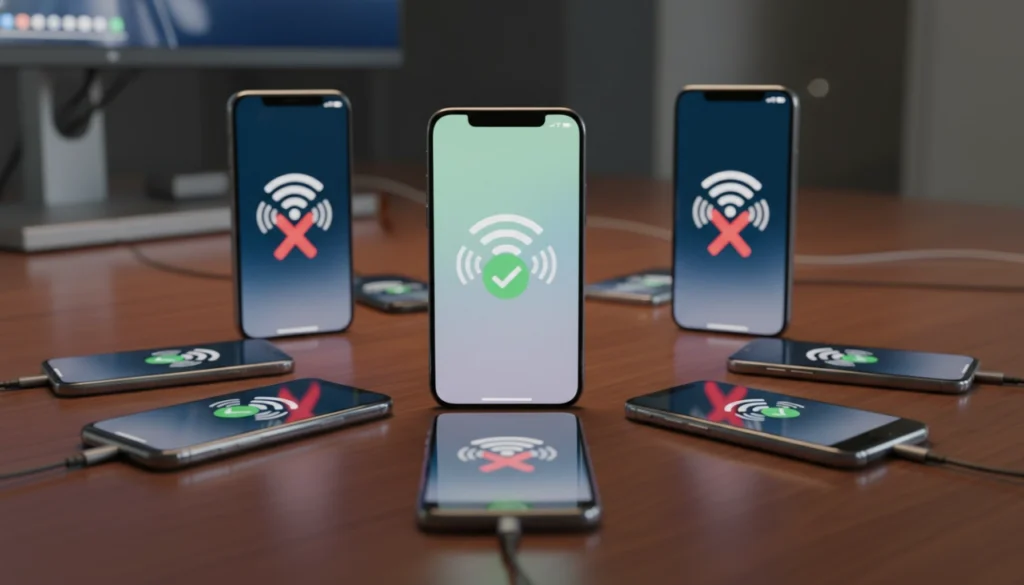
The hardware requirements for iOS 27 are stricter than previous years due to the heavy reliance on the latest AI processing. To run the new software, your device will likely need an A14 Bionic chip or newer, which means the iPhone 12 is the new baseline for support. Older devices simply lack the dedicated Neural Engine power required to handle the real-time design morphing and standalone assistant features.
As a result, the iPhone 11 and the second-generation iPhone SE are expected to lose support with this update. While these devices remain capable for basic tasks, they cannot provide the smooth experience required for the Liquid Glass interface or the complex generative tasks in Project Campo. This marks a turning point where AI hardware limitations dictate the longevity of the device.
If you are using an iPhone 12 or a later model, you will be able to access the core iOS 27 features and benefit from the iPhone software update 2026. However, some of the most advanced visual effects may still be reserved for the Pro and Ultra models that have more memory and faster processing cores. Checking your device’s chip version is the best way to determine if you are ready for this massive software transition.
The Developer’s Dilemma: Adapting to “Pocket Computer” Status

The transition toward foldables and AI-first applications is changing how the App Store environment functions. Developers are now tasked with creating software that works across a variety of screen states, moving away from the fixed-resolution designs of the past. This requires a more flexible approach to coding, where the application must be able to expand and contract its interface instantly.
The death of the “Fixed Resolution” app means that liquid layouts are the new standard for everyone in the ecosystem. You will see more apps that look like professional desktop software when unfolded, offering complex sidebars and multi-window support. This change pushes the iPhone further into the category of a “Pocket Computer,” capable of handling tasks that were previously reserved for laptops.
Predictions for how developers will use the new “Liquid Glass” API suggest a future where every app feels like a physical part of the OS. By using the same depth and transparency tools as Apple, third-party developers can create experiences that feel integrated and high-end. This unified design language ensures that the entire device feels cohesive, regardless of which applications you are using.
Final Word: Embracing the Future of Mobile Computing

iOS 27 represents the conclusion of the “Classic” iPhone era and the beginning of something much more capable. By moving away from the static grid and embracing a design language built on depth and intelligence, Apple is redefining what a phone can be. The merge of visionOS concepts with the portability of the iPhone creates a tool that is both familiar and entirely new.
The strategy to blend the features of visionOS, iPadOS, and iOS into a single fluid experience shows a clear vision for the next decade. No longer are these separate worlds; they are different windows into the same digital environment. Whether you are using a standard screen or a large foldable display, the software adapts to give you the most power and clarity possible.
These changes may seem complex at first, but they are exactly what is needed to keep the iPhone relevant in a world dominated by AI and flexible hardware. By giving you more control over the interface and more intelligence in your pocket, Apple is ensuring that your most personal device remains your most important one. The transition to a pocket computer is complete, and the future of mobile computing has arrived.
