

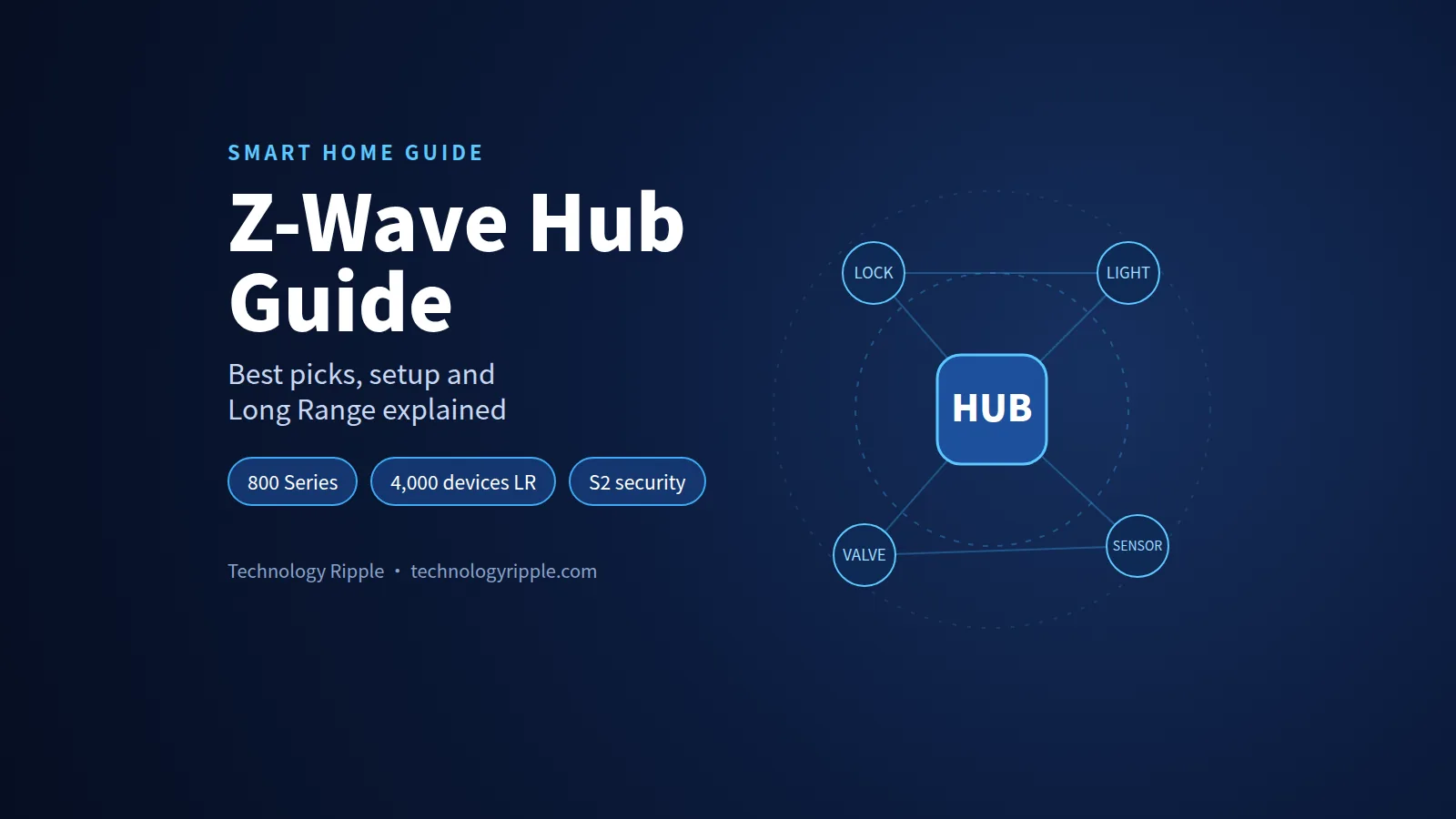
A Z-Wave hub is the controller that pairs, runs and automates your Z-Wave smart home devices, such as locks, light switches, sensors and water valves. It talks to them over a low-power, sub-GHz radio network instead of Wi-Fi. For most people in 2026, the best choice is a hub with an 800-series Z-Wave radio and Long Range support, local processing and no required subscription.
This guide explains how Z-Wave hubs work, what changed with the 800 series and Long Range, and which hubs are still worth buying. It also covers what they really cost over three years, and how to set up, migrate and troubleshoot your network without starting from scratch.
Z-Wave Hub Key Facts at a Glance
| Question | Short answer |
|---|---|
| What does it do? | Pairs, controls and automates Z-Wave devices from one app |
| US frequency | 908.42 MHz (classic mesh); Long Range uses 912/920 MHz |
| Devices per network | 232 on classic mesh; up to 4,000 with Z-Wave Long Range |
| Network type | Mesh (classic) or star (Long Range), both on the same hub |
| Security to look for | S2 and SmartStart |
| Chip to look for | 800 series, which supports Long Range |
| Works with Alexa or Google directly? | No. Echo and Nest speakers have no Z-Wave radio, so you need a hub |
| Typical hub price | About $30 for a USB stick up to $449 for a premium all-in-one hub |
What Is a Z-Wave Hub and What Does It Actually Do?
Think of a Z-Wave hub as a Wi-Fi router for your smart home devices, except it speaks Z-Wave instead of Wi-Fi. The Z-Wave Alliance describes it the same way. The hub is the “brain” that gives Z-Wave connectivity to your home.
Every Z-Wave network needs exactly one primary controller. That controller keeps the list of paired devices, hands out network IDs and routes your commands.
When you tap a button in an app, or a motion sensor trips, the hub receives the event. It then decides what should happen and sends the command to the right device.
Hub, Gateway, Controller or USB Stick: What’s the Difference?
You’ll see four terms used almost interchangeably. Here’s how they differ in practice.
| Term | What it usually means | Example |
|---|---|---|
| Hub | A standalone box with its own app and automation engine | Hubitat Elevation C-8 Pro, Homey Pro |
| Gateway | A hub that also bridges to the cloud or to other ecosystems | Aeotec Smart Home Hub (SmartThings) |
| Controller | The technical name for the device that runs the Z-Wave network | Any hub or stick |
| USB stick or adapter | A Z-Wave radio that plugs into a computer running your own software | Zooz ZST39 LR, Home Assistant Connect ZWA-2 |
A USB stick is not a hub on its own. It needs software such as Home Assistant, HomeSeer or Indigo running on a computer, mini PC or Raspberry Pi.
A standalone hub includes the radio, the software and the app in one box. That makes it the easier path if you don’t want to look after a server.
What a Hub Lets You Do That Single Devices Can’t
- Automations across brands, for example “when the front door unlocks after sunset, turn on the hallway lights”.
- One app for locks, switches, sensors and thermostats from different makers.
- Local control that keeps working when your internet goes down, if the hub runs automations on the device.
- Voice control through Alexa, Google Assistant or Apple Home, bridged by the hub.
- Security modes such as away, night and vacation, with alerts sent to your phone.
How a Z-Wave Hub Works
Z-Wave is a low-power wireless protocol built for home control. It sends tiny messages such as “on”, “off”, “locked” or “temperature is 71°F”, not video or audio.
According to the Z-Wave Alliance, Z-Wave runs at 908.42 MHz in the United States and Canada. That’s a completely different band from 2.4 GHz and 5 GHz Wi-Fi.
Mesh Networking and Repeaters
Classic Z-Wave uses a mesh network. Mains-powered devices, such as plug-in modules and in-wall switches, relay messages for each other. A command can hop from device to device until it reaches its target.
Aeotec’s range guide notes that classic Z-Wave supports up to 4 hops per message. The Z-Wave Alliance lists about 100 meters per hop in open conditions.
There’s one important catch. Battery-powered devices don’t repeat signals. Ring’s support pages state plainly that battery devices “do not generate enough power to act as a mesh node”. Only plugged-in devices and range extenders strengthen the mesh.
This means a home full of battery door sensors and no plug-in devices can still have weak spots. You fix that with a few well-placed switches, plugs or a dedicated Z-Wave range extender.
Why the Sub-GHz Frequency Matters
Lower frequencies lose less energy passing through walls and floors. Aeotec makes exactly this point when comparing Zigbee and Z-Wave range.
In Aeotec’s figures, classic Z-Wave reaches about 15–30 meters indoors, compared with about 10–20 meters for Zigbee at 2.4 GHz. Outdoors, classic Z-Wave reaches about 50–100 meters.
The other benefit is less radio congestion. Your router, microwave, Bluetooth devices, Zigbee and Thread all share 2.4 GHz. Z-Wave stays out of that crowded band.
Do You Really Need a Z-Wave Hub?
Yes, if you want to use Z-Wave devices at all. A Z-Wave lock, switch or sensor can’t connect to your phone or router by itself. It must join a Z-Wave controller.
The real question is which kind of controller you need. There are four realistic paths:
- A standalone hub such as Hubitat, Homey Pro, the Aeotec Smart Home Hub or Zooz Z-Box. This is best if you want something that works out of the box.
- A USB stick plus Home Assistant. This is best if you like tinkering, or already run a home server.
- A security system with a Z-Wave base station, such as Ring Alarm. This is good for basic sensors and locks, but automations are limited.
- No Z-Wave at all. If you only need a few bulbs and plugs, Wi-Fi or Matter devices may be simpler.
If you already own Z-Wave locks, thermostats or in-wall switches, a hub is the only way to keep using them well. That’s especially true if your old hub has been discontinued.
Z-Wave Versions Explained: 500, 700, 800 Series and Long Range
When you shop for a Z-Wave hub, the “series” number tells you which generation of Z-Wave chip is inside. That chip decides range, battery life and whether Long Range is possible.
| Generation | What it brought | Should you buy it in 2026? |
|---|---|---|
| 500 series (Z-Wave Plus) | Better range and battery life than the original Z-Wave | Only second-hand, for an existing network |
| 700 series (Z-Wave Plus v2) | S2 and SmartStart as standard, lower power | Fine, but no Long Range on hubs |
| 800 series | Longer range, lower power, Long Range support, Secure Vault | Yes. This is the one to buy |
What the 800 Series Changes
Silicon Labs, the main Z-Wave chip maker, gives the 800 series several clear improvements over the 700 series:
- Range of up to 1.5 miles, which Silicon Labs calls “a 50% increase compared to the Z-Wave 700 series”.
- Up to 10 years of coin-cell battery life in end devices.
- Transmit current reduced by up to 42% compared with 700-series hardware.
- S2 security plus Silicon Labs’ Secure Vault, which it says reaches PSA Certified Level 3.
You can read the full details in Silicon Labs’ introduction to the Z-Wave 800 series.
Z-Wave Long Range (LR) in Plain English
Z-Wave Long Range is the biggest change to Z-Wave in years. Yet none of the top-ranking guides explain it properly.
According to the Z-Wave Alliance’s Long Range comparison, these are the key differences:
| Feature | Classic Z-Wave (mesh) | Z-Wave Long Range |
|---|---|---|
| Topology | Mesh, with hops between devices | Star, where every device talks directly to the hub |
| Max devices | 232 | Up to 4,000 |
| Range | About 100 m per hop | 1 mile (1.6 km) proven, line of sight |
| US frequency | 908.42/916 MHz | 912/920 MHz |
| Routing via other devices | Yes | Not supported |
| Battery life | Varies by device | Up to 10 years on a coin cell |
The two are designed to co-exist on the same network. An 800-series hub with LR can run your old mesh devices and new LR devices side by side.
Where Long Range Helps Most
- Big properties: detached garages, gates, barns, pools and mailboxes far from the house.
- Battery-heavy setups: sensors don’t depend on a nearby repeater, because they talk directly to the hub.
- Large networks: the 232-device ceiling stops mattering.
- Fewer repeaters: Aeotec notes LR’s high transmit power removes the need for repeaters in most installations.
Long Range Limits to Know Before You Buy
- Both ends need LR. The hub and the device must both support Long Range. Older devices still join as normal mesh devices.
- Region matters. The Z-Wave Alliance originally described LR as available for the US market. It released the European LR specification on February 29, 2024.
- Inclusion method. LR devices are usually added with SmartStart (a QR code scan), so keep the QR code from the box.
Is New Z-Wave Backward Compatible?
Yes. The Z-Wave Alliance has long promoted “forward-and-backward compatibility” across certified products. A 500-series switch from years ago should still join an 800-series hub.
What you lose is the newer features on that particular device. An old switch won’t suddenly gain S2 security or Long Range.
Z-Wave Security: S0, S2 and SmartStart
Security matters most for the devices that protect your home: locks, garage door openers, alarm sensors and water shut-off valves.
| Security level | What it is | What it means for you |
|---|---|---|
| No security | Plain, unencrypted commands | Acceptable for a lamp module, never for a lock |
| S0 | Older encryption, heavy on traffic | Only for older devices that lack S2 |
| S2 | Modern encrypted framework with authenticated key exchange | The default you want for everything |
| SmartStart | QR-code based pairing built on S2 | Easier, safer setup; devices can join automatically |
Home Assistant’s Z-Wave documentation explains that S2 “does not impose additional network traffic and provides additional benefits”. It says S0 should be reserved for older devices that need encryption but don’t support S2.
How SmartStart Works
With SmartStart, you scan the QR code on the device or its box before you power it on. Home Assistant says the hub then adds the device automatically, typically “within 10 minutes of being switched on in the network vicinity”.
Tip: photograph every QR code and DSK label before you install a device inside a wall box or behind a cover. You’ll need the code if you ever move to a new hub.
Simple Rules for a Secure Z-Wave Network
- Pick a hub that supports S2 Authenticated pairing.
- Pair locks and garage controllers with S2, not S0.
- Keep hub firmware updated. Home Assistant, for example, recommends 800-series adapters run firmware 7.23.2 or newer.
- Use a strong, unique password and two-factor authentication on the hub’s cloud account if it has one.
- Prefer local control for security-critical automations, so an outage can’t stop your door from locking.
For the bigger picture on keeping connected homes safe, see our look at whether your smart home is ready for ultra-HD security.
Z-Wave vs Zigbee vs Thread and Matter
Many buyers now ask whether Z-Wave still makes sense when Matter exists. The short answer is that they solve different problems and often work together.
| Z-Wave | Zigbee | Thread + Matter | |
|---|---|---|---|
| Frequency | Sub-GHz (908.42 MHz in the US) | 2.4 GHz | 2.4 GHz |
| Wi-Fi interference | Very low | Possible | Possible |
| Indoor range (typical) | About 15–30 m per hop | About 10–20 m per hop | Similar to Zigbee |
| Certification | Strict, all products certified | Varies | Matter certification |
| Device catalogue | Over 4,500 certified products | Very large | Growing fast |
| Strengths | Locks, switches, sensors, valves | Cheap bulbs and sensors | Cross-ecosystem control |
| Needs a hub? | Yes | Yes | A Thread border router and a Matter controller |
Can Z-Wave Work With Matter?
Matter does not speak Z-Wave directly. Instead, some hubs act as a Matter bridge. They keep controlling your Z-Wave devices locally and present them to Apple Home, Google Home or Alexa as Matter devices.
Homey’s documentation describes exactly this. The Matter controller talks to Homey, and “Homey then controls Z-Wave locally”. It needs a Homey Pro, or a Homey Bridge paired with Homey Pro mini, Homey Cloud or a self-hosted server.
Don’t assume every hub does this. A widely cited 2023 report confirmed that the SmartThings hub did not bridge its Zigbee and Z-Wave devices to Apple Home through Matter.
Which Protocol Should You Pick?
- Choose Z-Wave for locks, in-wall switches, water valves and sensors in large or thick-walled homes.
- Choose Zigbee for low-cost bulbs and sensors, especially if you already have a Zigbee hub.
- Choose Matter over Thread for new devices you want to share across Apple, Google and Amazon.
- Choose a hub that supports all three if you want to future-proof. Hubitat C-8 Pro, Homey Pro and the Aeotec Smart Home Hub all cover at least two.
The Best Z-Wave Hubs in 2026 Compared
Here’s how the main options compare on the features that actually decide your experience. Prices are the list or retailer prices we found at the time of writing, and they change often.
| Hub | Price seen | Z-Wave chip | Long Range | Other radios | Local automations | Required subscription |
|---|---|---|---|---|---|---|
| Hubitat Elevation C-8 Pro | $184.95 | 800 series | Yes | Zigbee 3.0, Bluetooth, Matter 1.5 | Yes | No |
| Hubitat C-8 Pro Thread Edition | $249.95 | 800 series | Yes | Thread, Bluetooth, Matter 1.5 (no Zigbee) | Yes | No |
| Home Assistant Green + Connect ZWA-2 | $199 + $69 | 800 series | Yes | Add adapters as needed | Yes | No |
| Homey Pro | $449 | 700 series | No | Zigbee, Thread, Matter, Wi-Fi, more | Yes | No |
| Homey Pro mini + Homey Bridge | $249 + $69 | Via Bridge | No | Zigbee, Thread, Matter | Mostly | No |
| Aeotec Smart Home Hub (SmartThings) | $134.99 | Z-Wave Plus | Not listed | Zigbee, Thread, Wi-Fi, Matter | Partly | No |
| Zooz Z-Box Hub | $126.95 | 700 series | No | None | Yes | No |
| Zooz ZST39 LR USB stick | $28.95 (sale) | 800 series | Yes | None | Depends on software | No |
| Aeotec Z-Stick 10 Pro | $59.99 | 800 series | Yes | Zigbee | Depends on software | No |
Hubitat Elevation C-8 Pro: Best All-Round Local Z-Wave Hub
Hubitat’s product page lists the C-8 Pro at $184.95. It has Z-Wave 800 with Long Range, Zigbee 3.0, Bluetooth and Matter 1.5.
Automations run locally on the hub, so they keep working if your internet drops. Hubitat says it supports more than 1,000 devices across 100+ brands, and the hub uses external antennas for better range.
There’s also a Thread Special Edition at $249.95, which swaps the Zigbee radio for Thread.
- Best for: people who want serious automations without running a server.
- Watch out for: a steeper learning curve than SmartThings, and optional paid services. Hubitat advertised a Hub Protect + Remote Admin bundle at $49.95 a year as a limited-time offer in June 2026.
Home Assistant With the Connect ZWA-2: Best for Tinkerers
Home Assistant is free, open-source software with a huge integration catalogue. The official Home Assistant Green costs $199 and has no Z-Wave radio built in. You add one with the Home Assistant Connect ZWA-2.
The ZWA-2 launched on August 14, 2025 for $69. It uses Silicon Labs’ 800-series ZG23 chip and supports Long Range. Nabu Casa says it tested it up to 1.5 km line of sight.
- Best for: DIY users who want total control, local processing and no lock-in.
- Watch out for: more setup and maintenance. Home Assistant’s own cloud service is an optional paid add-on, mainly for easy remote access and voice assistants.
Homey Pro: Best Premium Multi-Protocol Hub
The Homey Pro costs $449. It packs Z-Wave (700 series), Zigbee, Thread, Matter 1.5, Wi-Fi, Bluetooth, infrared and 433 MHz into one box, and it runs entirely on-premise.
Homey’s Z-Wave controller page says it can hold up to 230 Z-Wave devices. Its standout feature is the Matter bridge, which can expose your Z-Wave devices to Apple Home and Google Home.
The cheaper Homey Pro mini ($249) has no Z-Wave radio. You need the $69 Homey Bridge to add Z-Wave, which some buyer’s guides fail to mention.
- Best for: mixed-brand homes and anyone who wants Z-Wave devices to appear in Apple Home.
- Watch out for: the price, and no Z-Wave Long Range on the current Pro.
Aeotec Smart Home Hub (SmartThings): Best Budget App-First Option
The Aeotec Smart Home Hub works as a SmartThings hub. It’s listed at $134.99 on Aeotec’s store and $114.99 at one major Z-Wave retailer. It supports Z-Wave Plus, Zigbee, Wi-Fi, Thread and Matter.
You get the polished SmartThings app and wide brand support. Zooz notes that SmartThings offers Samsung-backed phone and email support.
Important: the newer Aeotec Smart Home Hub 2, announced in September 2025, dropped Z-Wave entirely. Make sure you buy the original model if you need Z-Wave.
- Best for: beginners who want a simple app and voice-assistant integration.
- Watch out for: fewer advanced local automation options, and cloud dependence for some features.
Zooz Z-Box Hub: Best Z-Wave-Only Hub
Built by Zooz and Fibaro, the Z-Box Hub is listed at $126.95 (down from $159.95). It uses a 700-series chip with S2 Authenticated security and SmartStart.
It promises “no contracts, no fees” and local control. It has a powerful web interface and a DIY alarm panel. It’s US-only, connects over 2.4 GHz Wi-Fi only, and has no Zigbee or Long Range.
- Best for: Z-Wave-only households, especially those built around Zooz devices.
- Watch out for: no multi-protocol support, and no Long Range.
USB Sticks: The Cheapest Way In
If you already run Home Assistant, HomeSeer or Indigo, a USB stick is the cheapest route to Z-Wave.
- Zooz ZST39 LR: 800 series with Long Range. It’s listed at $28.95 on sale (from $39.95), and Zooz says it gives “up to a mile of range in open space” for LR devices in the US.
- Aeotec Z-Stick 10 Pro: 800 series with Long Range plus Zigbee in one stick, listed at $59.99.
- Aeotec Z-Stick 7: a 700-series stick listed at $50.99. Choose an 800-series stick instead for new builds.
- Home Assistant Connect ZWA-2: $69, 800 series with Long Range, built for Home Assistant and detected automatically.
Avoid the older Aeotec Z-Stick Gen5 for new setups. Home Assistant documents a known bug when it’s plugged into a Raspberry Pi 4.
Ring Alarm Base Station: The Hub You Might Already Own
If you have Ring Alarm or Ring Alarm Pro, you already have a Z-Wave controller. Ring says its base station uses Z-Wave to talk to its sensors, and that other Z-Wave devices can join.
It’s a good option for basic locks, sensors and switches. But automation options are far more limited than on a dedicated hub, so power users usually outgrow it.
Hubs to Avoid or Treat With Caution
- Discontinued hubs, such as Wink and older Vera/Ezlo models. Several Ezlo models already show as sold out at major retailers.
- Samsung-branded SmartThings hubs (v2 and older). Current SmartThings hubs with Z-Wave are made by Aeotec, so buy the current Aeotec model instead.
- Any 500-series hub for a new install. You’ll miss S2-by-default, SmartStart and Long Range.
What a Z-Wave Hub Really Costs Over Three Years
Most guides stop at the sticker price. Here’s a simple three-year view using the prices above. Optional services are shown separately, because you can skip most of them.
| Setup | Upfront hardware | Required fees | Common optional extras | Typical three-year total |
|---|---|---|---|---|
| Zooz ZST39 LR + existing Home Assistant PC | $28.95–$39.95 | $0 | Home Assistant Cloud | About $30–$40 plus your server |
| Home Assistant Green + ZWA-2 | $268 | $0 | Home Assistant Cloud | About $268 |
| Hubitat C-8 Pro | $184.95 | $0 | Hub Protect + Remote Admin (promo $49.95/yr) | $185–$335 |
| Aeotec Smart Home Hub | $134.99 | $0 | None needed | About $135 |
| Zooz Z-Box Hub | $126.95 | $0 | None | About $127 |
| Homey Pro | $449 | $0 | Homey Pro Backups ($10/yr) | $449–$479 |
Remember to budget for repeaters. A plug-in Z-Wave range extender costs about $35 at major retailers. That’s cheaper than fighting a weak mesh for months.
Using a Z-Wave Hub With Alexa, Google Home and Apple Home
This is where many buyers get confused, and where some guides get it wrong.
Amazon Echo devices don’t have a Z-Wave radio. As The Smartest House explains, Alexa speaks Wi-Fi (and Zigbee on certain Echo models), but not Z-Wave. You connect Alexa to your Z-Wave hub through the hub’s Alexa skill.
Google Home and Nest speakers don’t speak Z-Wave either. You link your hub to Google Home, and voice commands travel through the hub.
Apple Home has no native Z-Wave support. Your best options are:
- A Matter bridge hub such as Homey Pro, which can expose Z-Wave devices to Apple Home.
- Home Assistant’s HomeKit bridge, if you run Home Assistant.
| Ecosystem | Native Z-Wave? | How to connect your Z-Wave devices |
|---|---|---|
| Amazon Alexa | No | Hub’s Alexa skill, or Ring Alarm |
| Google Home | No | Hub’s Google Home link |
| Apple Home | No | Matter bridge (e.g. Homey) or Home Assistant bridge |
| SmartThings | Yes, with a Z-Wave hub | Aeotec Smart Home Hub (original model) |
If Apple devices run your home, read our guide to searching your video history with words in Apple’s HomeKit. You can also see how Apple Intelligence is coming to your living room.
How to Choose the Right Z-Wave Hub: Decision Table
Match your situation to the row that fits best.
| If you… | Choose | Why |
|---|---|---|
| Want powerful local automations with no server | Hubitat C-8 Pro | 800-series LR, Zigbee, Matter, local engine |
| Like DIY and want maximum flexibility | Home Assistant + ZWA-2 or ZST39 | Free software, huge integrations, LR |
| Live in Apple Home and want Z-Wave there | Homey Pro | Matter bridge for Z-Wave devices |
| Want the easiest app and voice control | Aeotec Smart Home Hub | SmartThings app, broad support |
| Only use Z-Wave, mostly Zooz devices | Zooz Z-Box Hub | Z-Wave-focused, no fees |
| Have a big lot, outbuildings or a gate | Any 800-series LR hub | Up to 1 mile direct range with LR devices |
| Already have Ring Alarm | Start with your base station | Upgrade later if you outgrow it |
| Run a small rental or office | Hubitat or Home Assistant | Local control and scalability |
Questions to Ask Before You Buy
- Is the Z-Wave chip 800 series? If not, you won’t get Long Range on the hub.
- Does it run automations locally? Cloud-only automations stop when the internet does.
- Is any subscription required? Optional is fine; mandatory is a red flag.
- Which other radios do you need? Zigbee, Thread or Matter could save you a second hub.
- Can you back up and restore the Z-Wave network? This matters when you replace the hub.
- How does it connect to your voice assistant? Check the exact integration before you commit.
- Who makes it, and how long have they supported their hubs? History is your best predictor.
How to Set Up a Z-Wave Hub Step by Step
The exact screens differ between apps, but the process is nearly identical on every hub.
- Place the hub centrally, away from metal cabinets, TVs and the floor. Connect it to power and Ethernet if possible.
- Create your account and update the hub firmware before you add any devices.
- Set the correct region. In the US, choose the US frequency, or “USA (Long Range)” if your hub offers it.
- Add mains-powered devices first, starting with those closest to the hub. They build the mesh that battery devices will use.
- Add battery devices last, ideally in their final locations.
- Use SmartStart or S2 pairing whenever offered, and enter the DSK PIN when prompted.
- Name devices by room and function, such as “Kitchen – Island Lights”, before you build automations.
- Create a backup of the hub, including the Z-Wave network, once everything works.
How to Add (Include) a Z-Wave Device
- Open your hub app and choose Add device or Include.
- Select SmartStart and scan the QR code. Or put the hub into inclusion mode and press the button sequence from the device manual.
- When asked, choose S2 security and type the first five digits of the DSK printed on the device.
- Wait for the interview to finish. Battery devices may need you to wake them during this step.
- Test the device from the app before you mount or close it up.
How to Remove (Exclude) a Z-Wave Device
Exclusion removes a device from a network. You must do it before a device can join a new hub, even if the old hub is gone. Any Z-Wave controller can exclude any device.
- Open your hub app and choose Remove device or Exclude. In Home Assistant, choose “Remove a working device”.
- Press the device’s inclusion button sequence, usually the same as for adding.
- Wait for confirmation, then factory-reset the device if the manual recommends it.
If you’re building a family-friendly setup, our complete guide to building a smart home for your kids shows which devices and routines work best.
How to Move Your Z-Wave Devices to a New Hub
Migration is the part nobody likes, and almost no buyer’s guide covers it. You have two main routes.
Route 1: Back Up and Restore the Controller
Some platforms can copy the Z-Wave stick’s memory to a new controller. Home Assistant lets you download a backup of the adapter’s non-volatile memory (NVM), which “includes all paired devices”. It recommends doing this before major network changes.
This usually works only between compatible controllers, for example from one USB stick to another in Home Assistant. Check your platform’s documentation before you rely on it.
Route 2: Exclude and Re-Include Every Device
This is the universal method, and it always works.
- List every device, with its room, model and current automations. Screenshots help.
- Gather QR codes and DSK labels for S2 and SmartStart devices.
- Exclude each device from the old hub, or from the new hub if the old one has died.
- Include it on the new hub, mains-powered devices first and nearest first.
- Rebuild automations on the new platform and test them.
- Retire the old hub only when every device works on the new one.
Tip: migrate one room at a time over a weekend, rather than the whole house in one evening.
Z-Wave Troubleshooting: Fixing Common Problems
| Symptom | Likely cause | What to try |
|---|---|---|
| Device won’t pair | Still joined to an old network | Exclude it first, then include it again |
| Pairing stalls on S2 | Wrong DSK digits or timeout | Re-enter the DSK, move closer to the hub |
| Slow or delayed responses | Weak mesh or a failing device | Add a repeater, find and remove the bad node |
| Battery device drops offline | No nearby repeater, or low battery | Replace the battery, add a plug-in device nearby |
| “Ghost” or dead nodes | Device removed without exclusion | Use the hub’s “remove failed node” tool |
| Everything slows after moving devices | Old routes are stale | Run a route rebuild or network heal, sparingly |
| Hub unreachable remotely | Cloud or subscription issue | Check local access first, then the service status |
Rebuild Routes, But Not Too Often
Most hubs offer a network heal or route rebuild. Home Assistant calls it “Discover and assign new routes”. It warns this “generates a lot of network traffic and should be used sparingly”.
Run it after moving devices or adding repeaters, not as a daily habit.
Place Repeaters With Purpose
- Put a plug-in repeater halfway between the hub and any weak device.
- Add at least one mains-powered device per floor, plus one in the garage.
- Keep the hub out of metal cabinets and off the floor, so walls and appliances block as little signal as possible.
- With an 800-series LR hub, consider LR versions of far-away sensors rather than a chain of repeaters.
Common Z-Wave Hub Mistakes to Avoid
- Buying a discontinued hub because it’s cheap on a marketplace.
- Choosing a 700-series hub when you need Long Range for outbuildings.
- Assuming Alexa or Google Home is a Z-Wave hub. Neither has a Z-Wave radio.
- Buying the Aeotec Smart Home Hub 2 by mistake when you need Z-Wave.
- Buying a Homey Pro mini without the Homey Bridge and then wondering where Z-Wave went.
- Pairing locks without S2, which leaves your most sensitive device less protected.
- Throwing away QR codes and DSK labels, which makes future migrations painful.
- Adding battery devices before mains-powered ones, which leaves the mesh weak.
- Never backing up the hub, so one failed SD card or power surge erases your setup.
- Running a heal every day, which floods the network with traffic.
What Happens If Your Hub Company Shuts Down?
Cloud-dependent hubs carry a real risk, and Wink is the classic warning.
On May 6, 2020, Wink announced it would switch from free service to a monthly fee. Users were given until May 13, 2020 before app, voice, API and automation access would be cut off. The deadline was later pushed to July 2020.
Then on January 25, 2021, Wink suffered a nine-day outage, during which remote control and cloud automations stopped working.
The lesson is simple. Favour hubs that:
- run automations locally
- don’t require a subscription to work
- let you back up and restore your Z-Wave network
- use open or widely supported standards, so your devices can move to another hub
Z-Wave itself is well protected here. Silicon Labs and the Z-Wave Alliance opened the Z-Wave specification to other silicon and software makers, starting in the second half of 2020. Your devices aren’t tied to one company’s survival.
Is Z-Wave Still Worth It in 2026?
For many homes, yes, especially for locks, switches, sensors and water valves.
Here’s why Z-Wave remains a strong choice:
- Certified interoperability across more than 4,500 products.
- Less interference, because it avoids the crowded 2.4 GHz band.
- Long Range removes the old 232-device and range limits.
- Mature, reliable devices for security-critical jobs.
- Matter bridging on some hubs lets Z-Wave devices join Apple, Google and Amazon ecosystems.
It may not be worth it if you only want a few smart bulbs and plugs. In that case, Matter or Wi-Fi devices are simpler.
Wireless standards keep evolving. To see what’s next for home networks, read our explainer on Wi-Fi 8 and the next generation of ultra-fast wireless.
Z-Wave Lock and Sensor Ideas to Start With
If you’re new to Z-Wave, these first projects give you the most value for the least effort:
- Smart lock + door sensor: lock automatically 5 minutes after the door closes, and alert you if it’s left open. Our look at why palm recognition could be the future of smart locks shows where locks are heading.
- Leak sensor + water valve: shut off the main water supply when a sensor detects a leak.
- Motion sensor + in-wall switch: hallway and closet lights that turn on and off by themselves.
- Contact sensors on windows: an “everything closed?” check before you leave or go to bed.
- Temperature sensors: alerts for freezing garages, hot server closets or a failing fridge.
Your Z-Wave Hub Buying Checklist
Run through this list before you click buy.
- Does the hub use an 800-series chip?
- Does it support Z-Wave Long Range, if you need it?
- Does it support S2 and SmartStart?
- Does it run automations locally?
- Is there no required subscription?
- Does it include Zigbee, Thread or Matter if you need them?
- Does it integrate with your voice assistant?
- Can you back up and restore the Z-Wave network?
- Is the hub currently sold and supported, not discontinued?
- Have you budgeted for one or two repeaters?
Z-Wave Hub FAQ
A Z-Wave hub is the controller that creates and runs your Z-Wave network. It pairs devices such as locks, switches and sensors, routes commands to them and runs automations. It also links them to apps and voice assistants.
For most people, an 800-series hub with Long Range and local automations is the safest pick. The Hubitat Elevation C-8 Pro ($184.95) suits most homes, while Home Assistant with a Connect ZWA-2 ($69) suits DIY users. Choose Homey Pro if you want Z-Wave devices in Apple Home.
No. Z-Wave devices must join a Z-Wave controller. That can be a standalone hub, a USB stick running software like Home Assistant, or a security system base station such as Ring Alarm.
Not directly, because Google Home and Nest speakers have no Z-Wave radio. You link a Z-Wave hub, such as Hubitat, SmartThings or Homey, to Google Home, and it passes your commands to the devices.
Yes. Echo devices don’t include a Z-Wave radio, so Alexa controls Z-Wave devices through a hub’s Alexa skill or through Ring Alarm.
Yes. Use a hub with both radios, such as the Hubitat C-8 Pro, the Aeotec Smart Home Hub or Homey Pro. Or run Home Assistant with separate Z-Wave and Zigbee adapters.
A classic Z-Wave mesh network supports up to 232 devices. With Z-Wave Long Range on an 800-series hub, a single network can scale to up to 4,000 devices, though each hub’s software may set its own practical limits.
Yes. Z-Wave is designed to be backward compatible, so older certified devices join newer hubs. They keep their original features, though, so a 500-series device won’t gain S2 security or Long Range.
The Verdict: Picking Your Z-Wave Hub
The best Z-Wave hub for you depends on how hands-on you want to be. But the shortlist is clear.
- Most homes: Hubitat Elevation C-8 Pro, for 800-series Long Range, multi-protocol support and local automations at a fair price.
- DIY users: Home Assistant with the Connect ZWA-2 or Zooz ZST39 LR stick.
- Apple Home users: Homey Pro, thanks to its Matter bridge for Z-Wave devices.
- Beginners on a budget: the original Aeotec Smart Home Hub with SmartThings.
- Z-Wave-only homes: the Zooz Z-Box Hub.
Whichever you choose, insist on S2, SmartStart, local control and an 800-series radio where possible. Keep your QR codes, back up your hub and add repeaters early. Your Z-Wave network should then stay reliable for years.
