




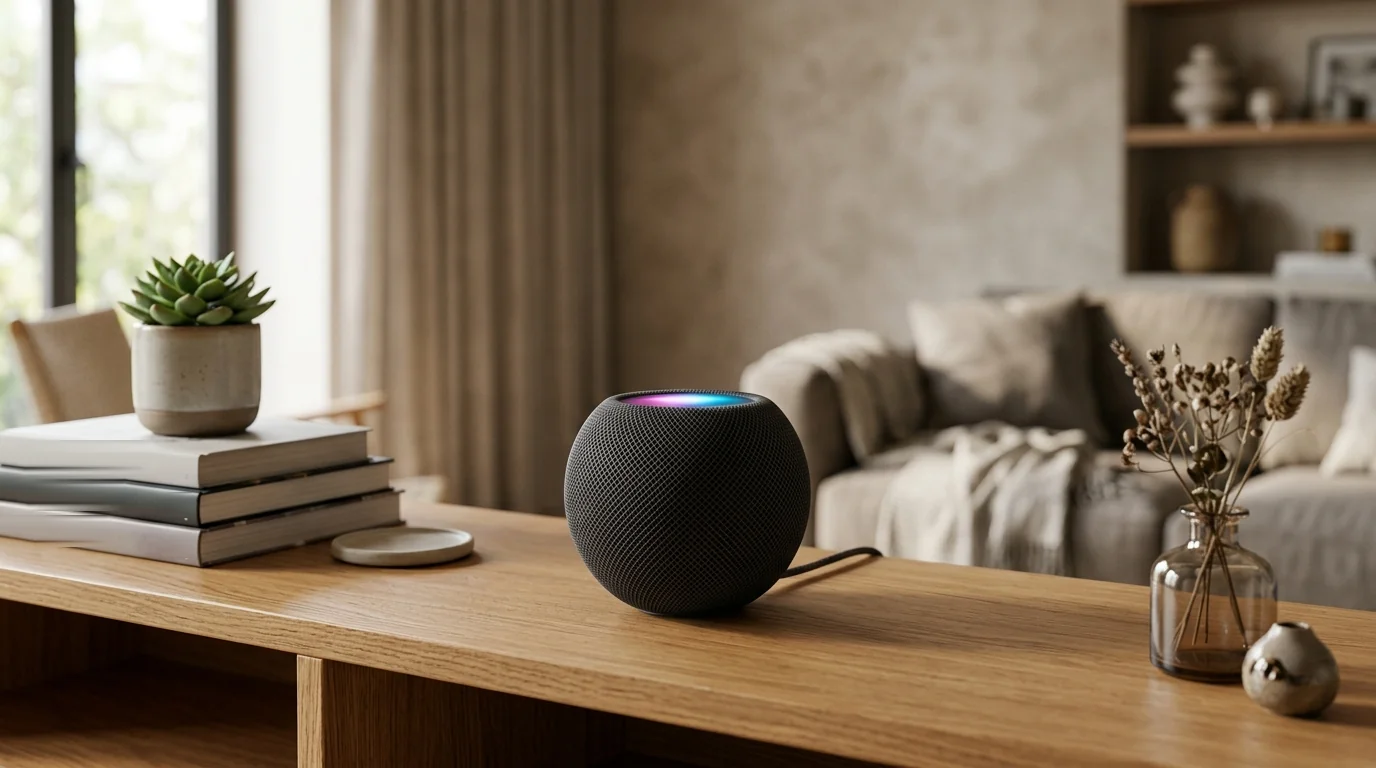
Six years is a long wait for a small speaker to get a proper update, isn’t it? Announced on October 13, 2026, HomePod mini 2 costs $149 and reaches stores on October 30, bringing S10, Wi-Fi 6E, Bluetooth 6 and Sound Glow. You get support for Siri AI too, though that arrives through a free update later.
Before you decide whether to order, here are the essentials.
| Item | Detail |
|---|---|
| Price | $149 in the US |
| Announced | October 13, 2026 |
| Pre-orders | Opened October 13 |
| In stores | October 30, 2026 |
| Chip | Apple S10 |
| Wireless | Wi-Fi 6E, Bluetooth 6, Thread and UWB |
| Colors | Five choices |
| Siri AI | Coming through a future free update |
This is your detailed guide to the speaker teased in our Apple HomeView coverage of Apple’s October 2026 event.
What the HomePod mini 2 Brings This Year
At Apple’s October 13 Welcome Home event, you got a familiar-looking speaker with updated internals. S10 takes over from S5, while your color choices are pink, green, blue, white and midnight. Apple’s Kaiann Drance described the update around smarter Siri features, fresh finishes and audio quality.
Sound Recognition can notify your Apple devices when it hears smoke or carbon monoxide alarms. Apple cautions against depending on it during an emergency.
So what changes how you actually use it? These five additions deserve your attention.
- S10 chip. You get the processor Engadget identifies as the first HomePod chip capable of supporting Siri AI. The hardware is here before the assistant update.
- Sound Glow. Your speaker’s top pulses with bass and treble, borrowing its colors from album artwork. Play rain soundscapes and you get animations too.
- Four-speaker surround. With the new Apple TV 4K, you can place two speakers in front and two behind you. Timing and volume levels adjust automatically, using mini 2 or second-generation HomePod speakers.
- Mac speaker mode. You can use one speaker or a stereo pair with a Mac supporting Wi-Fi 6E or newer. Engadget reports low-latency playback and microphone use during FaceTime calls.
- Updated wireless connections. Wi-Fi 6E and Bluetooth 6 replace the original wireless standards. You retain Thread for compatible home accessories and Ultra Wideband for proximity features with suitable iPhones.
Price and Availability Dates
You can already pre-order HomePod mini 2, but store availability begins later in October. Apple’s release covers the US and more than 23 additional countries and regions, with HomePod software 27.2 on the speaker. Here’s how the dates and prices line up.
| Event | Date or Price |
|---|---|
| Announcement | October 13, 2026 |
| Pre-orders through Apple’s website and Store app | October 13, 2026 |
| Shipping and store availability | October 30, 2026 |
| HomePod mini 2 US price | $149 |
| Original model’s 2020 launch price | $99 |
| Original model’s price after June 2026 rise | $129 |
Against the original’s launch price, you’re paying $50 more. Against its $129 price introduced in June 2026, the difference is $20.
You see, your reference point matters. Remember the mini as a $99 speaker? This feels like a bigger jump than choosing between the two current prices.
Full Specs at a Glance
Your speaker keeps the original dimensions, though its listed weight falls to 335 g. Apple still lists one full-range driver and two passive radiators. For the hardware, controls and requirements, use the table below.
| Spec | HomePod mini 2 |
|---|---|
| Height and width | 84.3 mm tall and 97.9 mm wide |
| Weight | 335 g |
| Processor | Apple S10 |
| Speaker hardware | One full-range driver, two passive radiators |
| Audio processing | Computational audio and a waveguide distributing sound around you |
| Microphones | Three for hearing Siri requests from a distance |
| Sensors | Temperature and humidity |
| Wi-Fi | Wi-Fi 6E, using 802.11ax |
| Bluetooth | Version 6 |
| Home accessory networking | Thread for compatible HomeKit and Matter accessories |
| Proximity connection | Ultra Wideband with a U1-equipped iPhone |
| AirPlay | Multiroom playback and guest peer-to-peer discovery |
| Stereo pairing | Requires another HomePod mini 2 |
| Touch playback controls | One tap pauses or plays, two skip forward, three go back |
| Other touch controls | Hold for Siri, use plus or minus for volume |
| Power adapter | 20W |
| Operating temperature | 0-35°C, or 32-95°F |
| Box contents | Speaker, power adapter and documentation |
| Setup requirements | iPhone or iPad with the latest system software and Wi-Fi internet |
HomePod mini 2 Compared With the Original Model
Put the two generations side by side and you’ll see nearly identical designs. The differences become clearer when you compare connections, processor and supported features. Here’s what changes if you’re coming from the 2020 model.
| Feature | Original HomePod mini (2020) | HomePod mini 2 |
|---|---|---|
| Dimensions | 84.3 × 97.9 mm | 84.3 × 97.9 mm |
| Chip | S5 | S10 |
| Wi-Fi | 802.11n, or Wi-Fi 4 | Wi-Fi 6E |
| Bluetooth | 5.0 | 6 |
| Weight | 345 g | 335 g |
| Microphones listed by Apple | Four | Three |
| Colors across the model’s life | White, blue, orange, yellow, space gray, midnight | Pink, green, blue, white, midnight |
| Siri AI support | Unsupported according to Engadget | Supported after a later update |
| Sound Glow | No | Yes |
| New Apple TV surround mode | No | Yes |
| New Mac speaker mode | No | Yes |
| Driver arrangement | Full-range driver, two passive radiators | Same listed arrangement |
Apple hasn’t announced driver changes or major acoustic revisions. The microphone counts reflect Apple’s published specifications, rather than a claim about better or worse voice pickup.
When Siri AI Arrives and What It Can Do
Siri AI is the feature you’ll have to wait for. Apple promises a future free update, while Engadget reports a release later this year. Neither gives you an exact date. Before buying for the Siri AI shown at WWDC, separate the promised abilities from the conditions attached.
What the new Siri handles
You can expect more natural back-and-forth conversation, improved general knowledge answers and better help finding music. Siri AI can distinguish up to six household voices, with personal context requiring a paired Apple Intelligence device.
Want a more specific music request? Engadget’s example is asking for Taylor Swift’s tour surprise songs alone, something the older Siri cannot handle.
The fine print
- Launch timing. You won’t get Siri AI when the speaker first reaches stores.
- Language and regions. Initial English availability covers the US, Australia, Canada, India, New Zealand, Singapore, South Africa and the UK. The EU isn’t included initially.
- Owner requirements. Your home’s owner needs an Apple Intelligence-compatible iPhone or iPad. Personal context requires a paired compatible device.
- Other household users. Without your own Apple Intelligence device, you can still receive general knowledge answers, conversational responses and improved music suggestions.
- Usage and fees. Certain server-based functions have daily limits. Apple says expanded access will cost extra in the future.
- Privacy. Requests run locally or through Private Cloud Compute. Apple says the data isn’t retained or available to the company.
Its Role in Your Smart Home
Your HomePod mini 2 can handle more than music requests. It works as a HomeKit home hub, connects with compatible Thread accessories and gives you voice control around the house. If you’re building an Apple home, here’s where the speaker fits.
- Connected accessories. Thread networking supports compatible HomeKit and Matter accessories. You can ask Siri to operate your lights, blinds, locks, thermostat or garage door, then manage scenes and automations through the Home app.
- Alarm notifications. Sound Recognition can hear smoke and carbon monoxide alarms and send notices to your iPhone, iPad or Apple Watch. You need the updated Home app architecture. Apple says you shouldn’t depend on this feature during emergencies.
- Conversations at home. Check-in lets you hear and speak with someone at home through the speaker. That gives you another use for it beyond asking questions or playing your next song.
- Cameras and doorbells. You can use it with Apple Home Collection cameras and video doorbells, including Face Recognition through HomeKit Secure Video. That collection starts arriving in December, with certain accessories following in early 2027.
- HomeView connections. According to 9to5Mac’s reporting, the speaker can extend Apple’s new HomeView hub around your house, including voice control and synchronised music. Treat that description as reported information rather than a confirmed specification from Apple’s speaker pages.
Setting It Up in a Few Minutes
You’ll need an iPhone or iPad running the latest iOS or iPadOS, plus Wi-Fi internet. Your speaker joins the same network as that device, and Apple advises against personal hotspots. With those requirements covered, follow Apple’s setup sequence.
- Choose its position. Put your speaker on a stable surface and leave about six inches of room around it.
- Connect the power. Plug it in, then wait until you hear the startup sound and see the light pulse on top.
- Bring your device close. With your iPhone’s passcode already entered, hold it near the speaker and tap Set Up when the option appears. You can use an iPad instead.
- Confirm the speaker. Fit it inside the camera frame shown on your device. Alternatively, type the four-digit code spoken by Siri.
- Finish the prompts. Choose its room, complete the remaining options and tap Done. The speaker continues its configuration in the background.
You can manage it afterwards through the Home app. A Mac can’t perform this initial setup, even though compatible Macs can use the speaker for audio once it’s ready.
Should You Upgrade, Buy Now or Hold Off
Already have a mini in every room? Your decision looks different from someone buying their first one. Engadget’s assessment puts the strongest case around Apple TV surround sound and Mac audio, while advising existing multi-speaker owners against rushing. Start with what you want the speaker to do today.
| Type of buyer | Our suggestion | Why |
|---|---|---|
| You’re buying your first HomePod mini | Choose mini 2 if you’re buying now | You get the updated hardware for $20 more than the original’s current price |
| You want surround sound with the new Apple TV 4K | Consider mini 2 | It supports a four-speaker arrangement with automatic sound calibration |
| You want speakers for a compatible Mac | Consider buying now | You can use one or two speakers with a Mac supporting Wi-Fi 6E or newer |
| You already own several original minis | Hold off unless you need a new feature | The design remains similar and Apple hasn’t announced major acoustic changes |
| You’re buying mainly for Siri AI | Wait for the update | You can’t use the promised assistant features at launch |
| You’re in the EU | Wait if Siri AI is your reason to upgrade | The initial Siri AI release excludes the EU |
| Your household lacks an Apple Intelligence iPhone or iPad | Check the requirements before ordering | The homeowner needs a compatible device for Siri AI |
Our Take
You get useful additions here, particularly if your plans include Apple TV surround sound or Mac speakers. Yet the familiar design and unchanged listed driver arrangement make this a measured hardware update. The bigger question is what you’ll get from Siri AI when it arrives.
For now, buy for the features you can use immediately. The $20 gap over the current original makes mini 2 easier to consider for a first purchase, while your existing speakers give you good reason to wait. There’s no need to rush for an assistant you can’t use yet.
FAQs
Still deciding whether this speaker belongs in your home? These answers cover the release, compatibility and buying questions that matter before you order.
You can pre-order HomePod mini 2 now, with store availability beginning on October 30, 2026. Apple announced it and opened orders on October 13. Your ability to place an order comes before the speaker reaches shops.
You shouldn’t expect Siri AI on your original HomePod mini, based on the published information. Engadget identifies S10 as the first HomePod processor supporting it, and Apple names mini 2 for the feature. Your older model uses S5.
You’ll pay $149 for HomePod mini 2 in the US. That’s $50 above the original model’s $99 launch price. Compared with the original’s price after its June 2026 rise to $129, you’re paying an extra $20.
You should wait if Siri AI is your main reason for buying, because it won’t be available at launch. If you want Sound Glow, Wi-Fi 6E or the new surround mode, those additions give you reasons to buy sooner. Apple promises the assistant through a free update but hasn’t given an exact date.
You get Wi-Fi 6E, Bluetooth 6, Thread, Ultra Wideband and AirPlay support. Thread connects compatible home accessories, while Ultra Wideband enables proximity features with a U1-equipped iPhone. You can use AirPlay for music across multiple rooms.
Yes, you can use an iPad instead, provided it runs the latest iPadOS. You still need one of those Apple mobile devices and Wi-Fi internet. Your Mac can’t handle the initial setup.
Yes, you can build a four-speaker surround system using HomePod mini 2 and second-generation HomePod speakers with the new Apple TV 4K. Engadget describes using four mini 2 speakers or two mini 2 units alongside two second-generation HomePods. For a stereo pair, however, you need two HomePod mini 2 speakers.
